
What does a smooth picture tell you about an IPTV provider in Canada? It tells you the stream works at that moment, not that the seller has permission to distribute the channels, will honour a refund or answer support messages after you've paid.
Check content rights and billing safety before comparing channel counts. Then test the service on your own equipment during your normal viewing hours. That's a better way to choose an IPTV subscription than trusting a long channel list or a promise of flawless streaming.
Table of Contents
- How IPTV Subscriptions Work Across Canada
- Provider Checklist and Legality Checks Before You Pay
- Bandwidth and Device Needs for Smooth Streaming
- How to Test a Provider With a Free Trial
- Fixing Buffering and Connection Problems
- Frequently Asked Questions About IPTV in Canada
- Matching Viewing Needs and Choosing a Plan
How IPTV Subscriptions Work Across Canada
Say a household in Calgary wants Canadian news, hockey and movies without maintaining a conventional television package. Instead of receiving programming through a satellite dish or cable television connection, the household opens a player app on a Smart TV and streams over the internet.
The simplest analogy is a pipe and its contents. The pipe that carries the signal is one question; the programmes flowing through it are another. Internet delivery explains how television reaches the screen. It doesn't establish whether the company selling that programming has distribution rights.
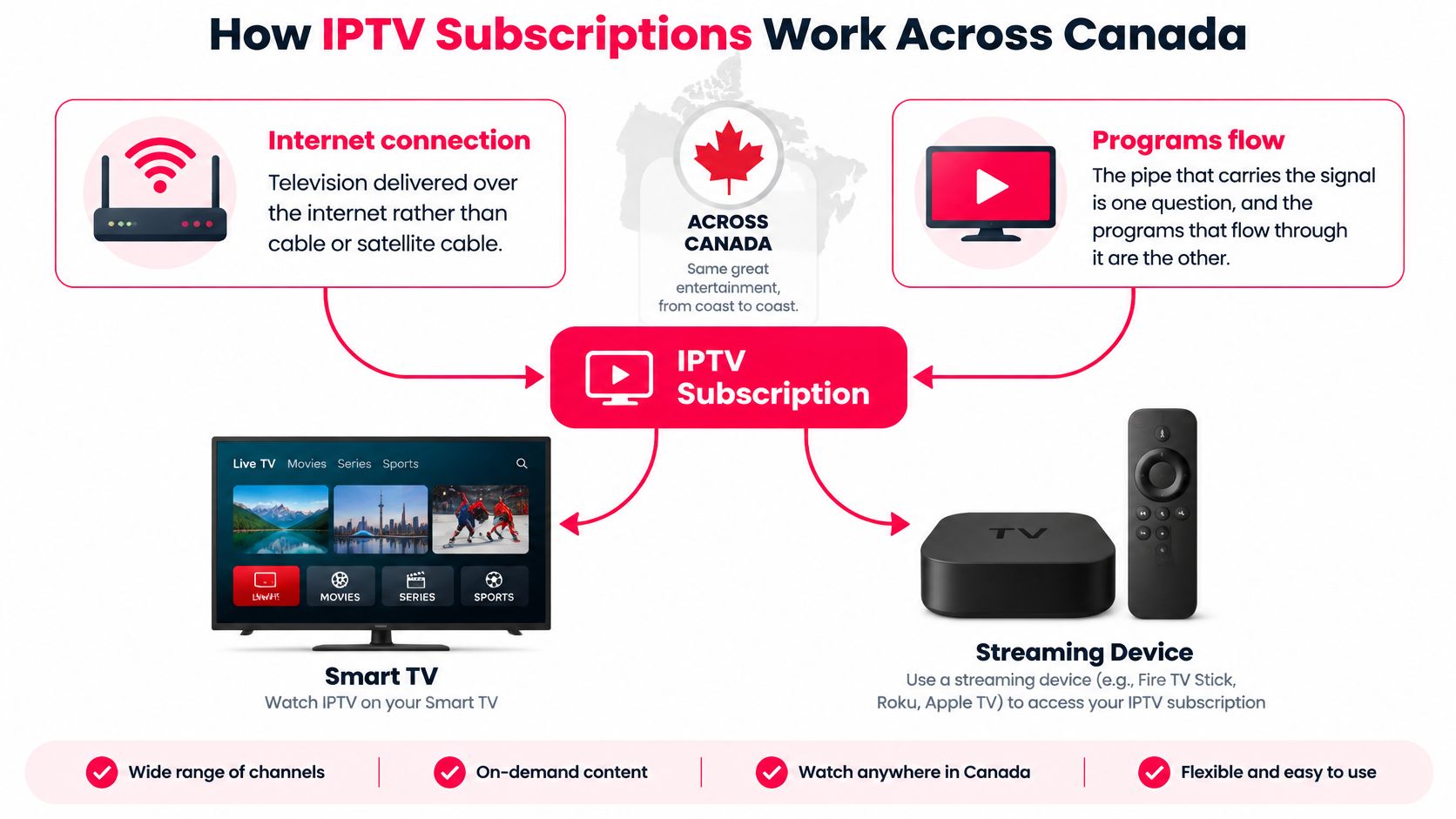
A typical subscription combines live television with an on-demand library. The buyer receives login credentials, installs a compatible IPTV player and signs in. A standalone service doesn't require a cable or satellite television package, although particular providers can impose their own internet-package requirements.
ROVE IPTV streams Canadian television online without requiring cable or satellite services and focuses on viewers in Canada. Our guide to how IPTV works explains the delivery and setup process.
What Canadian IPTV figures measure
The CRTC's broadcasting market report reports that IPTV penetration among Canadians increased from 20% in 2019 to 35% in 2023, while cable declined from 36% to 20% and direct-to-home satellite fell from 15% to 9% over the same period.
The CRTC distinguishes IPTV services such as Bell Fibe and Telus Optik TV from internet video services such as Netflix. Those figures shouldn't be read as measuring every streaming subscription or independently advertised IPTV offer.
Carry these distinctions into any purchase:
- Delivery: How does the signal reach your equipment?
- Subscription: Which channels, on-demand content and account permissions are included?
- Authorization: What establishes the seller's right to distribute that programming?
Provider Checklist and Legality Checks Before You Pay
A provider that can't answer this checklist in writing shouldn't get your card details. Apply that standard to websites, resellers and sellers contacting you through messaging apps.
Provider checklist for Canadian IPTV buyers
| Criterion | What to verify | Red flag |
|---|---|---|
| Business identity | Named company, business address and support contact | Anonymous seller with no contact route |
| Billing and renewal | Prices in CAD, taxes shown, renewal rules stated in writing | Hidden renewal fees or unclear recurring charges |
| Refund window | Stated money-back period and how to request it | No refund policy or refunds refused without terms |
| Privacy policy | Data use described and easy to find | No policy, or vague wording about sharing data |
| Content rights | Plain disclosure of which channels and content are authorized | Promises of every premium league or channel at a low price |
| Stream technology | Stated resolutions, server model and monitoring | Only channel counts, with no technical detail |
| Supported devices | Named devices and setup guides | Unlisted devices and no installation help |
| Support route | Contact channels and stated hours | No response route or no way to report problems |
Use this as a quick screening exercise, not a certificate of legality. A professional website, working trial and detailed server explanation don't independently establish programming rights.
Be particularly cautious about lifetime access. The seller should explain what lifetime means, whose lifetime it refers to and what happens if its channel suppliers change.
Buying rule: Clear payment terms are worth more than an impressive channel count.
Separate regulatory status from content rights
The CRTC's explanation of its modernized broadcasting framework states that Canada's Broadcasting Act gives it authority over certain online undertakings operating wholly or partly in Canada, regardless of where they're headquartered, when they function as broadcasting undertakings.
That doesn't make every internet television seller equivalent to a licensed Canadian television distributor. Regulatory status and permission to distribute particular channels need separate answers.
Put these questions to the seller in writing:
- Distribution rights: Which company holds the rights to the channels you're selling?
- Business registration: Where is the business taking my payment registered?
- Service continuity: What happens to my unused subscription if the service stops?
A reply about encryption, Canadian servers or HD quality doesn't answer those questions. Our explanation of IPTV legality in Canada helps distinguish delivery technology from lawful distribution.
Keep evidence before paying
Save the receipt, screenshots of the plan, the renewal terms and written refund confirmation. A card payment can provide a route to dispute a charge, subject to the issuer's rules, deadlines and assessment; it isn't a guaranteed refund.
Our advertised plans use Canadian-dollar pricing with applicable taxes included and are presented without contracts or automatic payments. Still, retain the terms displayed at checkout rather than relying on a conversation or an older screenshot.
Don't make an annual prepayment to a seller with an unverifiable identity. Forced card entry before refund and renewal terms are visible is a reason to stop.
Score each checklist row clear, unclear or missing. My recommendation is to walk away if two or more answers are missing, and to withhold payment whenever billing or content rights remain unresolved, even if everything else looks satisfactory.
Bandwidth and Device Needs for Smooth Streaming
Sustained throughput per stream matters more than your internet package's headline speed. A fast plan that sags under load will buffer sooner than a modest connection that holds steady. Use the planning ranges below, then confirm them on the equipment you watch with.
Bitrate ranges and household bandwidth planning
The ITU-T P.1204 recommendation identifies approximate ranges of 500 Kbps to 15 Mbps for HD and 1.5 to 45 Mbps for above-HD formats; at the upper end, three concurrent 4K streams could theoretically require up to 135 Mbps before overhead and other traffic.
| Format | Bitrate range (ITU-T P.1204) | Planning note |
|---|---|---|
| HD 720p to 1080p | 500 Kbps to 15 Mbps | Plan for one stream per room and test sustained speed on each device |
| Above HD 1440p to 2160p (4K) | 1.5 to 45 Mbps | Plan for the upper end when several 4K streams run together |
| Three concurrent 4K streams at the top of the range | Up to 135 Mbps | Theoretical ceiling before protocol overhead, Wi-Fi contention and other household traffic |
Treat these as broad encoding ranges, not as minimums or as proof that a given channel uses the highest bitrate. Compression, frame rate and the video versions a provider sends all change real demand.
For the household calculation, add up the streams likely to run at once, then leave headroom for downloads, video calls and the rest of the traffic your connection carries. Measure under normal conditions. A speed check taken with every other device disconnected tells you nothing about a busy evening.
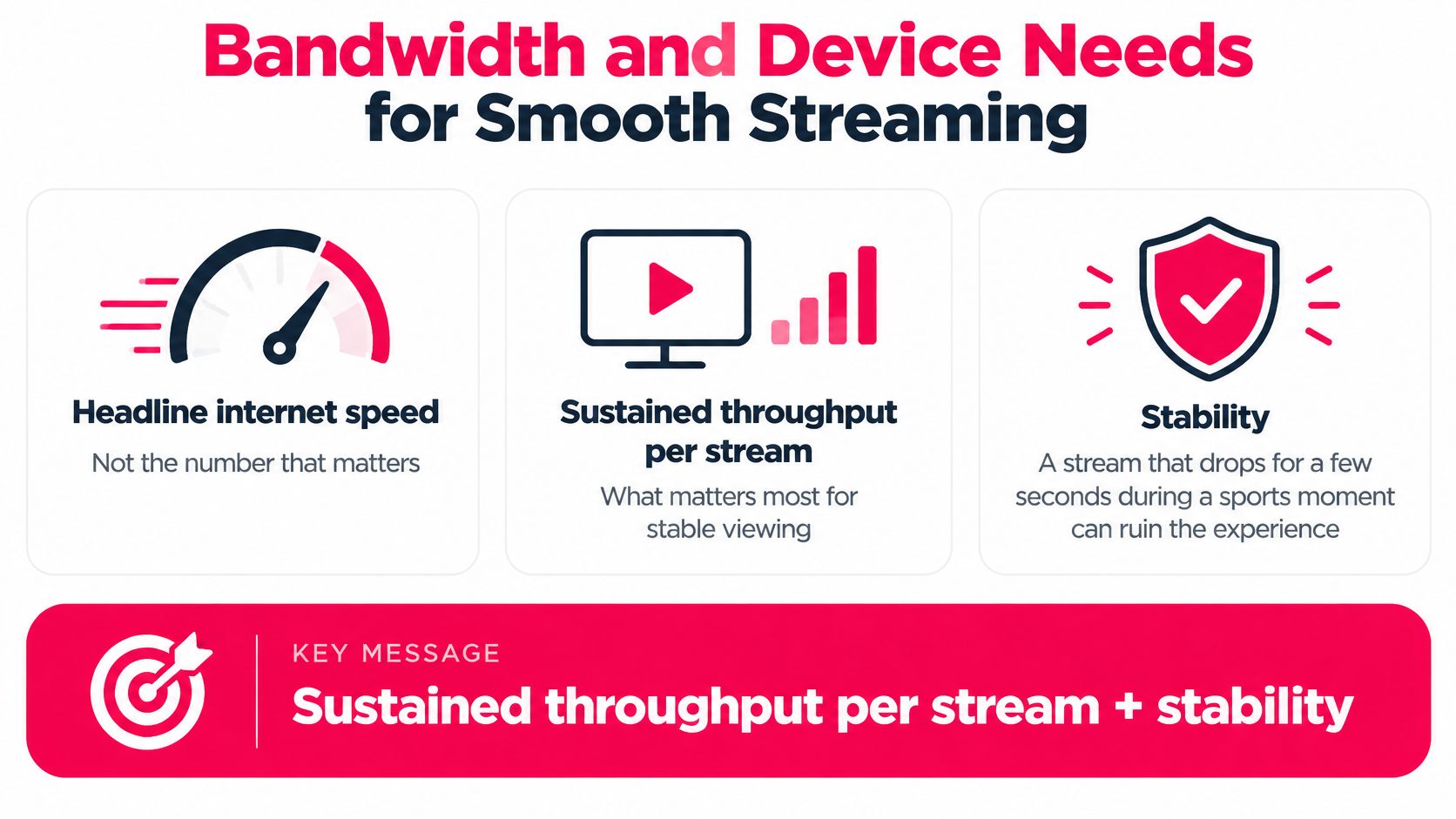
Choose a connection your device can sustain
Run wired Ethernet to the main television wherever practical. On wireless equipment, use strong 5 GHz or 6 GHz Wi-Fi, and only when both the router and the viewing device support it. A wired link removes Wi-Fi contention from the equation.
Our service supports HD and Full HD channel streaming, with server performance designed to reduce buffering interruptions, and it streams Canadian TV online without requiring cable or satellite. Supported equipment includes Smart TVs, Android TV boxes, Firestick devices, smartphones, tablets, Windows and Mac computers, and IPTV applications.
Size your connection with our IPTV internet-speed requirements guide before you pay. If a computer doubles as a viewing screen, display arrangement affects usability more than bandwidth does; Nerds 2 You Edmonton explains how to optimize your two-screen workspace.
Don't treat 4K IPTV Canada or 8K IPTV labels as proof of native-resolution programming. Ask the seller what the actual feed delivers, then choose the resolution your connection holds during peak evening use. If they can't answer that question, treat the label as marketing.
How to Test a Provider With a Free Trial
A useful trial reproduces your normal viewing, including busy household conditions. Before activating any IPTV Free Trial Canada offer, list the channels, programmes and devices that must work for the subscription to be worthwhile.
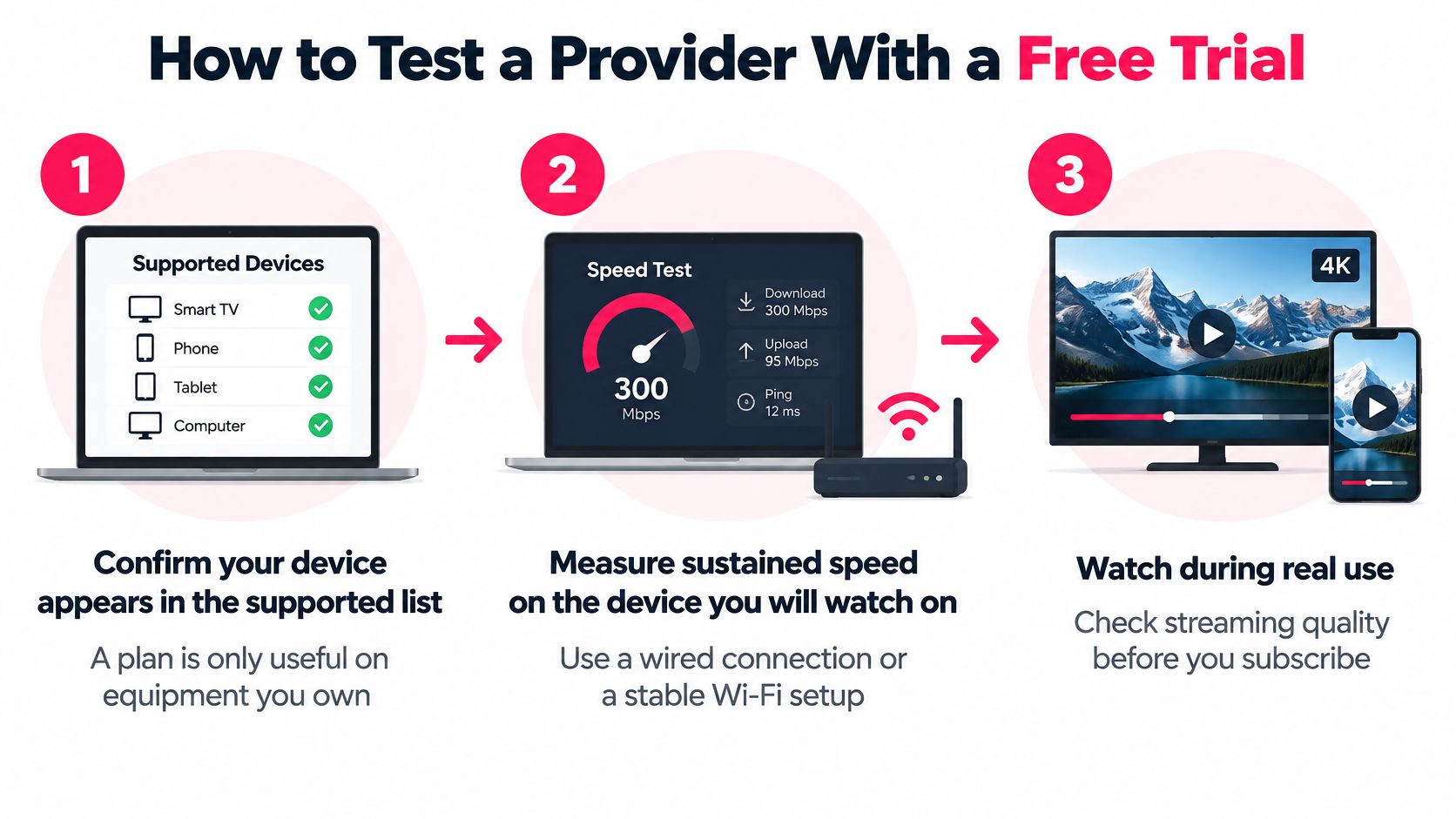
Test the account under real conditions
Match your exact device to the supported list. Check the model and player requirements, not just the manufacturer's name. A plan is only useful on equipment you own.
Measure sustained speed on that device before watching. Use Ethernet or a strong 5 GHz Wi-Fi connection so you can distinguish an account problem from a weak local connection.
Verify and activate the trial. Our advertised offer provides 24 hours of HD-channel access without a credit card. Confirm the current length and payment conditions on the IPTV free-trial page before starting.
Watch during peak evening hours. Choose a live match, news programme or movie you'd watch; a quiet daytime test doesn't reproduce a busy family evening.
Switch between your essential channels, then check recovery after a brief network interruption. Note failed channel loads and repeated freezes, not just whether the first picture appeared.
Check captions inside the player. The CRTC's captioning decision for qualifying streaming services sets accessibility requirements, but don't assume those rules establish coverage for a particular IPTV plan. Test caption availability, timing, contrast and readability on your actual device.
Complete setup and check another supported device. Our setup sequence is to select a subscription plan, receive login credentials, install an IPTV player app, enter the details and start streaming. Establish whether the account permits concurrent sessions before attempting simultaneous playback.
A successful login is the beginning of a trial, not the result.
Keep a short pass-or-fail record for your essential viewing. A good result means stable evening playback, responsive channel changes, readable captions and no surprise steps before payment.
Fixing Buffering and Connection Problems
When playback stutters, change one thing at a time. Otherwise, you won't know whether the app, local connection or competing household traffic caused the problem.
Work from the symptom to the fix
- Compare devices. If a Firestick freezes while another device plays normally, investigate that player and its Wi-Fi connection first.
- Move the main TV to Ethernet. If wiring isn't practical, improve router placement and try the 5 GHz band.
- Pause heavy traffic. Temporarily stop large downloads, cloud backups and video calls, then retest the same channel.
- Lower the resolution from 4K to HD where available. Improvement suggests the higher-bitrate version wasn't being delivered consistently.
- Restart the player app and router. Retest at the same busy viewing time rather than assuming a quieter daytime result proves the issue is fixed.
- Send support useful evidence. Record the time, channel, device model, connection type and whether the fault affects other devices.
A larger buffer can smooth timing variation, but it also delays channel changes. A short loading pause after switching isn't automatically a fault; repeated interruptions during playback are more useful to report.
Troubleshooting note: Describe what happened and when, rather than sending only a message saying the service buffers.
Our guide to stopping IPTV buffering provides a focused troubleshooting sequence.
Frequently Asked Questions About IPTV in Canada
Equipment and travel
Do I need a cable or satellite package to use IPTV?
No. ROVE IPTV streams Canadian TV online without requiring cable or satellite services, so the limit is your internet connection. Use the bandwidth planning criteria to confirm your service can sustain HD or Full HD viewing at the busiest hour in your home.
Can I watch on a phone or tablet while travelling?
Our service supports phones and tablets, but compatibility doesn't establish viewing permission at every destination, so check the plan's geographic terms in writing before you travel. Internet delivery is only the technology question; content rights decide where a channel may be shown.
Screens and purchase decisions
How many screens can run at once?
Use the plan's simultaneous-connection allowance, not its compatible-device list. An IPTV Multiple Devices offer should distinguish installing an app on several devices from running separate sessions concurrently, and support should state that number before payment.
What if a provider can't answer the checklist?
Keep payment on hold until the missing answers arrive in writing. A minor setup question can wait for a login, app and channel-switching test; an unresolved business-identity, billing or content-rights answer should end the purchase.
Matching Viewing Needs and Choosing a Plan
Start with your hardest-to-replace programming, usually sports. Rights are split by league, geography, broadcaster and blackout rules, so a channel name alone doesn't guarantee the specific game you want.
The Globe and Mail's reporting on sports subscription costs describes fans juggling several services and running into regional restrictions. Don't assume a streaming-first package automatically replaces everything a household watches.
Turn sports preferences into specific checks
For an NHL team in its home market, identify the regional coverage and blackout conditions. Out-of-market viewing needs a separate answer, even when the team and league stay the same.
For international football, name the competition and fixture. Multilingual sports viewers should confirm the commentary feed, and anyone buying for a major one-off event should establish whether separate event access is required.
Our live coverage includes football, hockey, basketball and international sports events, with match highlights, sports analysis shows and replay content for major events. Those categories describe the offering. They do not promise unrestricted access to every match.
Viewing needs and what to confirm before buying
| Viewing need | What to confirm before you buy | Example scenario |
|---|---|---|
| Live sports | Your team, league and region are covered and blackout rules are understood | NHL team in-market versus out-of-market games |
| Canadian news | Named national and regional networks are included | Regional news from a named Canadian network |
| Kids and family viewing | The channel list suits every age in the house | Family channels checked against each child's age |
| Movies and series | The on-demand library can be searched and filtered | Filtering by country, genre, release year and popularity |
| Several TVs at the same time | The plan allows enough simultaneous connections | Two TVs streaming separate sessions at once |
| International and multilingual channels | Languages and countries you need are listed | Multilingual sports or news from a home country |
Our subscriptions include national and regional news coverage from Canadian news networks, plus movies and a VOD library. Because the service streams Canadian TV online without cable or satellite, that lineup and library are the whole product. Test them by finding the actual bulletin, film or series you want.
Apply the household decision rule
A single viewer mainly watching movies and news needs one active connection. A family with several televisions needs enough permitted simultaneous connections for separate sessions, and multiple-connection plans offering one to five devices exist for exactly that situation. Permission to install the player everywhere is not the same as permission to watch everywhere at once.
For a broader shortlist, Rankozo lets you compare live TV streaming services. Use it to identify alternatives, then verify Canadian availability and current terms directly.
Compare the total monthly cost in CAD, including any other subscriptions needed to fill gaps that matter to you. Our listed prices are in Canadian dollars, include applicable taxes and carry no contracts or automatic payments. Confirm the current checkout amount and the advertised seven-day money-back provision in writing, including how to request a refund.
Write down three must-have viewing needs and test each before committing. The 24-hour trial provides access to HD channels without a credit card, which makes it the right place to run those checks. Don't cancel your existing service until its replacement passes them.
The Best IPTV Canada choice isn't necessarily the cheapest annual offer. It's the subscription whose programming authorization, household permissions, written terms and demonstrated performance support your actual viewing needs.
ROVE IPTV SUBSCRIPTION CANADA offers Canadian live television, sports, movies and on-demand entertainment on supported streaming devices. Visit ROVE IPTV SUBSCRIPTION CANADA to compare plans, request a trial if the checks pass, and contact support with any unresolved questions about content rights, billing or device access before paying.

No Responses