
Before you pay for an IPTV streaming Canada subscription, judge it on evidence you can collect yourself. That means a measured connection, a bandwidth budget for every screen, written rights and refund terms, and a go or no-go test. Labels such as 4K or local servers don't settle any of those.
Table of Contents
- What IPTV Streaming Means for Canadian Viewers
- Choosing Channels, Devices and Simultaneous Screens
- How Much Internet Speed Your Household Needs
- How to Test Your Connection Before You Subscribe
- Checking Legality, Terms and Provider Claims
- Setting Up IPTV on Your Smart TV or Streaming Device
- Fixing Buffering and Freezing on Live Channels
- Request a Trial Once Your Checks Pass
What IPTV Streaming Means for Canadian Viewers
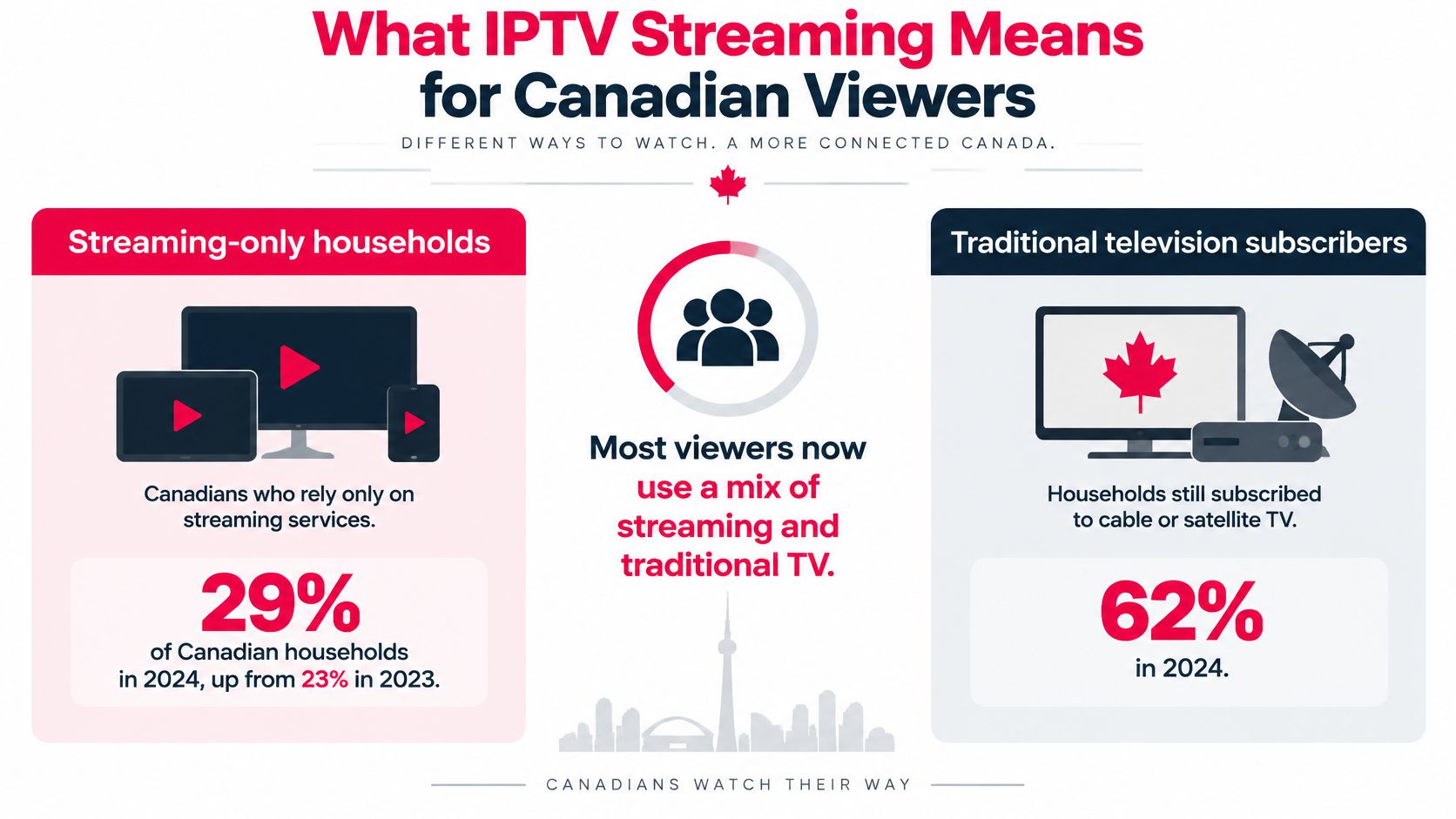
The CRTC communications market report puts numbers on a shift most homes already feel: the share of Canadian households classified as streaming-only rose from 23% in 2023 to 29% in 2024, 62% still subscribed to traditional television, 76% held a subscription video-on-demand service, and hours spent on traditional television fell 8.6%.
Say you're in Winnipeg. Cable stays on for the evening news, and a streaming app handles the film after the kids are in bed. Those figures describe exactly that mix, two systems running side by side in one house.
IPTV carries television as data over your broadband connection. Cable works like a private road built to reach your door. IPTV shares the same lane as email and video calls, so that lane has to be wide enough for both.
Three terms show up the moment you start comparing offers.
- Live channels: Programmes that start on a schedule, such as a hockey game or a newscast.
- Video on demand (VOD): Films and series you start when you want.
- Player app: The software on the TV, stick or phone that turns the data back into a picture.
How the main delivery methods differ
| Delivery method | What it runs on | Typical content | Who controls the rights |
|---|---|---|---|
| Cable or satellite | Dedicated cable or satellite line | Channel packages set by the carrier | The carrier |
| Telco IPTV (CRTC definition) | Fibre or DSL internet from the carrier, such as Bell Fibe or Telus Optik TV | Carrier channel packages and on-demand titles | The carrier and its content partners |
| Internet video (SVOD) | Any broadband connection, such as Netflix, Crave or Club Illico | On-demand library, some live channels | The streaming service |
| Third-party IPTV subscription | Broadband plus an IPTV app or device | Live channels and on-demand library that varies by provider | The provider's licences, which the viewer must verify |
Under the CRTC's split, Bell Fibe and Telus Optik TV count as IPTV. Netflix, Crave and Club Illico are internet video services. A third-party IPTV subscription sits in a category of its own, because the rights check falls to you.
That last row is where evidence matters most. Before money changes hands, you confirm the provider holds licences for what it sells, since no carrier or regulator has done that work for you.
Choosing Channels, Devices and Simultaneous Screens
Price comparisons only work when every offer is scored against the same list. Build that list in three passes, and write it down before you look at a plan.
Channels You Will Open
A large channel count can hide a thin set of the stations you care about. A catalogue works like a grocery flyer: hundreds of items on the page, and only the handful you buy each week decides whether the trip was worth it. Name each one.
- News and local stations: Write the network and the city rather than the word "news," because two plans can both list a national network while only one carries your regional station.
- Sports: Note the league, and whether you need the live game or only highlights and replays.
- Kids or another language: List the channel title, then match it on a published lineup such as our Canadian IPTV channel list.
The on-demand library
Check that films and series cover the genres and languages in your home. Search should work by country, genre or release year. A wall of posters with no filters means the first evening goes to scrolling instead of watching.
Devices and how many screens at once
List the hardware you own, whether that's a smart TV, a streaming stick, a set-top box, a phone, a tablet or a laptop. Note the player app and the operating system version it asks for.
Then count people who will watch at the same time. Ask how many simultaneous connections the plan allows, and whether each one is a separate stream. Three TVs and two phones means five screens. A person who watches alone doesn't need that.
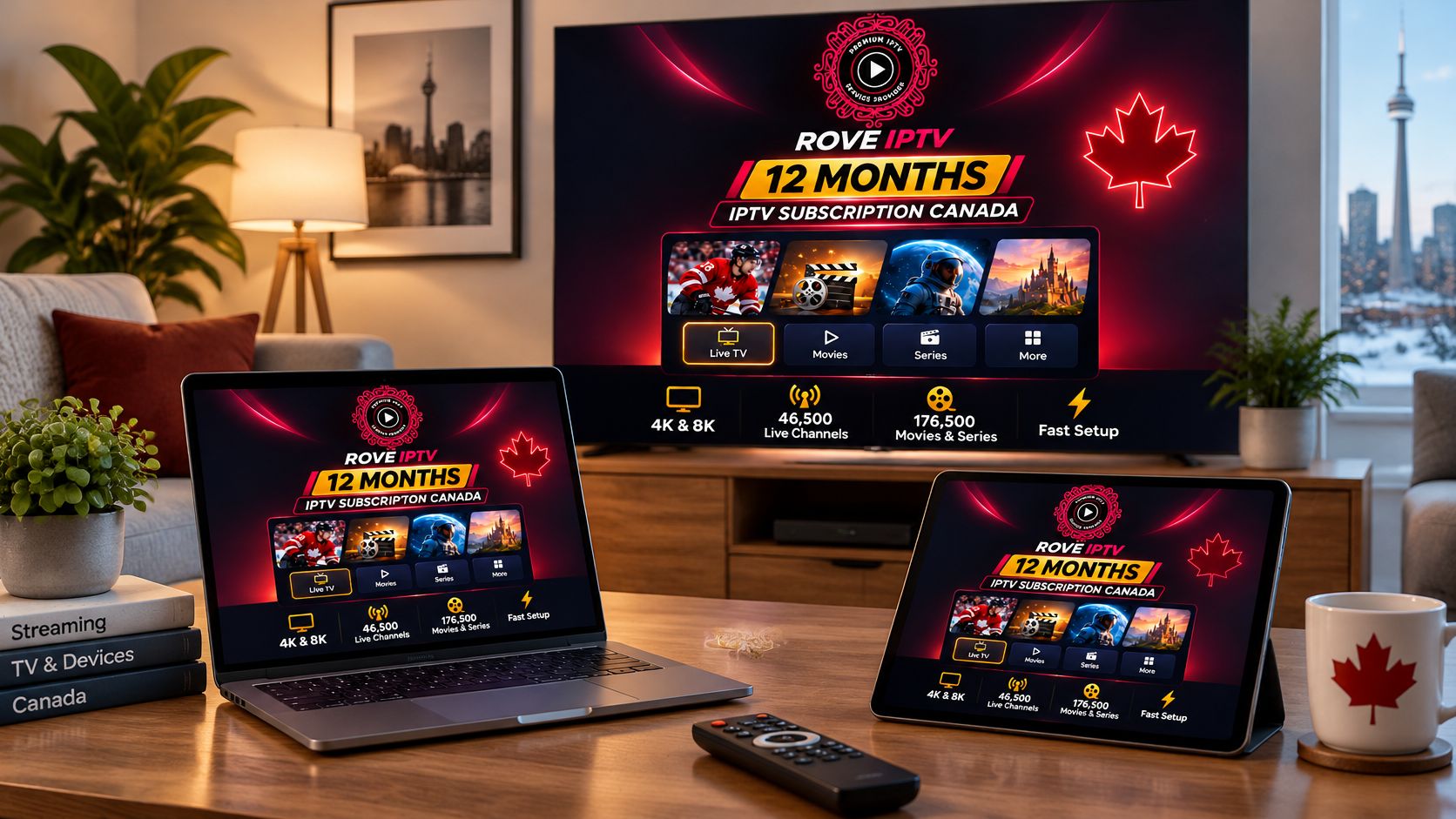
If your screen count is two, compare the 12 Months IPTV Subscription Canada – 2 Devices plan against your list. It is a 12-month subscription for 2 devices, so tick your named channels and screens against it before looking at the price.
Practical rule: Don't compare prices until the channel, device and screen list is finished.
How Much Internet Speed Your Household Needs
Bandwidth needed per viewing type
| Viewing type | Speed per stream | Two streams at once | Guidance |
|---|---|---|---|
| Standard definition | 3–5 Mbps | 6–10 Mbps | Usually fine on a modest plan |
| High definition (HD) | 5–8 Mbps | 10–16 Mbps | Keep spare capacity for other traffic |
| Ultra HD 4K | About 25 Mbps | About 50 Mbps | A wired connection is strongly advised |
| One 4K and one HD stream | About 25 Mbps plus 5–8 Mbps | About 30–33 Mbps | Add margin for video calls and updates |
The CRTC technical guidance on mobile and video use lists approximate minimum download speeds of 3–5 Mbps for standard definition, 5–8 Mbps for high definition, and 25 Mbps for Ultra HD 4K. Two HD streams at once come to roughly 10–16 Mbps. These figures plan a network. They don't guarantee that any service will hold a given resolution, and they ignore Wi-Fi congestion, latency and other household traffic.
Treat the connection as a water pipe and each stream as a tap. One 4K tap can take most of a modest pipe. A second 4K tap changes the evening.
A three-screen living room
Two people on 4K and one on HD, all at once, add up from the table as about 25 plus 25 plus 5 to 8 Mbps. That's roughly 55–58 Mbps before anyone else uses the line. A plan that looks comfortable for one screen can fail at seven in the evening for that reason.
Video calls, cloud backups, game downloads and software updates share the pipe. Leave margin above the stream total. Matching it exactly leaves nothing when a phone starts an update.
Our page on how much speed IPTV needs extends the same addition to other screen counts. Away from home broadband, power is a separate problem. If you run Starlink Mini while driving, the stream rates above still apply, because a link in a car doesn't shrink what a 4K picture asks for.
- Count the screens that will be on together, not every device in the house.
- Add their stream rates from the table.
- Add margin for everyone else, then test that sum on the TV you will use.
How to Test Your Connection Before You Subscribe
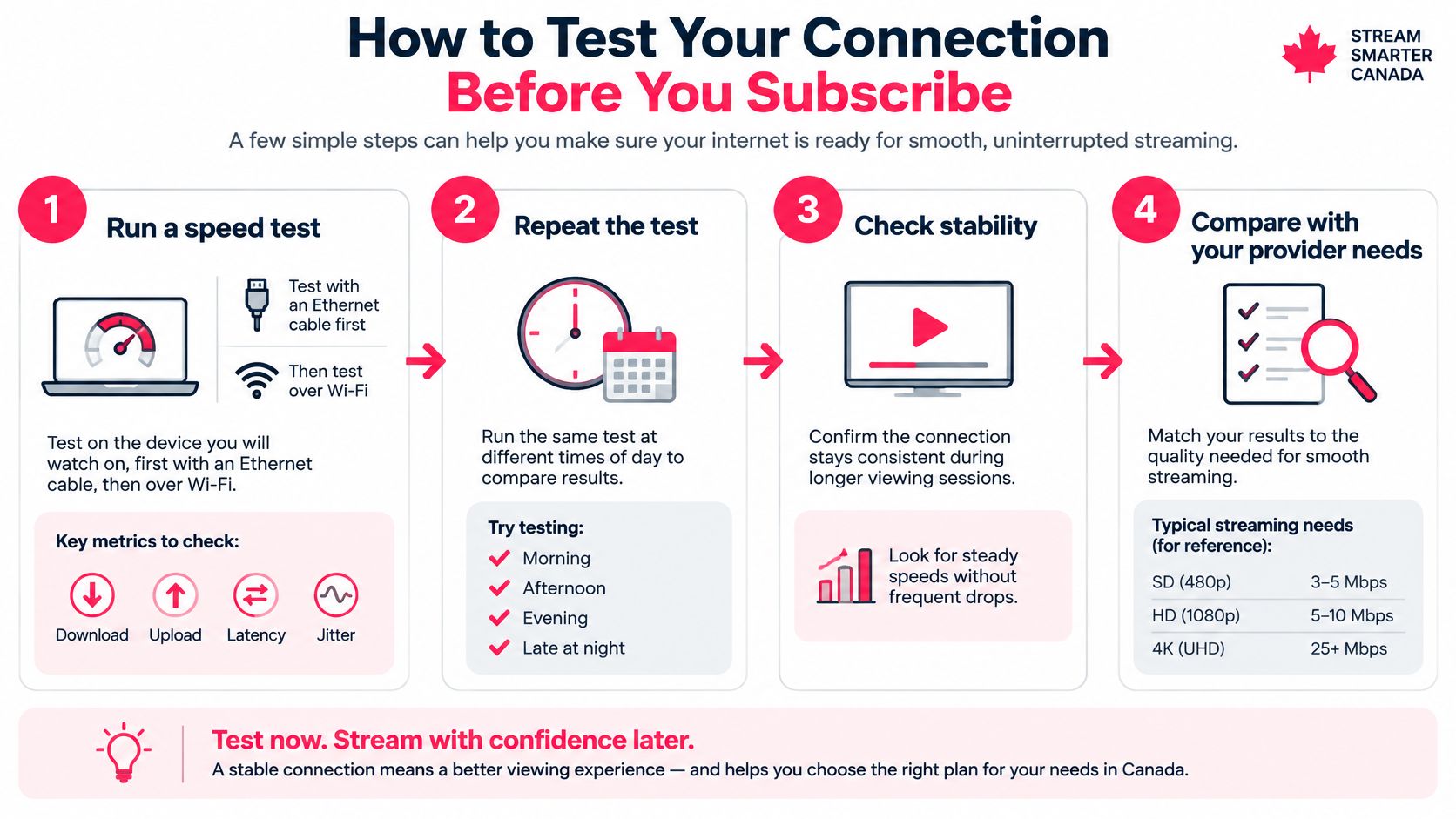
Run the test on the television or streaming stick you will use in practice, during the evening, while the house is busy. A result from a quiet phone at noon can miss the two faults that spoil live channels: jitter, where packets arrive in uneven bursts, and packet loss, where some never arrive.
The CRTC report on broadband quality treats roughly 35–42 ms or lower latency as generally desirable for video streaming and reports that 97.3% of Canadian households had access to 50/10 Mbps service in 2025. Access is a map figure. Your result is the latency, jitter, packet loss, time to first byte, and download and upload performance measured at the couch when neighbours are online too.
Six checks before you pay
- Test the viewing device. Run a speed test on the TV or stick, first on Ethernet, then on Wi-Fi, and write down download, upload, latency and jitter. The phone in the kitchen is not the set in the den.
- Repeat it from 8 to 10 pm. Neighbours share the same local congestion then, so a noon result flatters the line.
- Compare latency with 35–42 ms. Live sport feels the delay sooner than a film you can buffer.
- Read jitter and packet loss. Uneven delivery stalls playback when the average still looks healthy. If ten packets should arrive each second and three show up late in a bunch, the player runs out of picture even though the speed test average stayed high.
- Load the line. Run the test again while someone else streams or downloads, so you see the connection under real use.
- Choose the wire if it wins. When Ethernet is clearly faster, plan a cable or a better access point before you subscribe. For several streams or UHD, a wired link is the safer default. Use 5 GHz or 6 GHz only if Wi-Fi is the only option.
The pass mark is simple. The numbers hold at peak time on the device you will watch on.
Treat it as a go or no-go gate. If evening readings stay near the latency range with low jitter and no meaningful packet loss while the line is loaded, your network is ready for a trial. If they fail only on Wi-Fi, fix the wireless path before paying. A provider can spread load across its own servers, and server work cannot repair last-mile congestion, a weak wireless signal or an unstable modem.
Checking Legality, Terms and Provider Claims
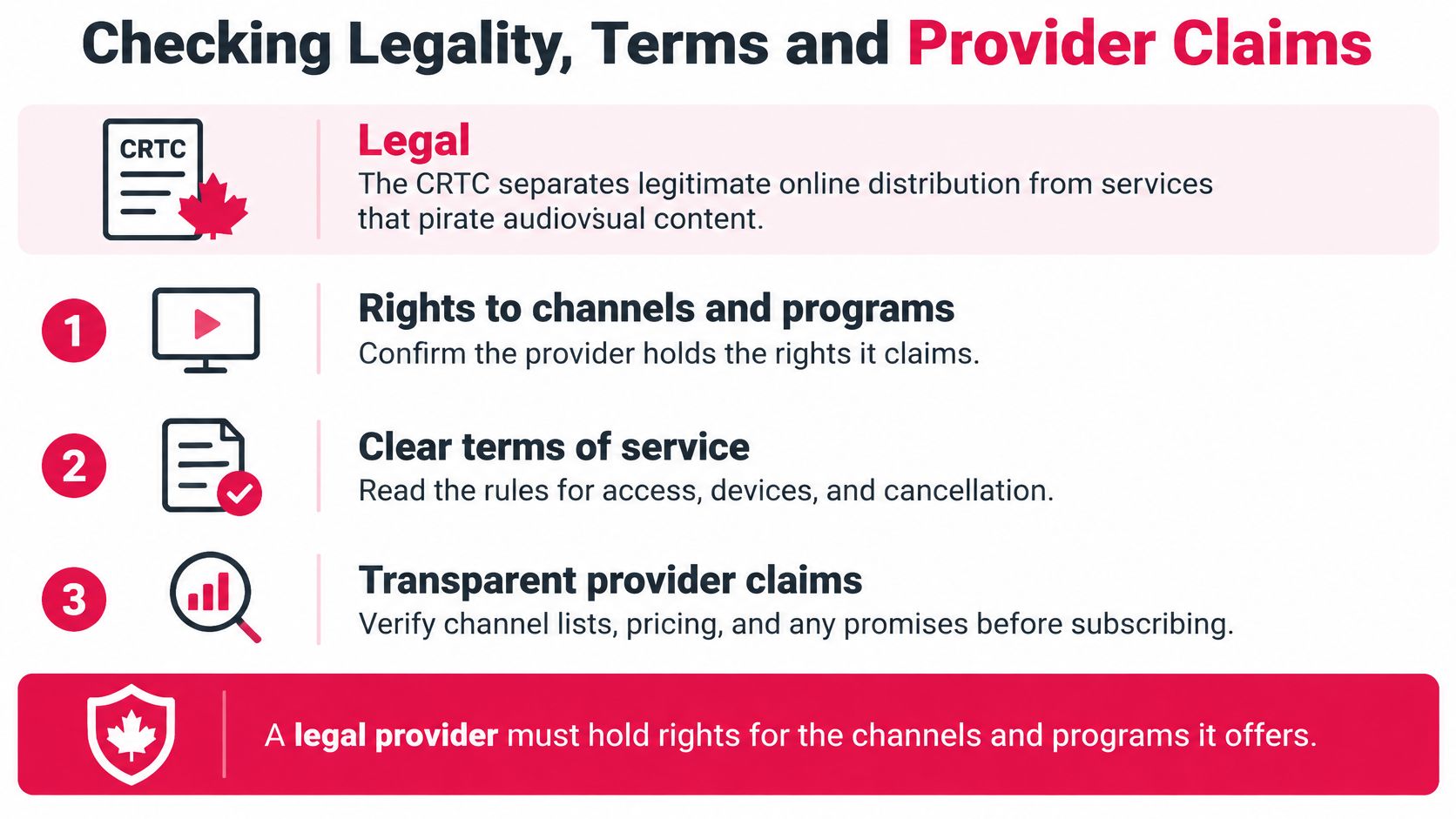
IPTV streaming Canada describes a delivery method, and legality depends on the seller's rights to each channel and programme it carries. A polished app or a sharp picture proves nothing on its own. According to the CRTC's figures on television and streaming subscriptions, 44% of Canadians reported subscribing to both traditional television and online audiovisual services in 2025, while 33% reported using streaming services exclusively. The same page separates licensed online services from pirated content and notes that piracy tends to fall when legal offers meet what viewers want. A household stacking several paid subscriptions still needs the same rights check for each one.
No article can declare a provider lawful for you. You judge the paperwork the way you judged your connection earlier: on evidence you measure, not promises you heard.
What you can verify in writing
A subscription offer works like a lease: the written terms carry the weight, and the sales pitch carries none. Ask for each of these before paying.
- A real business: legal name, a physical address and a way to reach a person.
- Billing and cancellation: what you pay, when the plan renews and how you stop it.
- A refund policy: the window, the conditions and how you request the money.
- Privacy: what the service collects and who receives it.
- Rights: which channels and programmes the seller is allowed to distribute.
Our explainer on whether IPTV is legal in Canada sets that rights question out in more detail.
Provider claims versus evidence
Marketing language remains a claim until you test it. The table pairs common selling points with what they establish.
| Claim | What it suggests | What it does not prove | How to check |
|---|---|---|---|
| HD, Full HD, 4K or 8K | The stream quality the service aims to deliver | Licensed content or stable playback at peak times | Test the stream during a trial and read the plan details |
| Local servers | Where the service says its infrastructure sits | Cleared content rights | Ask where streams are hosted and how load is balanced |
| 24/7 support | Support is offered at any hour | How fast problems get resolved | Send a test question before paying |
| Free trial | Limited access to test the service | Long-term quality or rights | Check the trial length, card requirements and channels included |
| Money-back guarantee | A refund window is advertised | Whether refunds are simple to obtain | Read the refund conditions in writing |
A 4K badge describes a resolution target. Local servers describe where infrastructure sits. Round-the-clock support describes staffing hours. Each claim still needs the check in the right-hand column before it earns weight in your decision.
Red flags show up in ordinary details. A very wide premium and international package priced below what rights could plausibly cost, a missing business identity, or pressure to pay through an unusual channel each mean you stop. If the seller cannot answer the checklist in writing, the verdict is unverified, and unverified is a no-go before money changes hands.
Setting Up IPTV on Your Smart TV or Streaming Device
Start from the device you already listed, and confirm its operating system meets the player app's stated minimum. Our walkthrough of IPTV on a smart TV covers the Canadian set-top path in more detail. The order below is the one that keeps a bad install from looking like a bad channel.
- Connect first. Use Ethernet where you can, or the 5 GHz band if Wi-Fi is the only path. A stable link makes later faults easier to read.
- Install from the official store. Use the player the provider names, on the TV, stick or box's own app store. A link sent by a stranger can install something else.
- Enter credentials from a written message. Type the login exactly as the provider sent it, so a typo isn't mistaken for a dead server.
- Load the channel list. Confirm every station you named in your planning list is there.
- Play for ten minutes. Open one live channel and one on-demand title. Short blips hide problems that show up after a few minutes.
- Repeat on the phone or tablet. Note which screen fails. A miss on one device is a device problem, not proof the whole service is down.
If your hardware isn't on the compatibility list, don't assume it will work. Ask before you subscribe. Compatible gear commonly includes smart TVs, Firestick, MAG Box, Formuler, Chromecast, Apple TV, Roku, phones, tablets and laptops, but the list you receive in writing is the one that counts.
Keep a short record of each result. You'll need it if a fault appears only at peak time.
Fixing Buffering and Freezing on Live Channels
The complaint that wastes the most evenings is buffering that appears only after supper. A national average hides that hour. The CRTC's internet contact notes reported that, at the end of 2021, 91.4% of Canadian households had access to at least 50 Mbps download and 10 Mbps upload, while 99% had access to LTE. A minority, with rural and remote communities more exposed than many cities, still sat below that fixed benchmark. Check the plan at the address where you watch. A provider's servers can't remove a local capacity limit, weak Wi-Fi, congestion or a data cap.
Steps that take minutes, such as an Ethernet move or a player restart, come before a plan change. Our notes on how to stop IPTV buffering sit beside the table below.
Symptoms, causes and fixes
| Symptom | Likely cause | First fix |
|---|---|---|
| Buffers only in the evening | Peak-time congestion on the home or local network | Test at 8–10 pm, then connect the TV by Ethernet |
| Freezes on one device only | Weak Wi-Fi or an outdated player app | Move closer to the router or update the app |
| Picture drops to low quality | Available bandwidth is below the stream's need | Compare with the bandwidth table and lower the quality setting |
| Second screen fails while the first works | Connection limit reached or bandwidth shared | Check the simultaneous connection count and pause one stream |
| Fine on a phone, poor on the TV | Device or app issue | Restart the device and reinstall the player |
| Slow across the whole home, especially rural | Local network capacity or limited access | Compare with 50/10 Mbps availability and consider another connection |
The first three rows are usually a cable, a restart or a lower quality setting. The last row is a connection problem, and another app won't fix it.
Request a Trial Once Your Checks Pass
A trial works like a final exam under real conditions: it confirms what your earlier checks found. Ask for one only when four things are already true. The connection held its numbers in the evening test. The channels you named are confirmed. Your device and player app are supported. Refund and cancellation terms are in writing.
Before any payment, get the remaining answers in writing. Ask how long the trial lasts, whether a credit card is required, and which channels it includes. Ask which payment methods the seller accepts, and confirm the plan carries no contract or automatic payments. A 24-hour trial with no card gives you one evening to test, so ask how the advertised seven-day money-back provision applies once you pay.
During the trial, play one live channel and one on-demand title at peak time on each type of screen you own. Treat it as a go or no-go decision. A named channel that buffers in the evening, or a screen that fails, is a no, whatever the written terms promise.
Once the trial passes, setup follows a short path: choose a plan, receive login credentials, install an IPTV player app, enter the details and start streaming. The plans listed at ROVE IPTV show the subscription options for the screens you tested.
Run the trial on an ordinary evening, compare what you see against your checklist, and let that answer decide.

No Responses