
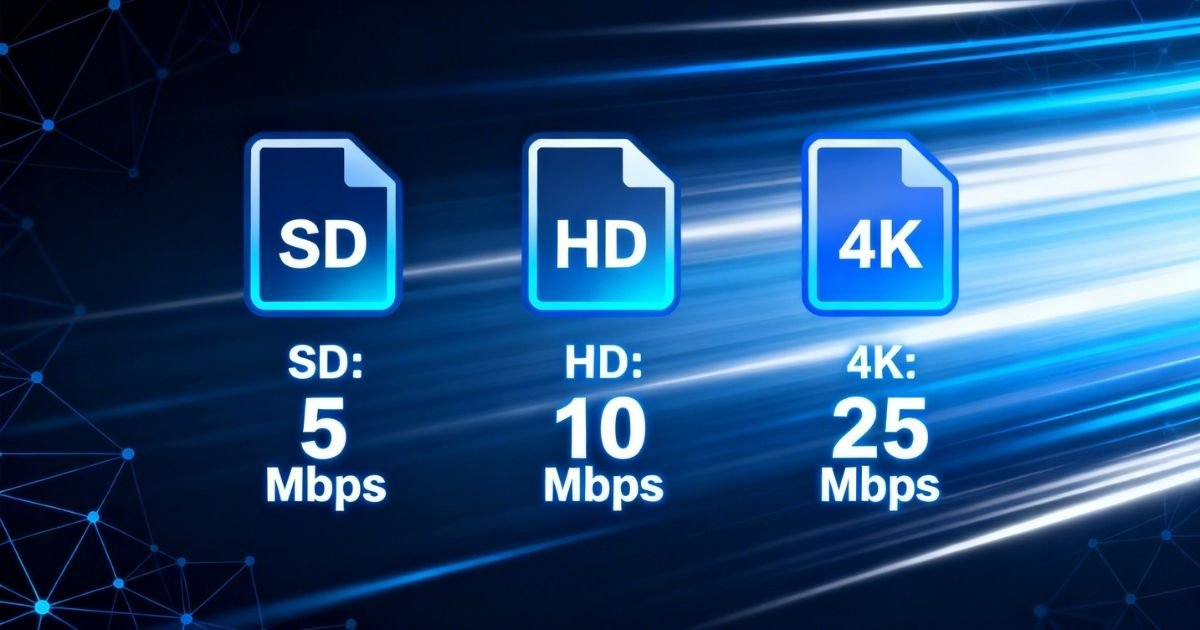
If you are dealing with constant buffering or pixelated video, the issue may be your IPTV internet speed.
Having the right internet speed can make the difference between a frustrating experience and lag-free, crystal-clear streaming. This guide covers everything from the minimum requirements for SD to 4K, so you can enjoy IPTV without any disruptions.
Internet Speed Requirements by Video Quality
Not all streams are equal. The resolution you choose will determine how much bandwidth you need. Below are the IPTV internet speed requirements for each quality level in 2026:
| Video Quality | Minimum Speed | Recommended Speed |
| SD (480p) | 3 Mbps | 5 Mbps |
| HD (720p) | 5 Mbps | 10 Mbps |
| Full HD (1080p) | 10 Mbps | 15-25 Mbps |
| 4K (UHD) | 25 Mbps | 50 Mbps+ |
| 8K | 60 Mbps | 100 Mbps+ |
Pro Tip: Always aim for 20-30% above the minimum speed. This extra buffer keeps things running smoothly when network traffic is high.
How Many Devices Are Streaming at the Same Time?
This is where most households go wrong. Every device on your network adds to your IPTV internet speed requirement:
- 1 device (HD): 10-15 Mbps
- 2 devices (HD): 20-30 Mbps
- 3 devices (HD): 30-45 Mbps
- 1 device (4K): 25-50 Mbps
- 2 devices (4K): 50-100 Mbps
Keep in mind that gaming, video calls, and downloads will also consume bandwidth, so you will need more headroom. For most Canadian households, a 50-100 Mbps plan works well.
Why You Still Get Buffering Even with High-Speed Internet
Fast internet alone does not guarantee smooth IPTV. Here are the most common reasons buffering happens even when your speed test looks fine:
ISP Throttling
Some internet service providers slow down streaming traffic during peak hours. You may notice IPTV stalling while Netflix runs perfectly. Using a VPN can help you get around this throttling.
Network Congestion
Evening hours (7-11 PM) are the busiest. When all your neighbors are online at the same time, it eats into your available bandwidth.
Wi-Fi Interference
Wi-Fi connections can be unstable. Walls, distance, and nearby devices all weaken your signal. This is one of the most common causes of buffering that people tend to overlook.
Old Router or Equipment
Even with a fast ISP plan, an old router can slow everything down. Routers that are more than five years old often struggle to handle multiple 4K streams at once.
Best Solutions to Fix IPTV Buffering
Here are the most effective fixes that actually work:
- Connect via Ethernet instead of Wi-Fi, as this alone solves around 70% of buffering issues.
- Upgrade your router to a dual or tri-band model, preferably one with Wi-Fi 6.
- Restart your router at least once a week to clear the cache and improve performance.
- Use a VPN if your ISP is slowing down streaming traffic.
- Close background apps on your streaming device to free up bandwidth.
- Upgrade to a higher internet plan if you need to run multiple 4K devices at once.
Which Internet Connection Type Works Best for IPTV?
The type of connection matters just as much as the speed. Here is a quick comparison:
| Connection Type | Speed Range | Stability | Best For |
| Fiber Optic | 100 Mbps – 1 Gbps | Excellent | 4K/8K, multi-device |
| Cable | 25 – 300 Mbps | Good | HD/4K, single device |
| DSL | 5 – 50 Mbps | Fair | SD/HD only |
| 5G Home Internet | 100 – 300 Mbps | Good | 4K, but higher latency |
| Satellite | 25 – 100 Mbps | Poor | Not recommended for IPTV |
Fiber optic is the gold standard for fast IPTV streaming. It offers the lowest latency, the most consistent speeds, and rarely slows down during peak hours.
Internet Speed Requirements for Live Sports and Events
Live sports are the most demanding streams. Unlike on-demand content, live broadcasts cannot pre-buffer. For a smooth experience:
- HD sports streaming: 15 Mbps minimum, 25 Mbps recommended.
- 4K sports streaming: 35 Mbps minimum, 50 Mbps or more recommended.
- Latency: Keep it under 50ms for real-time live viewing.
For live IPTV sports, low latency matters just as much as fast speeds. Even with a high-speed connection, high latency can cause freezing at the worst possible moments.
Best IPTV Providers in Canada (2026)
Choosing the right IPTV provider reduces buffering regardless of your internet speed. Here are the top options in Canada:
| Provider | Streams | 4K Support | Uptime |
| RoveIPTV.com | Up to 4 | Yes | 99.9% |
| Other Provider 2 | Up to 3 | Yes | 99% |
| Other Provider 3 | Up to 2 | Limited | 98% |
RoveIPTV.com is a strong choice for Canadian users, thanks to its stable servers, low buffering rates, and reliable HD and 4K streams. Their infrastructure is well-optimized, making it perform well even on a standard 25 Mbps connection.
Quick Speed Test Checklist Before Starting IPTV
Before subscribing to any IPTV service, run through this quick checklist:
- Check your speed at Speedtest.net or Fast.com.
- Run the test during peak hours (evenings), not in the middle of the day.
- Check both download speed and latency/ping.
- Test on the actual device you will use for IPTV, not just your phone.
- If you are on Wi-Fi, also test with an Ethernet cable and compare the results.
Frequently Asked Questions
Q: What is the minimum internet speed for IPTV?
For basic SD streaming, 3-5 Mbps is enough. For HD, you need at least 10 Mbps. For 4K IPTV, plan for 25-50 Mbps per device.
Q: Is 25 Mbps enough for IPTV?
Yes. 25 Mbps can support one 4K stream or two HD streams at the same time. Larger households should go for 50-100 Mbps.
Q: Why does my IPTV buffer even though I have high-speed internet?
Buffering is not always about speed. Wi-Fi instability, ISP throttling, and network overload are common causes. Switching to Ethernet, using a VPN, and upgrading your router can all help.
Q: Does 5G work for IPTV?
Yes. 5G home internet (100-300 Mbps) works well for IPTV. Just keep in mind that it tends to have slightly higher latency compared to fiber.
Q: What is the most reliable fix for IPTV buffering?
The most reliable fix is switching from Wi-Fi to a wired Ethernet connection, upgrading your router, and making sure your internet plan is at least 20-30% faster than the minimum requirement.
Q: How much speed do I need for 4K IPTV on multiple devices?
To stream two 4K devices at the same time without interruption, you need a minimum of 80-100 Mbps.
Final Thoughts
Meeting the right IPTV internet speed requirements is the single most important step toward buffer-free streaming. Whether you are watching HD sports or 4K movies, what matters is not just a fast connection but a stable and consistent one with the right setup.
Switch to a wired connection, upgrade your router, and go with a reliable provider like RoveIPTV.com for the best streaming experience in Canada.

No Responses