

If IPTV is just television delivered over the internet, why do two Canadian households on the same advertised speed get such different results, one streaming four channels cleanly while the other freezes on a single hockey game? The letters explain almost nothing. What decides the outcome is the delivery method, whether the provider holds the rights to what it sells, and whether your line and your home network can carry those streams alongside everything else happening in the house.
Canadian regulators publish detailed numbers on this market, and those numbers tell a clearer story than most sales pages do.
Table of Contents
- What IPTV Means for Canadian Viewers
- Live Channels, Sports and On-Demand Viewing
- Devices and Multi-Screen Household Setup
- Internet Speed and Data Needs by Stream Quality
- Fixing Buffering and Unstable Live Playback
- Check These Points Before You Subscribe
- Frequently Asked Questions About IPTV Canada
What IPTV Means for Canadian Viewers
What changes when television travels over broadband instead of a cable line or satellite dish? IPTV sends channels and programmes over internet protocol networks, using the same broadband connection that carries email and video calls. The screen stays the same; the delivery route changes.
The CRTC distinguishes between IPTV services such as Bell Fibe and Telus Optik TV, which it classifies as broadcasting distribution undertakings, and internet-based audiovisual services such as Netflix and Crave. Both use internet connections to reach viewers, but the regulator places them in separate categories, as its 2019 communications monitoring report explains.
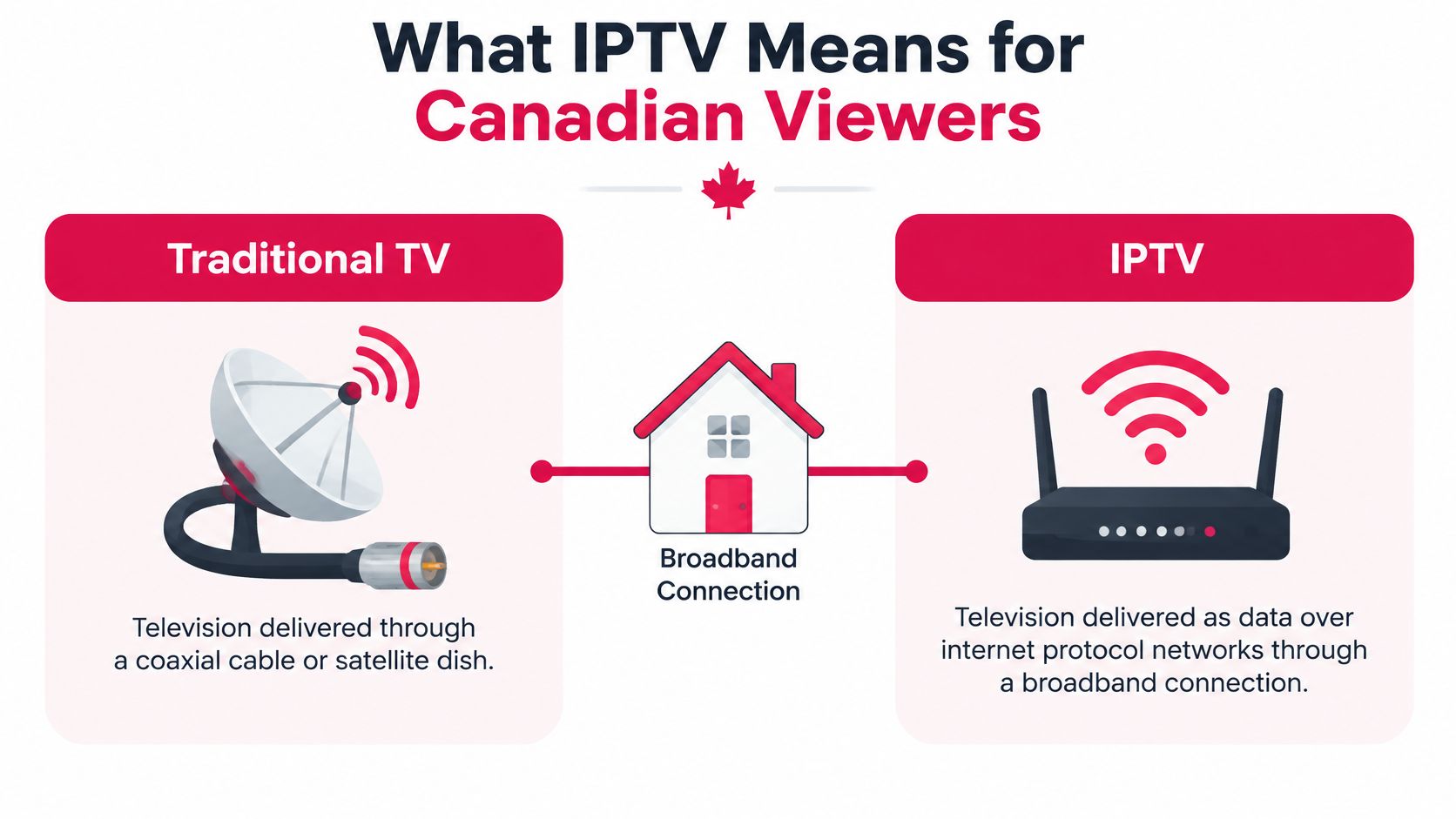
The distinction is easiest to see by comparing how each service delivers programming and what it offers.
| Delivery method | How programmes reach the home | Live channels | On-demand | Typical examples |
|---|---|---|---|---|
| IPTV | Internet protocol over a broadband connection | Yes | Yes | Bell Fibe, Telus Optik TV |
| Cable television | Coaxial cable network | Yes | Limited | Rogers and Videotron cable service |
| Direct-to-home satellite | Satellite dish to a receiver | Yes | Limited | Bell TV and Shaw Direct |
| Internet streaming service | Public internet, app-based | Usually no | Yes | Netflix, Crave |
The market has shifted toward internet-delivered television. The CRTC's 2019 report found that broadcasting distribution undertakings served 72.5% of Canadian households in 2018, down from 79.8% in 2014. The same 2019 CRTC report found that IPTV subscribers made up 26% of all BDU subscribers that year. Later, the CRTC's 2024 broadcasting sector highlights reported IPTV in 35% of Canadian households in 2023, up from 20% in 2019.
Viewers are changing how television arrives, not abandoning it. To tell IPTV apart from an app-based streaming service, ask whether it provides a live channel guide over broadband. A service centred on a library of films and series is an internet streaming service, even if it uses the same home connection.
Live Channels, Sports and On-Demand Viewing
Which matters more in your household: a live channel lineup, sports coverage, or a library you can watch on demand? IPTV can bring these together through internet streaming, but each serves a different purpose. Live channels carry scheduled Canadian news, lifestyle, movie, kids and family, and documentary programming. The on-demand library lets viewers choose movies and other entertainment when they want.
Sports often puts live playback to the test. The CRTC's 2025 broadcasting sector report found that 38% of survey respondents watched a sports television channel, compared with 8% who used a sports-focused subscription video-on-demand service. A match is tied to a schedule, so a replay library cannot replace live coverage for viewers who want to follow the action as it happens.

Consider three viewing routines:
- News household: Follow national and regional bulletins, then choose a documentary on the weekend. The channel lineup is the priority.
- Sports household: Watch football, hockey, basketball, or international events live, then catch match highlights, analysis shows, or replays. Check that the channels and replay content you want are included.
- Family household: Watch children's programming in the afternoon and a movie later. An on-demand library adds choice beyond the live schedule.
For viewers considering a year-long option, 12 Months IPTV Subscription Canada is a one-year plan. Check its page for current details. ROVE IPTV offers flexible subscription options, Canadian live TV channels, sports coverage, movies, international entertainment, and an on-demand library.
Before subscribing, confirm the specific networks in the lineup, whether they carry the leagues your household follows, and whether highlights and replays are included. A large channel count does not guarantee that a particular network is available.
Devices and Multi-Screen Household Setup
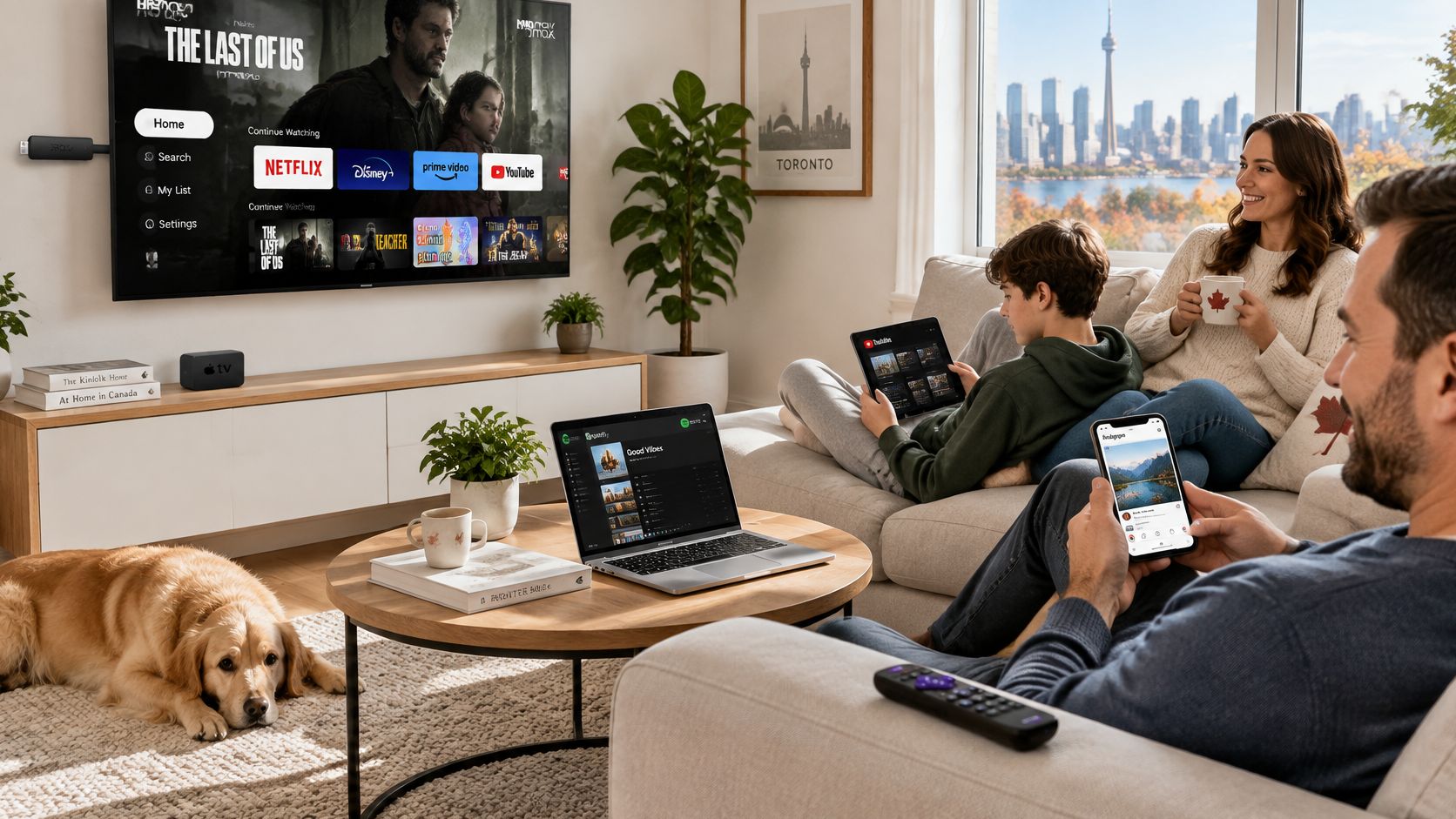
Multi-screen viewing shapes how an IPTV service works day to day. A typical living room might have a Smart TV, while a bedroom has a Firestick and someone watches on a phone or tablet. Each device needs a compatible app or player, and the provider's setup instructions determine which one to use.
| Device | Setup approach | Best household use |
|---|---|---|
| Smart TV | Install the provider's recommended app from the TV app store | Main living-room screen |
| Firestick | Install the app from the device's app store | Bedroom or second TV |
| Android TV box | Install the recommended player app | Living room with a wired connection |
| Apple TV | Install the recommended app from the App Store | Living room |
| Roku | Install the recommended channel from the Roku channel store | Bedroom or second TV |
| Chromecast | Cast from a phone, tablet or laptop running the app | Temporary or travel use |
| Phones and tablets | Install the app or use the provider's web player | Personal viewing and second screen |
| Laptops | Use the desktop app or browser player | Desk or home office viewing |
The CRTC reports that 44% of Canadian households subscribed to both traditional television and online audiovisual services in 2025, while 33% subscribed only to streaming services. Its annual broadcasting report also describes a measurement panel that tracks viewing across devices using a meter on the household router (CRTC annual broadcasting report). For a household, the practical point is that different people may watch different programs on separate screens at the same time.
A typical setup follows four steps:
- Connect the television to your home network, using a cable if the router is close enough.
- Install the app the provider recommends for that device.
- Enter the login details issued with the subscription.
- Play a live channel and an on-demand title to check both types of viewing.
Then try two screens at once in the rooms where people watch. A plan's connection allowance sets how many devices can stream under the subscription; it does not determine how well the home network handles them. Check that the allowance matches your household's usual number of simultaneous viewers.
Internet Speed and Data Needs by Stream Quality
Bitrate, rather than the resolution label, determines how much load a stream places on your connection. The CRTC's broadband reference measurements put low-bitrate HD at 2.0 to 3.5 Mbps and roughly 1.2 GB per hour. High-frame-rate UHD can require 20 to 50 Mbps and use about 11.3 GB per hour.
| Stream quality | Typical bitrate | Data per hour | Planning note |
|---|---|---|---|
| HD (low bitrate) | 2.0 to 3.5 Mbps | About 1.2 GB | Suits one screen with headroom |
| 4K (UHD, high frame rate) | 20 to 50 Mbps | About 11.3 GB | Two streams can approach 100 Mbps at the upper reference bitrate |
| 8K | No reference value published | No reference value published | Check the provider's stated requirement |
Consider a household with two 4K streams running at the upper end of the reference range. Their encoded media alone uses roughly 100 Mbps, before accounting for laptops, phones, updates, and network overhead. A 100 Mbps plan may fit that load on paper, with little room left for other activity.
The planning test: Run a speed test at 8 p.m. on a weekday. Add the bitrate of each stream you expect to watch at once, then leave a substantial margin below the measured speed.
The Statistics Canada quality-of-life indicator, drawing on CRTC data, reports that broadband of at least 50/10 Mbps reached 97.1% of Canadian households in 2024. That figure describes availability, not the speed a household will consistently receive. Rural and fixed-wireless connections can fluctuate with weather, distance, and network use. A player that starts at a lower stream quality and adjusts upward as conditions allow can help maintain playback when the connection varies.
Fixing Buffering and Unstable Live Playback
A line can carry an HD channel comfortably and still stall when a latency spike empties the playback buffer. Speed tells you how much data fits through the connection; latency tells you how long each piece takes to arrive, and live video depends on pieces arriving on time. The CRTC's broadband measurement study reports fixed-wireless latency averaging 37 ms across its panel, identifies roughly 35 to 42 ms or lower as desirable for video streaming, and notes that latency above 100 ms becomes noticeably problematic and contributes to buffering during live playback.
The player keeps a small reservoir of video ahead of what you see on screen. Congestion and latency spikes drain that reservoir faster than the connection can refill it, which is why a household can pass a speed test at noon and still watch a match freeze at 8 p.m. Match the symptom to the cause before changing anything.
| Symptom | Likely cause | Fix to try first |
|---|---|---|
| Frequent freezing on every channel | Insufficient bandwidth or unstable Wi-Fi | Test speed and switch to wired Ethernet |
| Stalls only during sports peaks | Evening congestion or latency above 100 ms | Measure latency and reduce other traffic at peak times |
| Problems on one device only | Weak Wi-Fi signal or device limits | Move the router or connect the device by cable |
| Picture quality drops during peak hours | Adaptive bitrate switching to a lower rendition | Normal behaviour; check whether quality recovers |
| Stutter when several screens play together | Shared bandwidth exceeded or connection count reached | Reduce simultaneous streams or review the plan's connection limit |
Work through fixes from fastest to slowest, and stop when the picture settles.
- Move the main screen to a cable. In most home setups, wiring the screen you watch most is the fastest fix for rebuffering.
- Reposition the router or change its channel. Microwaves, cordless phones and neighbouring networks all compete for the same wireless space.
- Pause other heavy traffic. Cloud backups, game downloads and large uploads eat the headroom a live stream needs.
- Drop the stream one quality step. A stable HD picture beats a 4K stream that stops every 90 seconds.
- Count your simultaneous streams. If the household is running one more screen than the plan allows, one of them loses.
A brief dip in sharpness during a busy half is often the player protecting itself, switching to a lower rendition before the buffer runs dry rather than failing outright. That distinction matters, because a player adapting to congestion is a home-network problem to solve with the steps above, while freezing that persists on a wired connection with a good latency reading points to the service itself. When you contact support, note four things: the time, the channel, the device, and your latency reading. Vague reports get vague answers.
Check These Points Before You Subscribe
A subscription decision is three separate checks: rights, money and capacity. Keep them apart and the sales page gets easier to read.
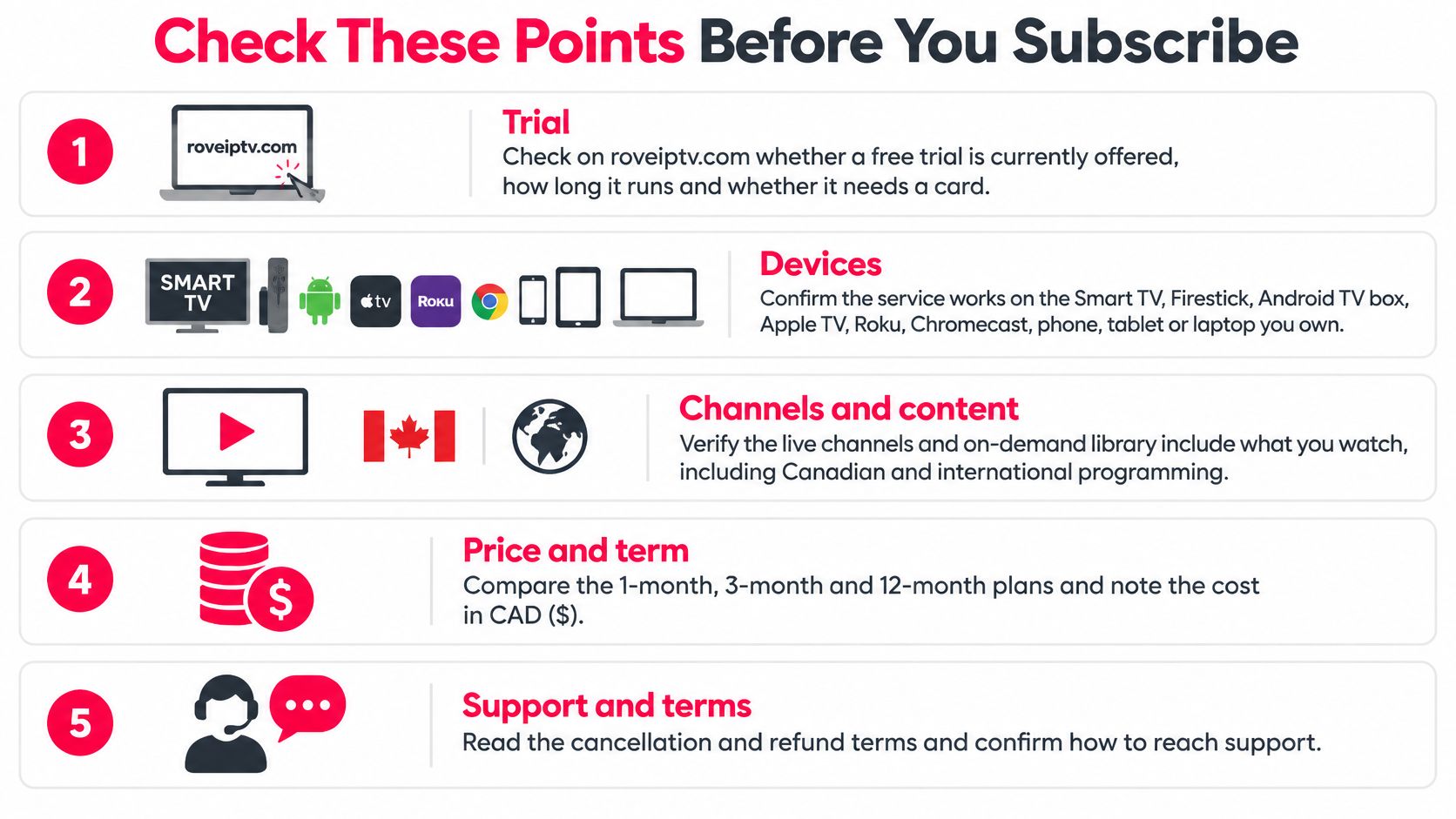
- Trial the setup you own. Check the current terms on roveiptv.com, install the app on the screen you watch most, and run an evening speed test while the household is online. ROVE IPTV is designed for easy setup with no technical experience, so a first run should show channel switching, picture quality and playback stability before payment.
- Confirm the billing terms. Look for prices in Canadian dollars, whether taxes are included, whether the plan is a contract or renews automatically, and how cancellation works. Flexible subscription options and secure payment methods still leave the specific term, renewal date and refund rule for you to read.
- Verify authorization. The useful question is whether the provider holds the rights to each channel, film and sports event it sells in Canada. The CRTC regulates broadcasting, while unauthorized redistribution is mainly a copyright matter, so neither a licence nor a badge proves anything on its own. Identify the legal business entity and ask for written confirmation.
- Add up the total monthly cost. Broadband, existing streaming services, sports add-ons, equipment and extra connections all count. The CRTC's 2026 communications monitoring report reports streaming time growing an average 18.4% annually since 2021 while traditional-TV viewing declined 5.9% annually, so many households are adding services rather than swapping them.
- Match screens to connections. Count the screens running at peak in your home, then compare that number with the plan's connection limit before a big game or premiere puts every television, tablet and phone online at once.
Frequently Asked Questions About IPTV Canada
Is IPTV legal in Canada? IPTV is a delivery method, a way of carrying television over the internet rather than through cable or satellite. The legal question sits with the provider: does it hold rights to distribute each channel, film and sports event in Canada? Unauthorized redistribution is a copyright matter, so ask for written confirmation of rights before paying.
What does the 24-hour trial include? The trial opens the channel lineup, HD streams included, with no credit card required. Treat it as a test drive at rush hour: watch during the evening peak on the devices you plan to use, since a stream that runs smoothly at midday tells you little about prime time.
What if I have never set up a streaming service before? The setup is designed for beginners and needs no technical experience. You install an IPTV application on a Smart TV, Firestick, Android TV box, phone or computer, sign in, and the channel list loads.
Can I watch on my phone while the television is in use? Only if the plan's connection count allows it. Each screen playing at the same time uses one connection, so count the screens running at peak in your home and compare that figure with the plan's limit before subscribing.
Is there anything for children to watch? Yes. The lineup includes kids and family channels alongside lifestyle, movie, news and documentary categories, with family content described as safe and entertaining for all age groups.
IPTV TV Canada is easier to judge once you separate the delivery method from the rights question and the bandwidth maths. IPTV CANADA offers live Canadian and international channels, sports coverage and an on-demand movie library across smart TVs, Firestick, Android TV boxes, Apple TV, Roku, phones, tablets and laptops, with subscription options built for one household or several screens. Visit IPTV CANADA to review the plans, confirm the device list for your own setup, and request a trial so you can test your connection before committing to a year.

No Responses