

It's a weekday evening in your Toronto home. Someone wants the Leafs or Raptors game, someone else wants a movie, and the cable bill doesn't reflect how anyone watches anymore. Searching for IPTV Toronto brings up plenty of channel packages, but the useful questions are less flashy: what kind of service are you buying, and can your connection carry everyone's viewing at once?
A sensible choice starts with those questions, not the largest advertised channel count. You'll also want clear distribution rights, compatible devices and terms you can leave without an unpleasant surprise.
Table of Contents
- What IPTV Means for a Toronto Household
- Bandwidth for HD and 4K in Toronto
- Live TV Sports Movies and International Channels
- When Several People Want Different Screens
- How to Start Watching on a Device You Own
- When Toronto Evening Playback Stutters
- Try a Plan You Can Leave
- Frequently Asked Questions About IPTV in Toronto
What IPTV Means for a Toronto Household
Internet Protocol Television, or IPTV, means television delivered using an IP network rather than a conventional cable television or satellite feed. The confusing part is that Toronto shoppers encounter the term in two different settings.
One is regulated television distribution. Services such as Bell Fibe and Telus Optik TV use IP-based delivery within an established Canadian television-distribution business. Although people commonly describe this as television over the internet, the provider's managed television network isn't necessarily the same delivery path as an app using your ordinary internet connection.
Two meanings that shouldn't be confused
The other meaning is the internet channel package advertised online. You subscribe, receive account details and watch through an app on a television, streaming box or another supported screen. These packages may combine live channels with an on-demand library, but the word IPTV alone doesn't establish their licensing or distribution rights.
For a Toronto household, that distinction changes the buying conversation:
- With a regulated distributor, compare television packages, equipment, installation and any internet-service requirements.
- With an internet package, establish who supplies the content, whether they hold appropriate Canadian distribution rights, and what support and cancellation terms apply.
Only choose services whose licensing, content rights and terms are clear. An app that opens successfully isn't proof that its supplier has permission to distribute the programming.
The household choices are easier to understand when separated visually.
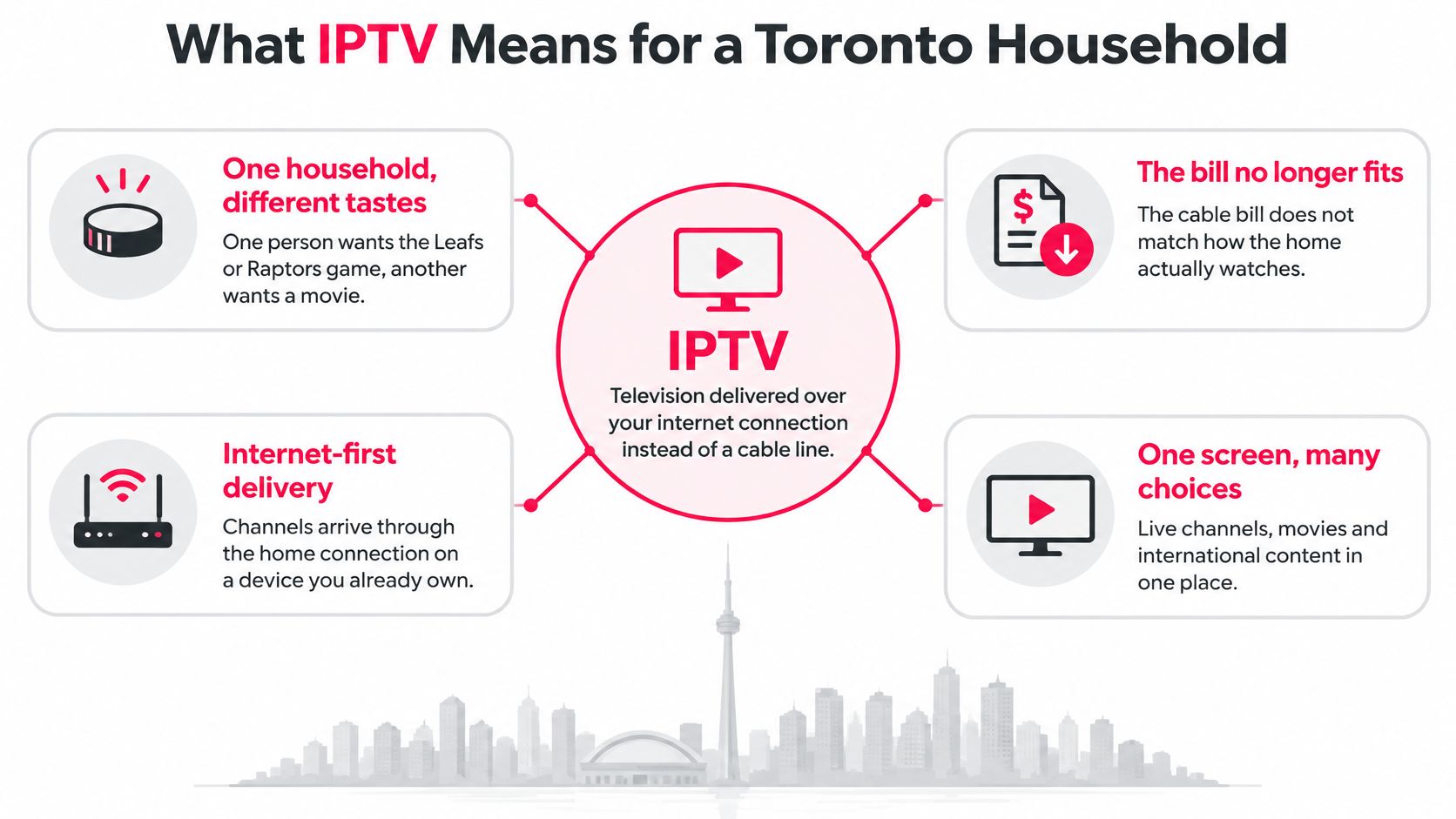
This isn't a niche delivery method. According to the CRTC's Canadian broadcasting distribution figures, IPTV household penetration increased from 20% in 2019 to 35% in 2023, while cable fell from 36% to 20% and satellite from 15% to 9%.
Those are national figures, not a Toronto neighbourhood survey. For your living room, the decision still comes down to bandwidth, programming, simultaneous screens, setup and the contract behind the subscription.
Bandwidth for HD and 4K in Toronto
Download speed for simultaneous IPTV streams
| Household load | Streams at once | Baseline download | Safer target |
|---|---|---|---|
| Solo HD evening | 1 HD | 5–8 Mbps | About 10 Mbps |
| Two people on HD | 2 HD | 10–16 Mbps | About 20 Mbps |
| One 4K screen | 1 × 4K | 25 Mbps | About 30–33 Mbps |
| Two 4K screens | 2 × 4K | About 50 Mbps | About 60–65 Mbps |
| 4K plus other home use | 1 × 4K and other traffic | 25 Mbps plus overhead | Wired or strong 5/6 GHz Wi-Fi |
The table uses the per-stream benchmarks and planning allowance in the CRTC technical guidance on streaming capacity: approximately 5–8 Mbps for HD, 25 Mbps for 4K, and roughly 20–30% spare capacity above the combined stream total. The targets are rounded planning allowances, not playback guarantees; the last row identifies a connection method rather than a speed target.
Match the table to your busiest viewing hour, not a quiet afternoon when nobody else is home. The relevant speed is sustained download at the device that plays the programme, not the maximum printed on your internet bill.
Turn the rows into a household plan
For a solo HD evening, leave room for ordinary background activity rather than treating the minimum as the entire household budget. When another person starts a separate HD programme, both streams need capacity at the same time.
A single 4K screen needs a larger share of the connection. Concurrent 4K sessions add together, before allowing for cloud backups, downloads, video calls or gaming traffic. A subscription's advertised connection count doesn't reserve any bandwidth on your home network.
Practical rule: Count simultaneous programmes first. Then leave enough spare capacity that another household activity doesn't push the connection to its limit.
Prefer Ethernet for a fixed television or streaming box. Where a cable isn't practical, use a strong 5 GHz or 6 GHz Wi-Fi connection, rather than relying on a distant 2.4 GHz signal through several walls. Move the router into an open position and check performance where the television sits.
Why a sharp picture can become softer
Adaptive bitrate lets a compatible player reduce picture quality when the connection can't maintain the original stream. That may prevent a freeze, but it doesn't preserve 4K detail. Buying a 4K IPTV Canada package and maintaining a 4K picture are separate things.
If a quick test looks healthy while real viewing struggles, 247TechTeam's explanation of why speed tests look fine provides useful context for investigating the mismatch. For a viewing-focused checklist, use our IPTV internet speed requirements guide.
Before subscribing, count the screens that will play together, calculate their combined demand and test sustained download during evening viewing on the actual television or box. Don't treat the number of permitted devices as evidence that every picture will stay sharp.
Live TV Sports Movies and International Channels
A household isn't replacing a channel number. It's replacing familiar habits: regional news over dinner, a weekend game, children's programmes and a film someone can find without searching through several apps.
A useful lineup is a well-sorted bookshelf, not a warehouse. This visual groups the main viewing needs without suggesting that every service supplies every programme.
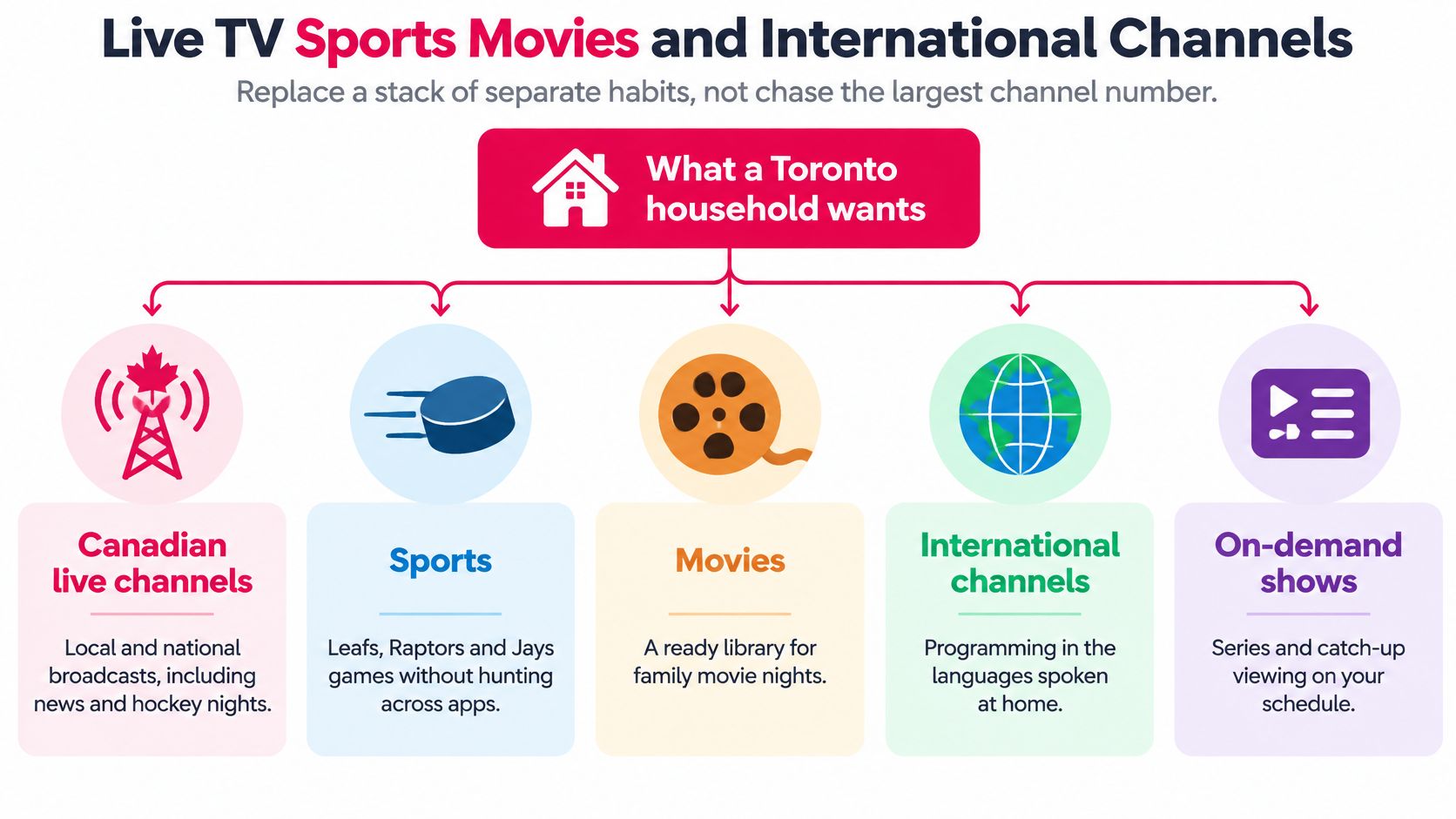
Build a weekly viewing list
Sort what your household watches into practical groups:
- Canadian live television and news: Identify the actual national broadcasts and regional coverage you want, rather than accepting a general Canadian channels label.
- Sports: Separate live games from highlights, analysis and replays. A sports channel listing doesn't establish access to a particular event in Toronto.
- Movies and series: Look for titles you can find later, not just a large library total.
- Kids, family and lifestyle: Include the programmes people watch routinely, not only headline entertainment.
- International channels: Check the country, language and specific broadcaster. A broad international category may not match what someone at home expects.
The national viewing mix helps explain why live television and searchable libraries belong in the same comparison. The CRTC's broadcasting-market report, citing MTM Fall adoption results, reports streaming-only households rising from 23% in 2023 to 29% in 2024; it also reports 76% of Canadians subscribing to subscription video on demand, compared with 62% subscribing to traditional television.
Check access, not just listings
For movies and series, useful filters include country, genre, release year and popularity. Try finding something specific, then browse without typing a title. Both tasks should feel manageable with the remote you'll use.
For sports, confirm event availability, regional restrictions and whether a replay remains available after the live window. Never assume that a team logo or a channel name guarantees every Leafs, Raptors or Jays game.
The video below offers another viewing reference, but it doesn't establish a provider's channel rights or current lineup.
Use the Canadian IPTV channel-list guide to organise your comparison, then verify the programmes that matter and their authorised availability. Before comparing any IPTV Provider Canada search result, write a short must-watch list for an ordinary week.
When Several People Want Different Screens
A couple in a one-bedroom Toronto condo might watch almost everything together. In that situation, a single simultaneous connection may be sufficient even if they own a television, tablets and laptops. Owning more screens doesn't automatically mean needing more active streams.
Now consider a family in North York. One person wants a game while a child wants a separate programme in another room. In this hypothetical household, two simultaneous connections solve a real scheduling conflict rather than adding capacity nobody uses.
Count viewers at the same hour
A larger household or shared home near a campus may have more overlapping viewing. Someone might watch on a phone while travelling in the GTA while others watch at home. A hypothetical three-to-five-connection arrangement could suit that pattern, provided the subscription permits the relevant locations and mobile use.
Multiple connections mean separate programmes playing at the same time. That isn't the same as mirroring one picture from a phone onto a television, and it isn't necessarily the same as installing an app on several devices.
Count the equipment people use:
- Living-room television: Note its operating system and whether the required app is available.
- Streaming stick or Android TV box: Record the model, not just the brand.
- Phone or tablet: Include mobile viewing only if someone uses it.
- Laptop: Check whether viewing needs a browser or a dedicated application.
Buy for the household's busiest viewing hour, not the number of devices sitting in drawers.
Check the account rules
Look for the difference between registered devices, simultaneous streams and permitted locations. A service may allow app installation on more devices than it allows to play concurrently. Don't assume household sharing also permits sharing an account with another address.
Our guide to IPTV on multiple devices in Canada explains the terminology to compare. Picture quality still relies on the home network, even when the account allows everyone to sign in.
Choose the connection count that matches the busiest hour, then confirm that each intended device is supported before paying.
How to Start Watching on a Device You Own
Start with the screen you already use most. Configuring every television and phone immediately makes it harder to tell whether a problem belongs to the account, the app or a particular device.
The setup sequence below keeps the first test manageable.
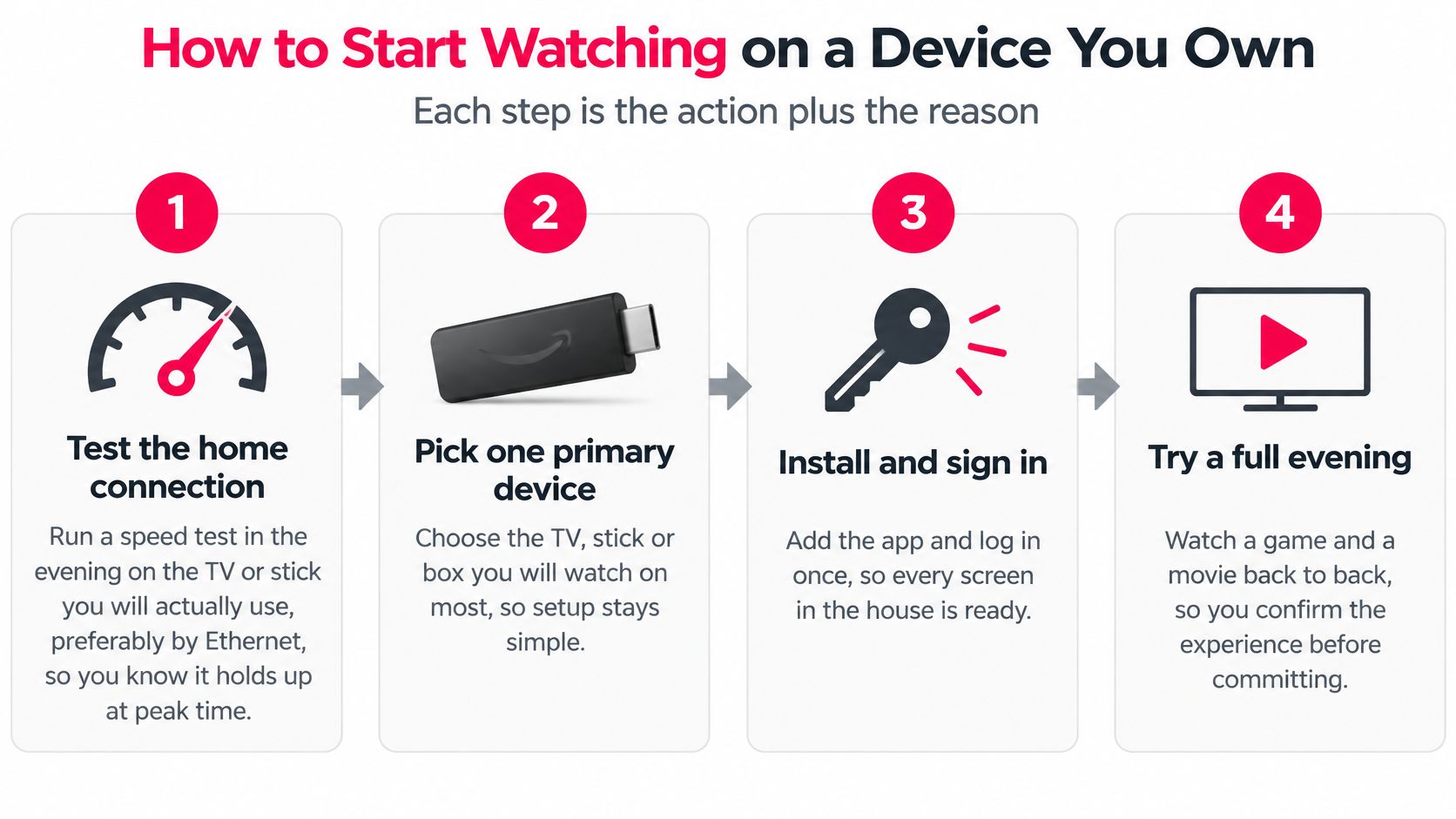
Set up the primary screen
Test the connection during evening viewing. Run the test on the television or streaming stick you'll use, preferably through Ethernet. This checks the complete path to the screen rather than just the connection reaching your router.
Choose one primary device. That might be a smart TV, Firestick, MAG or Formuler box, Chromecast, Apple TV, Roku, phone, tablet or laptop. Confirm the exact model and app requirements first, because these devices don't all use the same installation process.
Install the recommended app and enter the supplied details. Follow the provider's download guide or use the device's official app store where available. Enter the account credentials, playlist or portal information exactly as issued, and don't share screenshots containing passwords.
Play a live Canadian channel and an on-demand title. Use programming included in the authorised package. Testing both helps distinguish an account that works from a single channel or library item that happens to open.
Save the household's favourites. Add news, sports and regularly watched shows so the remote takes you somewhere useful. Try search and subtitles during this stage rather than discovering an awkward control during a programme.
Add the next device after the first is stable. Keep a private note of which account is configured on which screen. That makes later changes easier without repeatedly resetting a working installation.
Test ordinary viewing before committing
We provide installation guides and downloads for supported device types, with customer support available for setup questions. Device names alone aren't enough, so use the guide that matches your equipment and operating system.
A short no-card trial, where offered, is a sensible time to install, sign in and organise favourites. Don't use the whole trial browsing menus; watch long enough to judge navigation, audio and normal playback.
For motorsport viewers, the practical race-day viewing guide for fans from maxijournal.com can help organise a pre-event check. Treat third-party viewing advice as preparation, not evidence that a particular subscription holds event rights.
When Toronto Evening Playback Stutters
A speed test looks fine at noon, but the programme keeps pausing during evening viewing. That doesn't automatically mean you bought the wrong internet tier.
IPTV depends heavily on sustained throughput and packet stability. Latency measures delay, while packet loss means parts of the transmission don't arrive successfully. Jitter describes variation in arrival timing, so a low average ping can coexist with an unreliable stream.
Separate capacity from consistency
The CRTC's Canadian broadband measurements reported average peak-hour latency of about 4 ms on fibre, 12 ms on DSL and 14 ms on cable/HFC, and found no meaningful webpage-loading improvement beyond packages of roughly 600 Mbps.
The webpage finding isn't an IPTV speed ceiling or a guarantee about video. Its practical relevance is narrower: a much larger headline speed doesn't necessarily improve an activity when raw download capacity isn't the limiting factor.
Before upgrading: Establish whether the interruption follows the device, the household network or the content source.
Wi-Fi interference, an overloaded router and an unstable delivery path can all remain after an internet upgrade. A provider's faster package won't move a router out from behind the television or repair a weak wireless link across the house.
Follow a controlled check sequence
Begin during the hour when the problem occurs. Measure sustained throughput and packet loss rather than relying only on a brief speed-test result. Record whether the interruption affects every programme or only a particular source.
Next, connect the streaming device by Ethernet where possible. Keep the programme and account unchanged so you're comparing the connection method rather than changing everything at once. If wired playback is clean, concentrate on router placement and the wireless link.
If the service offers alternate servers, compare them under similar conditions. Then try a second supported device before blaming the channel. A problem isolated to one player calls for a different response from a problem that follows the same source across devices.
The evening-only IPTV buffering guide for Canada can help organise those observations. Send support the device model, connection method, affected programme and approximate viewing time, not merely a message saying it buffers.
A stable HD picture during a clean wired test is a more useful success signal than an advertised resolution. Restore higher picture settings only after the ordinary viewing session behaves consistently.
Try a Plan You Can Leave
Read the renewal and cancellation terms before comparing headline prices. Provincial consumer rules aren't one nationwide IPTV contract standard, and a refund policy isn't the same thing as permission to cancel without a fee.
British Columbia provides a useful example, but its rules shouldn't be presented as Ontario law. Consumer Protection BC's subscription-contract guidance sets out the short-term cancellation rights, longer-term renewal notices and eligible refund deadlines summarised below.
Subscription term rules in British Columbia as an example
| Subscription length | Cancellation and renewal | Refund position |
|---|---|---|
| 60 days or less | Cancel at any time, before or after renewal, with no cancellation fee | Unused time is not necessarily refundable |
| Longer than 60 days | 30 to 60 days' advance renewal notice with renewal date and cancellation instructions | Eligible refunds issued within 15 days |
Toronto subscribers should confirm the rules applying in Ontario. Save the terms available when you purchase, including whether payment renews automatically, whether access lasts for a fixed term and what conditions apply to refunds.
Evaluate the service and its terms together
ROVE IPTV serves Toronto and other major Canadian cities, including Montreal, Quebec, Ottawa, Edmonton, Calgary and Vancouver. We offer flexible subscriptions and secure payment methods, with support for Smart TVs, Android TV boxes, Firestick devices, smartphones, tablets, Windows and Mac computers, and IPTV applications.
Our advertised terms include a 24-hour HD trial without a credit card, plans without contracts or automatic payments, prices in Canadian dollars including applicable taxes, and a seven-day money-back provision. Review the current conditions through the no-credit-card IPTV trial information before starting; these service terms don't independently establish content distribution rights.
For a monthly comparison, the 1 Month IPTV Subscription Canada is the relevant catalogue option. A household comparing concurrent viewing can examine the 3 Months IPTV Subscription Canada – 2 Devices option, subject to verifying authorised content and suitability.
The catalogue image identifies the monthly option.

Treat 4K IPTV Canada and 8K IPTV labels as features to investigate, not reasons to skip testing. Establish the source resolution, device support and actual picture quality before paying for a longer term.
Run the evening connection check, start on one device and choose a connection count only after the test reflects how your household watches.
Frequently Asked Questions About IPTV in Toronto
How much internet speed does IPTV need in Toronto?
Budget for the combined demand of every stream playing at once, with spare capacity for other household activity. Use the bandwidth table to plan, then test at the actual screen during your normal viewing hour.
Can one subscription run on several TVs at once?
Only if the chosen plan permits enough simultaneous connections. App installation on several televisions doesn't necessarily allow all of them to play different programmes together, and location restrictions may also apply.
Is there a free trial?
Our advertised no-card trial is intended for evaluating HD viewing before purchasing. If you're searching for IPTV Free Trial Canada, read the current eligibility and access conditions before signing up, and use the trial for real viewing rather than menu browsing.
Which devices work?
Supported equipment includes smart TVs, Android TV boxes, Firestick, phones, tablets and computers. Confirm the exact model, operating system and recommended application, especially if you're using older equipment or an unfamiliar television platform.
Why does playback stutter only in the evening?
Possible causes include congestion, wireless interference, packet loss or problems along the delivery path. Compare wired and wireless playback during the affected period before deciding that a faster internet package is necessary.
Are IPTV subscriptions regulated in Canada?
IPTV describes a delivery technology, not a single legal category. Regulated distributors operate within Canada's broadcasting framework; internet packages still require appropriate content rights, and relevant provincial consumer rules govern matters such as subscription renewals and cancellations. A Best IPTV Canada claim isn't evidence of licensing, quality or suitability.
IPTV CANADA offers Canadian and international live television, sports and on-demand viewing, with flexible subscription options for different household needs. Visit IPTV CANADA to review the current terms and trial information, then test your Toronto connection and primary device before choosing a plan.

No Responses