
The hockey game is starting, someone wants a cooking show, and the kids have already chosen a film. If you are looking for premium IPTV Canada options, you're probably trying to solve that living-room conflict without adding another confusing bill. The right subscription should fit your screens, viewing habits and budget, but it also needs credible answers about content rights and service continuity.
Table of Contents
- What Premium IPTV Really Means for Canadian Viewers
- The Premium IPTV Checklist at a Glance
- Bandwidth and Simultaneous Streams Your Home Needs
- How to Test Channels, Sports and On-Demand Titles
- Rights, Privacy and Continuity Checks Before Paying
- Confirm These Points Before You Request a Trial
What Premium IPTV Really Means for Canadian Viewers
IPTV means television delivered over an internet connection rather than a conventional cable or satellite feed. Depending on the service and app, you can watch on a Smart TV, Firestick, phone or laptop.
Think of cable as a fixed pipe into a room and IPTV as a library card that opens the same shelves on supported devices. The analogy has limits: your subscription still controls which shelves you can access and how many people can use them simultaneously. Our explanation of how IPTV works covers the delivery process.
Premium isn't a standardised quality grade. Providers use it to describe broader channel selections, on-demand libraries, higher-resolution streams or additional connections. None of those labels alone establishes quality.
Canadian households haven't all abandoned conventional television. The CRTC's broadcasting report reports that 76% of Canadians subscribed to subscription video-on-demand and 62% to traditional television in 2024. A Global News report citing Canadian industry research also reported that 70% of Canadian households subscribed to both conventional television and at least one streaming service.
A useful subscription might complement your existing services rather than replace them. Every feature behind the premium label should be something you can verify.
The Premium IPTV Checklist at a Glance
A comparison only works when every provider answers the same questions. Send each candidate the items below in writing, keep the replies, and compare the written answers across providers.
| Criterion | What to verify | Red flag |
|---|---|---|
| Channels and on-demand | Named Canadian and international lineup by category; searchable movies with country, genre and release-year filters | Only a total channel count |
| Sports coverage | Named leagues and networks; replays and highlights for major events | All-sports claims without a list |
| Simultaneous connections | Explicit device maximum and cost of each extra screen | Unstated limits or unclear charges |
| Compatible devices | Named Smart TVs, Firestick, Android TV boxes, Apple TV, Roku, phones, tablets and computers | Works-everywhere claims without model details |
| Internet requirement | Per-stream speed guidance | No bandwidth advice |
| Customer support | Contact channels, hours and setup guides | No way to reach a person |
| Trial access | Duration, card requirement and included content | Full payment details required upfront |
| Plan terms | CAD pricing, taxes, billing cycle, cancellation and written refund window | Renewal or refund restrictions buried in fine print |
| Rights and legitimacy | Business identity, licensing explanation and privacy policy | No company details or licensing explanation |
Three rows carry more weight than the rest. Plan terms set your total household cost, since the full figure includes taxes, renewal pricing and the charge for each extra screen. Rights and legitimacy shape continuity: a provider that cannot explain its licensing or name a business identity can disappear mid-subscription. Simultaneous connections decide whether the plan fits everyone watching at once.

For a concrete example, the 12 Months IPTV Subscription Canada catalogue entry lists thousands of live channels, a movies and VOD library, and HD and Full HD streaming. A catalogue listing describes what the provider offers, so confirm availability and playback quality during a trial before committing to a full year.
Use the 4K IPTV Canada guide to distinguish actual programme resolution from device compatibility.
Buying rule: Several unanswered checklist items matter more than an impressive channel total.
Bandwidth and Simultaneous Streams Your Home Needs
Minimum internet speed by household viewing setup
| Viewing setup | Simultaneous streams | Minimum download | Minimum upload |
|---|---|---|---|
| One HD stream | 1 | 10 Mbps | 2 Mbps |
| Two HD streams | 2 | 20 Mbps | 4 Mbps |
| Three HD streams | 3 | 30 Mbps | 6 Mbps |
| One 4K stream | 1 | 30 Mbps | 2 Mbps |
| Two 4K streams | 2 | 60 Mbps | 4 Mbps |
| Two 4K streams plus one HD stream | 3 | 70 Mbps | 6 Mbps |
| Four 4K streams | 4 | 120 Mbps | 8 Mbps |
These calculated totals multiply CIRA's guidance of 10 Mbps download and 2 Mbps upload for HD, and approximately 30 Mbps download and 2 Mbps upload for 4K, before other household traffic.
A household watching concurrent 4K programmes needs additional capacity for a video call, gaming or downloads. Canada's universal-service target isn't a promise that every multi-screen combination will work comfortably.
Test Wi-Fi at the couch, during your normal viewing hours. If playback stalls, compare Ethernet with Wi-Fi, pause background downloads and test another device before blaming the subscription. Our IPTV internet-speed requirements guide provides further planning context.
Data allowances matter too. Using the CRTC's estimate of approximately 5 GB per hour for 4K streaming, a hypothetical household running two such streams for four hours would consume roughly 40 GB.
For live sports, connection responsiveness also matters: CRTC measurements recorded peak-period average latency of 9.2 ms for FTTH, 20.3 ms for cable/HFC and 21.8 ms for DSL. These aren't guarantees for your address.
If testing identifies weak wireless coverage, Atticus Goods offers a resource to browse premium home networking gear. Don't buy equipment before locating the bottleneck, and assess 8K IPTV against documented requirements and an actual playback test.
How to Test Channels, Sports and On-Demand Titles
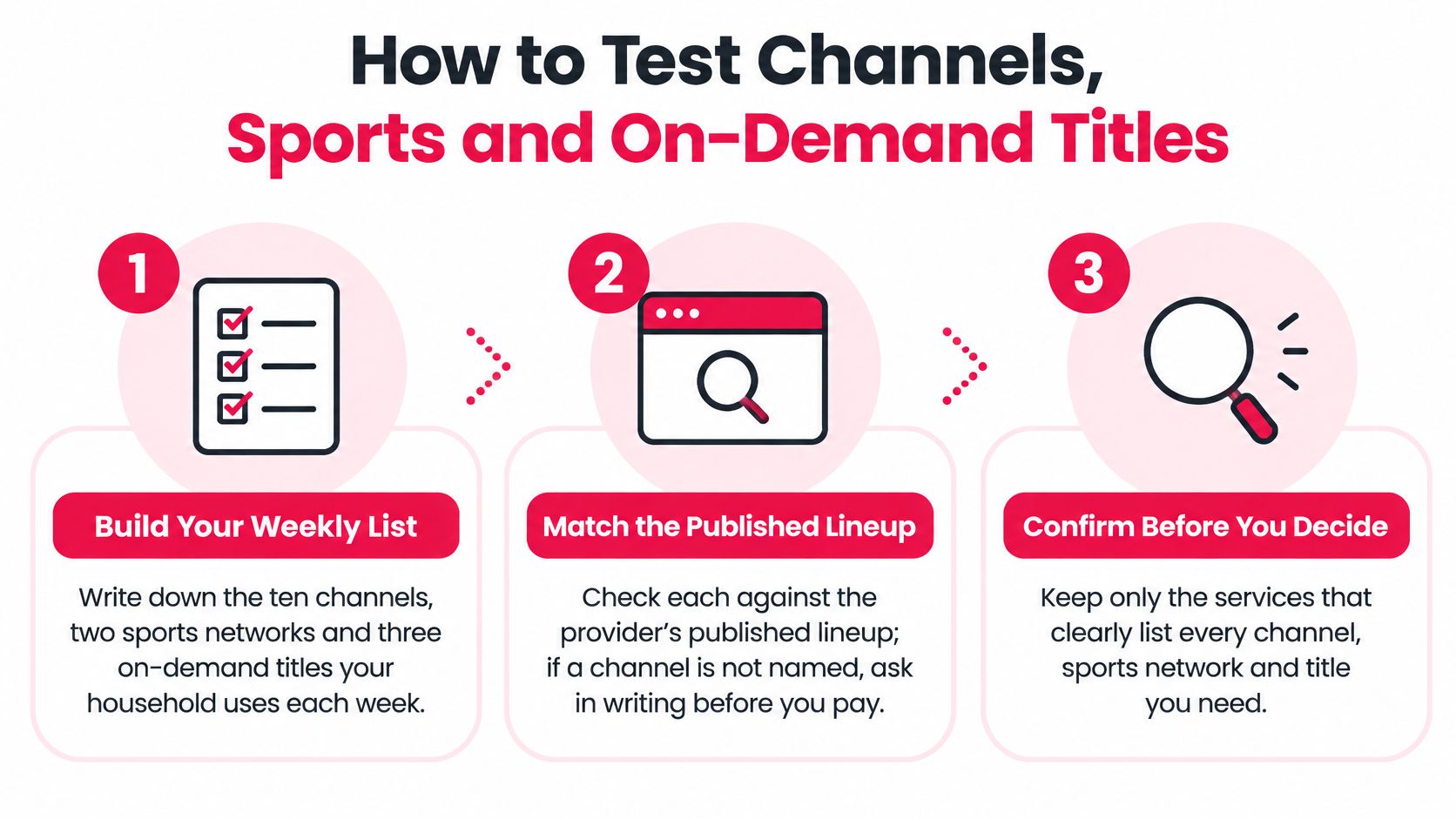
- Build a household shortlist. For example, write down ten channels, two sports networks and three on-demand titles you regularly use. A manageable sample reveals more than browsing unfamiliar channels.
- Match each selection against the published lineup. If a favourite station isn't named, get written confirmation before paying.
- Test the library search. Select a country, genre and release year, then open a matching title. Check audio language, subtitles and whether the programme plays.
- Name the league, network and event you want, including regional restrictions. Our live sports and PPV guide provides additional viewing considerations.
- Watch during your normal evening peak. Record buffering, picture quality, audio synchronisation and channel-switching behaviour.
- Try every intended device, including a phone on Wi-Fi away from the router. An IPTV Multiple Devices claim should translate into independent, simultaneous playback.
- Keep comparable notes. Evaluate competing services against the same shortlist rather than changing your criteria halfway through.
For a Calgary family prioritising hockey and children's programming, those categories should determine the result, not the overall catalogue size.
International viewing guides require extra care. Fair Play Feed can help readers find US and Mexico streaming options, but those listings don't establish Canadian viewing rights.
A successful morning demonstration doesn't tell you how your connection and service will perform during an evening match.
Rights, Privacy and Continuity Checks Before Paying
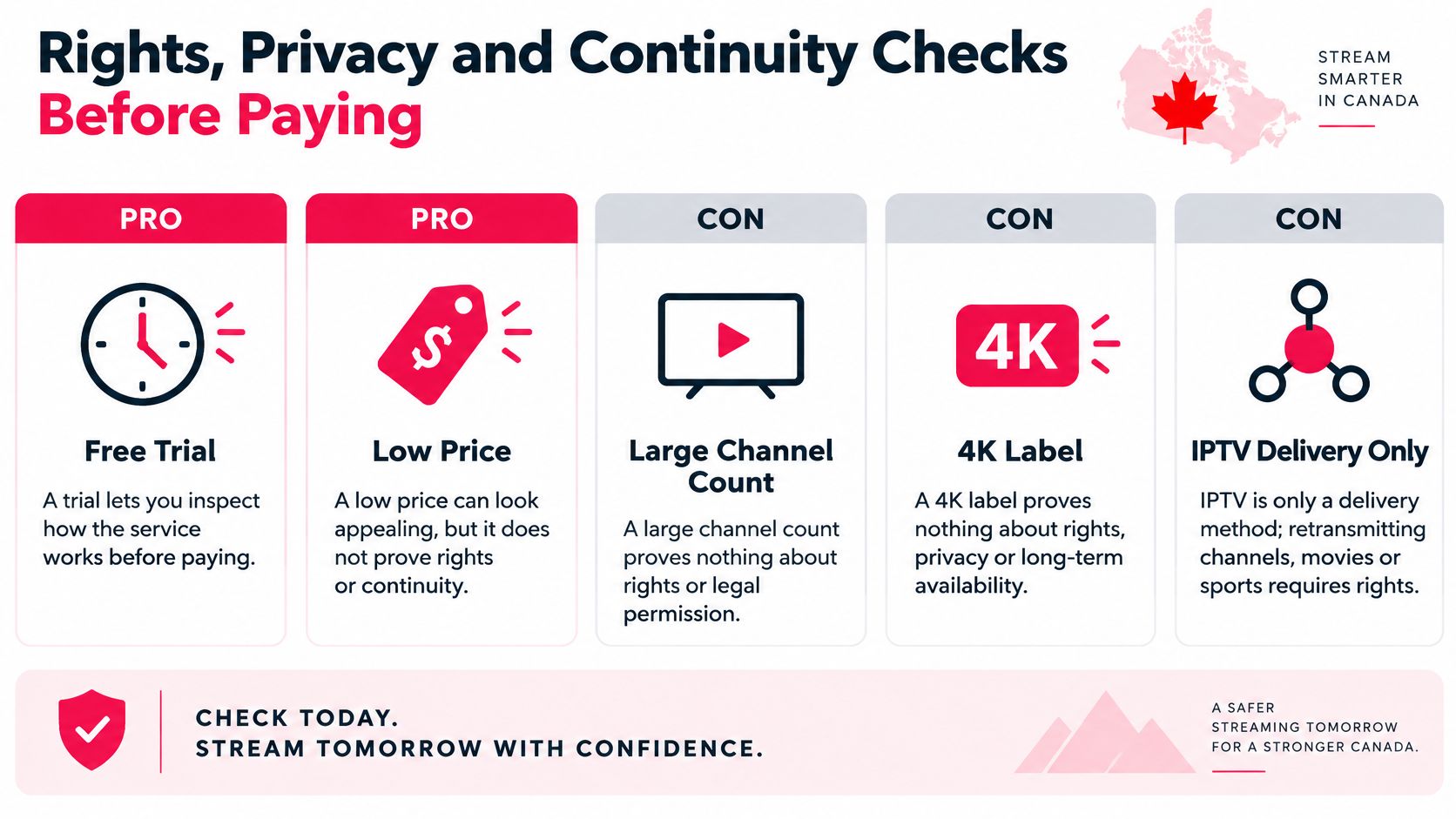
A trial, low price, large channel count or 4K label proves nothing about distribution rights. IPTV describes delivery technology, not permission to redistribute programming.
CBC's reporting on a Canadian court dispute explains that internet television companies that aren't licensed broadcasting distribution undertakings lack the right to retransmit over-the-air signals without agreements with rights holders. Ask which channels are authorised for Canadian distribution and what documentation supports that answer.
Evidence before installation
- Business identity: Match the trading name, payment recipient and support details.
- Privacy: Read what account, payment and device information the company collects and retains.
- App permissions: Avoid unknown installers requesting unrelated access to files, contacts or device administration.
- Records: Save receipts, promised terms, the plan name and renewal information.
Continuity deserves separate attention. CBC's coverage of the Gold TV case describes Canada's nationwide blocking precedent against an online television piracy service. Domain changes, removed channels and payment interruptions are practical risks when a service depends on unauthorised distribution.
For broader copyright context, Glitz and Glamour vs. Reality's case study on unpaid content reuse offers a separate discussion, not evidence of any IPTV provider's authorisation. Our guide to IPTV legality in Canada addresses the television-specific distinction.
If a provider can't document its permissions, treat its advertised lineup as unverified. A working login isn't a substitute for rights evidence.
Confirm These Points Before You Request a Trial
A suitable plan is the one that covers what your household watches, without leaving programming you rely on stuck behind additional paid services. The lowest advertised rate can end up costing more if it forces you to keep a second subscription for the channels it lacks.
Statistics Canada reports that video and audio subscription prices rose 21.0% between 2019 and 2024. Compare the price after any introductory term, not just the initial offer.
Build a household cost worksheet
- Current spending: Add cable or satellite, streaming subscriptions and equipment charges in CAD, including tax.
- Proposed spending: Add the subscription, extra connections, any internet upgrade and services you'll retain.
- Switching costs: Include required hardware and any existing cancellation obligations.
- Renewal exposure: Record the billing cycle, renewal amount and written refund conditions.
If the proposed column lands close to the current column once retained services are counted, the switch saves little. A gap that large usually means the new service is replacing fewer subscriptions than it first appeared to.
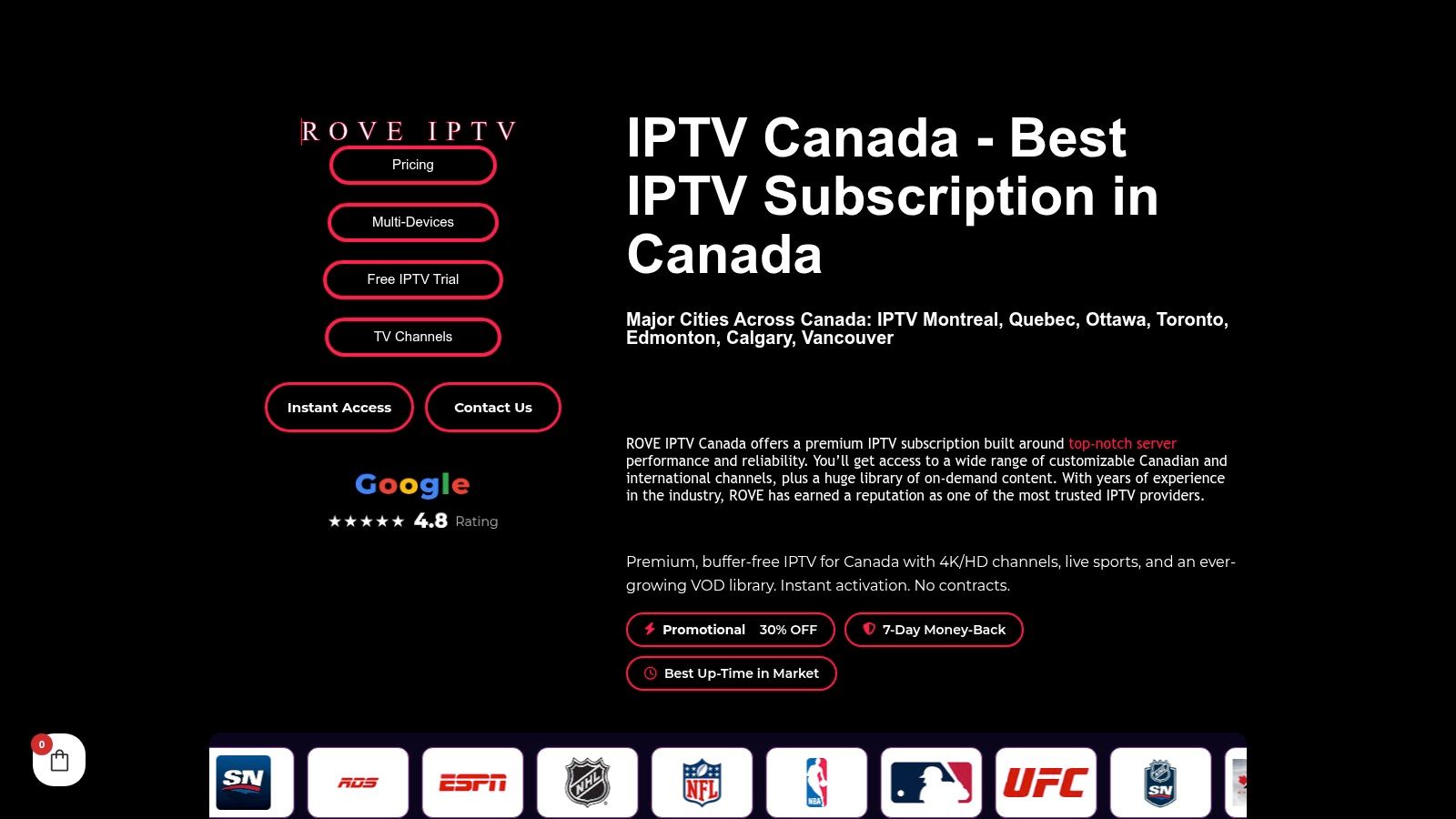
Setup itself is rarely the sticking point. IPTV CANADA's process is designed for beginners without technical experience: select a subscription, receive login credentials, install a compatible IPTV player app, enter the details and start streaming. Use the installation instructions for your actual device rather than an unrelated app tutorial.
Trial conditions change, so confirm the current terms on the live site before submitting an IPTV free trial enquiry. Don't assume pricing, included access or refund terms remain unchanged.
During any available trial, run your channel shortlist, peak-hour playback and simultaneous-device tests. Keep your existing service until you've established both acceptable performance and appropriate content authorisation.
IPTV CANADA offers flexible internet-based subscriptions combining Canadian and international television, sports and on-demand entertainment. Visit IPTV CANADA to review current plans or enquire about a trial, and request the licensing and subscription details you need before deciding.

No Responses