

49% of Canadians said streaming-video subscriptions had become less affordable during the previous year, according to a federal CRTC public-opinion tracker. That makes Canadian IPTV worth evaluating as a household spending decision, not just a competition over who advertises the most channels.
A useful subscription should add programming you watch, work on your existing equipment, and come with understandable billing terms. Before you replace cable or add another service, check content rights, sustained internet performance and the subscriptions you'll still need to keep.
Table of Contents
- What Canadian IPTV Is and Whether It Is Licensed
- Canadian IPTV Evaluation Checklist
- Internet Speeds and Connections Canadian Homes Need
- Channels, Sports and On-Demand Content to Expect
- What Canadian IPTV Costs Next to Cable and Streaming
- Trials, Refunds and Billing Terms to Read First
- Devices and Setup From Box to First Stream
- Fixing Buffering, Lockouts and Login Errors
- Choose Your Canadian IPTV Service With Confidence
What Canadian IPTV Is and Whether It Is Licensed
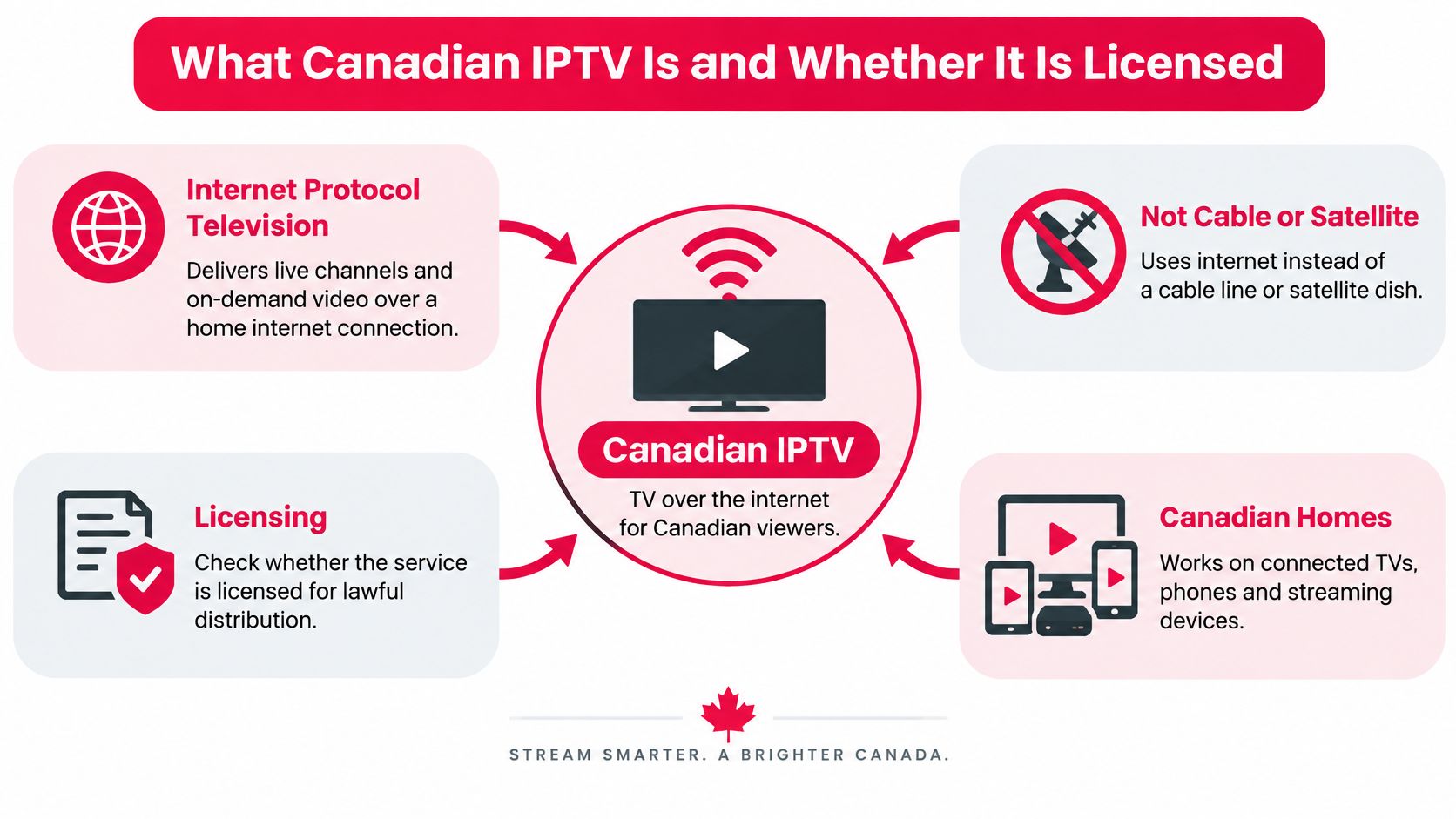
Say a household in Ottawa wants evening news, hockey and movies without a conventional television connection. Internet Protocol Television, or IPTV, delivers television through an internet-protocol network rather than a conventional cable television feed or satellite dish. Depending on the service, viewers can access live channels and on-demand programming on connected televisions and other supported devices.
The important distinction is between the delivery technology and the business distributing the content. IPTV isn't automatically unlawful, and calling something IPTV doesn't establish that it's licensed.
Canadian IPTV commonly describes a subscription service that bundles live television channels with an on-demand video library delivered through an internet connection.
IPTV and streaming aren't identical categories
The CRTC's broadcasting report distinguishes IPTV services such as Bell Fibe and Telus Optik TV from internet-based services such as Netflix, Crave and Club Illico, and reports that IPTV represented 26% of Canadian broadcast-distribution undertaking subscribers in 2018. These aren't interchangeable labels for every app that plays video.
Separately, the CRTC's television market reporting indicates that IPTV-service penetration increased from 20% in 2019 to 35% in 2023. Internet-delivered television is an established viewing model, not a new category whose legitimacy can be judged by its name alone.
Check rights before features
A credible provider should identify its operating business, describe its content clearly and explain its authority to distribute programming in Canada. A polished checkout, Canadian flag or working channel is not proof of distribution rights.
Use these questions before treating any service as a legitimate replacement:
- Who operates it? Find an identifiable business and usable contact information.
- What is authorised? Look for clear information about Canadian distribution rights, particularly for premium channels and sports.
- What restrictions apply? Check geographic availability, blackout conditions and limits on recording or replay access.
Regulatory status and content permissions are separate questions. Don't assume that a registration, an app-store listing or a generic licensing statement establishes rights to every advertised broadcast.
Only compare content, devices, bandwidth, trial terms and cost once you're satisfied that the programming is lawfully offered.
Canadian IPTV Evaluation Checklist
A checklist works like a home inspection: it turns an attractive listing into specific checks about condition, cost and fit. Use this Canadian IPTV evaluation checklist to hold every provider to the same evidence standard. The entries are buying criteria; not every service meets all of them.
| What to check | What good looks like | Red flags |
|---|---|---|
| Channel lineup | Named Canadian networks plus regional, sports, news, kids and international channels | Unnamed channel lists or no explanation of distribution rights |
| Household cost | A complete price for the plan, extra connections, equipment and add-ons, compared with your current TV and streaming bills | A headline price that omits a required charge |
| On-demand library | Searchable movies and series with genre, year and country filters that add titles you do not already pay for | Small or unorganised VOD with no search |
| Device compatibility | Explicit support for your Smart TV, Firestick, MAG, Formuler, Chromecast, Apple TV, Roku, phone, tablet or laptop | One app or box only, unclear app sources |
| Simultaneous connections | One to five connections offered as clearly defined household options | One stream only when you need more, or unclear connection limits |
| Stream quality | HD and 4K options that maintain stable playback at your tested speed | Ultra-high-definition claims with no trial to verify |
| Internet requirement | Clear guidance for HD versus 4K speeds and wired connections | Works-on-any-internet promises |
| Free trial | A stated trial length with no credit card required | A free trial that asks for card details |
| Refunds and cancellation | Stated money-back window, no contracts, no auto-renewal surprises | No refund policy or hard-to-find terms |
| Payment security | Secure checkout, CAD pricing with taxes shown | Crypto-only payment or unclear billing |
| Support | Reachable support plus setup guides and downloads | No support channel before purchase |
Score each answer
Mark each row pass, partial or fail, then record the proof beside it. A pass requires something concrete: a supported device model, written cancellation instructions or a successful playback test. A partial means an answer is incomplete. A fail means the provider gave no usable answer, or the answer conflicts with its advertised terms.
“Supports televisions” deserves only a partial score if the provider doesn't name your operating system. “Sports included” also earns a partial when you need a particular regional feed. Check the lineup against services your household already pays for; a large on-demand catalogue adds less value when it repeats the same films and series.
Do not combine the results into a numerical average. An unresolved answer about distribution rights, payment security or the device you will use can stop a purchase even when the rest of the table scores well.
Buying rule: A missing answer about rights, billing or your actual device outweighs a long feature list.
Treat the trial and refund rows as prompts to read the full policy. A card requirement does not automatically make a trial fraudulent. It does create a billing obligation, so confirm the trial end date, cancellation method and renewal price before submitting details.
If you search for IPTV providers in Canada, use the same scoring sheet for each candidate. Save dated screenshots of advertised terms and keep support replies. That record lets you compare written commitments if a page changes during your evaluation.
Internet Speeds and Connections Canadian Homes Need
Bandwidth is shared across the household. Your television competes with video calls, downloads, game updates and other streams, so the advertised speed of your internet package isn't the whole calculation.
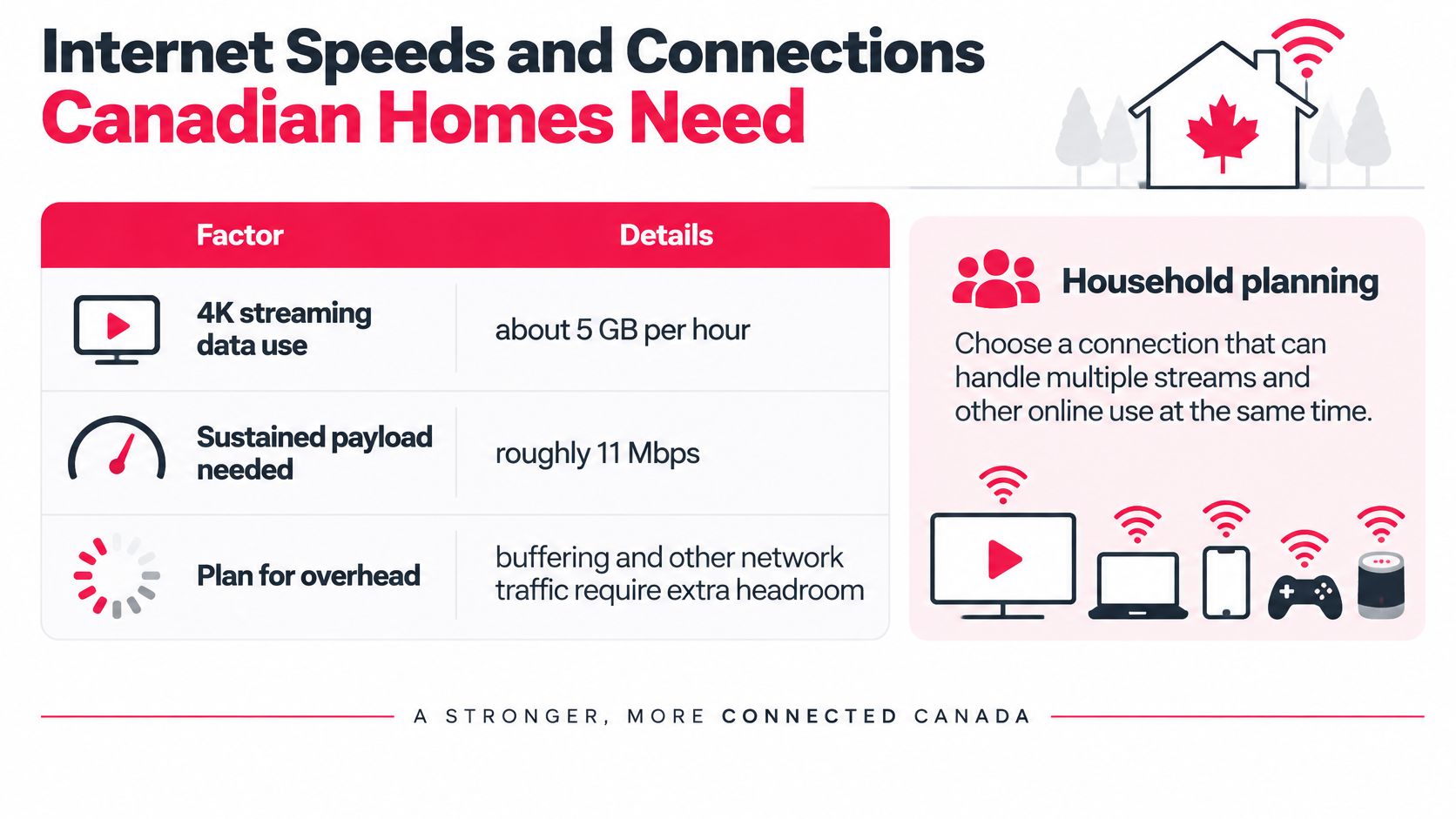
The CRTC's broadband monitoring report puts 4K streaming consumption at approximately 5 GB per hour, equivalent to roughly 11 Mbps of sustained payload, making two simultaneous 4K streams about 22 Mbps for video alone. These are planning figures, not a performance guarantee for a particular IPTV provider.
Bandwidth needed per Canadian IPTV viewing scenario
| Viewing scenario | Sustained bandwidth | Notes |
|---|---|---|
| One HD stream | Use the provider's stated bitrate, then test sustained playback | Not covered by the sourced CRTC figures, so confirm on your line |
| One 4K stream | About 11 Mbps, about 5 GB per hour | Add headroom for channel changes and bitrate spikes |
| Two simultaneous 4K streams | About 22 Mbps for video alone | Add headroom for other household devices |
| Whole household at evening peak | Combined stream demand plus other active traffic and spare capacity | Measure during peak hours; CRTC testing found ISP speeds generally held |
The table's calculated video requirements exclude protocol overhead and competing traffic. Avoid choosing an internet package whose maximum speed merely matches the video payload.
Test the connection where you watch
Connect the main television or streaming box by Ethernet where practical. Compare that result with Wi-Fi on the same device, and check your data allowance before making high-resolution viewing a daily habit.
For practical home-network adjustments, the broadband guidance from Networking2000 provides a supplementary troubleshooting resource. Our IPTV internet-speed requirements guide can also help organise a household playback test.
Rural and Indigenous connectivity needs a closer look
The CRTC's telecommunications reporting states that 96.1% of Canadian households had internet access in 2024–25, while rural communities and First Nations reserve areas remained below national gigabit-availability levels. Access alone doesn't establish suitability for uninterrupted live television.
Fixed-wireless and satellite users should examine evening congestion, latency and data limits. Test a live broadcast while other household members use the connection normally, rather than testing an otherwise idle network.
Routing matters too. CIRA's Canadian internet assessment explains that Canadian traffic may travel through the United States because of limited domestic exchange infrastructure. A fast home connection can't eliminate problems elsewhere along that route.
Channels, Sports and On-Demand Content to Expect
A Montréal household might want French-language news, weekend hockey and films in another language. Its best subscription won't necessarily be the one with the longest catalogue. It'll be the one that supplies those particular programmes lawfully and reliably.
Sort content by what you watch
Evaluate the lineup in distinct groups:
- Canadian live television: National and regional news, lifestyle shows, entertainment, children's programming and documentaries.
- Live sports: Hockey, football, basketball and international competitions, with the exact event feed identified.
- International channels: Relevant languages and countries, with programme schedules that suit your household.
- On-demand viewing: Searchable movies and series, ideally with country, genre, release-year and popularity filters.
For sports, distinguish a live match from highlights, analysis and replay programming. Don't assume access to a sports channel includes every event it promotes, or that a replay will appear immediately.
An event-specific viewing guide, such as Fubo News' how to watch Canada vs Sweden, is a useful starting point for checking viewing arrangements. Confirm the applicable Canadian availability with the authorised broadcaster before paying.
Check for overlap
A federal CRTC streaming survey found that 74% of Canadians subscribed to or had access to a video-streaming service, with reported access including Netflix at 55%, Amazon Prime Video at 42%, Disney+ at 26% and Crave at 14%. Your household may already pay for much of the on-demand entertainment it wants.
Write down five must-have channels or events. Use our Canadian IPTV channel-list guide as a comparison aid, then confirm each selection against the provider's current lineup and rights information.
A duplicate film library adds little value if the local news or sports broadcast you need is missing.
What Canadian IPTV Costs Next to Cable and Streaming
Compare total household spending, not a standalone subscription price. Replacing cable can save money only if the services, equipment and internet costs you retain don't absorb the difference.
The CRTC's broadcasting spending report shows average monthly household spending on online undertakings rising from CAD 25.70 in 2021 to CAD 34.70 in 2024, while spending on broadcast-distribution undertakings fell from CAD 36.20 to CAD 28.60 over the same period. These are household averages, not quoted subscription prices.
Canadian TV options compared
| Option | Live Canadian TV | On-demand | Typical commitment | Best for |
|---|---|---|---|---|
| IPTV subscription | Named Canadian and international channels where authorised | Bundled movie and series library where offered | Read the selected plan's renewal terms | Households wanting cable-style live TV over internet |
| Cable | Canadian lineup with regional stations, subject to package | Provider VOD and recording options | Check bundle and promotional conditions | Viewers combining internet and TV |
| Satellite | Canadian channel packages across a broad service area | Provider VOD subject to equipment and connectivity | Check plan and equipment obligations | Rural homes with limited fixed internet |
| Streaming-only apps | Service-specific live and local options | Service-specific libraries | Check each app's monthly or annual terms | On-demand-first households |
Calculate what remains after switching
Statistics Canada reports that Canadian households spent CAD 11.3 billion on cable, satellite and other programme-distribution services, including streaming, in 2024. A household audit is more useful than assuming a different delivery method must be cheaper.
List the proposed IPTV charge, retained streaming apps, equipment, taxes and any internet upgrade. Then subtract only charges you'll genuinely eliminate, accounting for any lost internet-and-TV bundle discount.
Fintrack's guidance on how to audit your recurring charges offers a practical way to identify forgotten subscriptions. Our Canadian IPTV-versus-cable cost comparison can help structure the television side of that exercise.
Judge value by the programmes your household gains and the bills it can actually cancel, not by the advertised channel count.
Choose a short commitment while evaluating reliability. A longer prepaid term isn't a saving if you stop using the service or still need another package for essential programming.
Trials, Refunds and Billing Terms to Read First
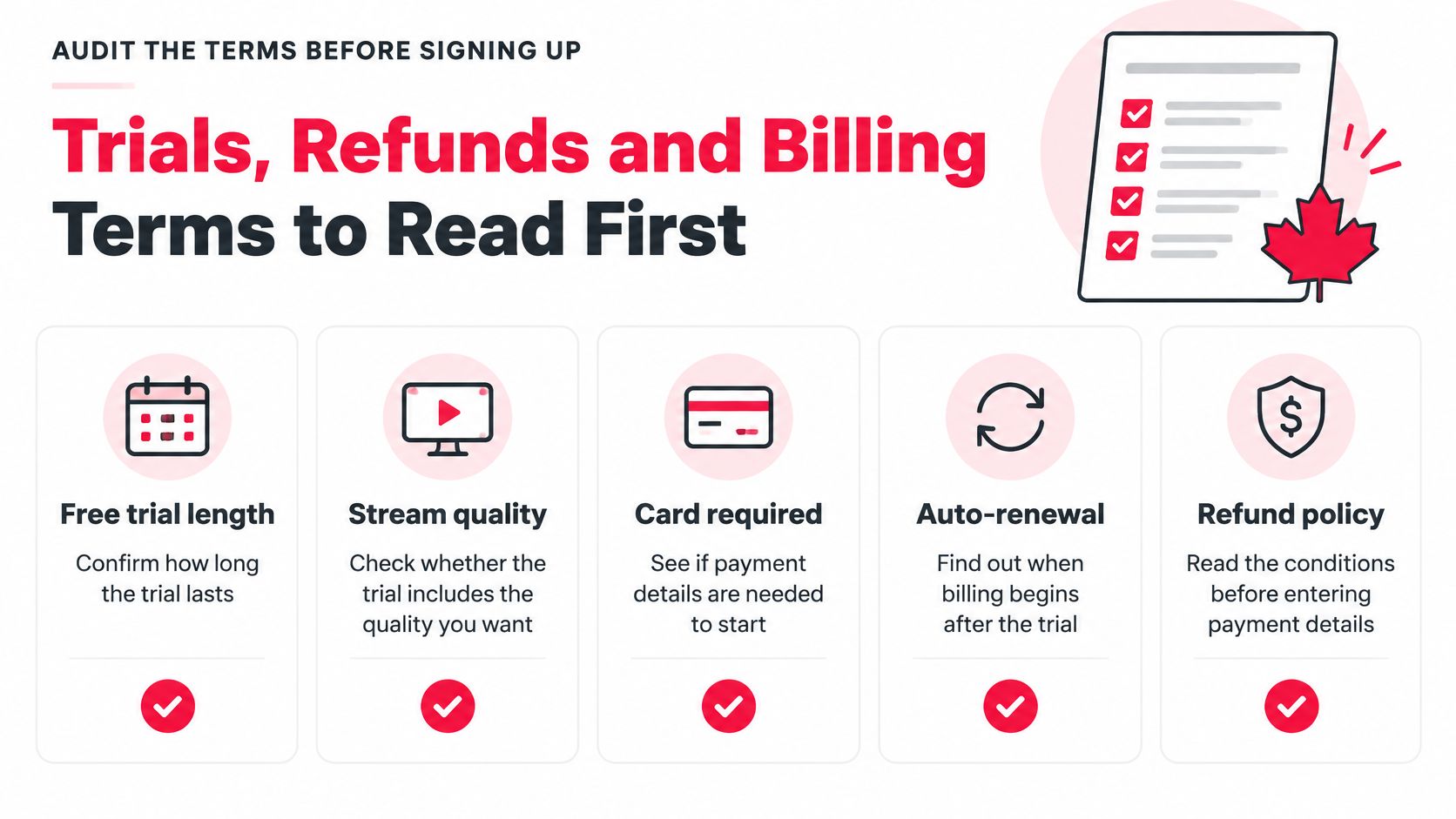
A free IPTV trial offer in Canada should explain its duration, available stream quality, device restrictions and what happens when access ends. Read those details before submitting payment information.
A trial that skips the card requirement removes one specific risk: an unexpected charge. Whether the service holds proper content rights or stays reliable over months of use are questions a short trial cannot answer. Use the trial window to judge picture quality, channel switching and playback stability, and save the offer plus the applicable terms before activating access.
Separate refund promises from legal rights
Under the subscription-contract rules explained by Consumer Protection BC, applicable contracts have cumulative payments exceeding CAD 50; renewal terms longer than 60 days require 30 to 60 days' renewal notice, and qualifying refunds must be issued within 15 days, with no further charges after cancellation. The notice must explain renewal, cancellation rights and instructions, and the consequences of not responding.
That notice requirement exists so you can cancel before the next billing cycle begins rather than discovering a renewal after the charge posts. These rules apply in British Columbia; other provinces and territories have their own consumer-protection rules. Refund eligibility and the amount payable account for the contract and services used or remaining.
An advertised refund window is a business policy. Statutory rights stand apart from it, and readers elsewhere in Canada should consult their provincial or territorial consumer-protection authority.
Keep a written billing checklist
Before accepting any IPTV subscription offer, record:
- Trial access: Start and end conditions, included quality and permitted devices.
- Payment details: Whether a card is required and whether billing begins automatically.
- Refund conditions: Eligibility, exclusions and the method for submitting a request.
- Renewal arrangements: Notice, renewal frequency and the amount charged.
- Cancellation process: The contact method and how you receive confirmation.
- Final CAD total: Taxes and any compulsory charges.
Our guide to no-credit-card IPTV trials walks through trial conditions in more detail.
Keep cancellation emails and screenshots until the account is closed and billing is settled.
Deleting an app never cancels the subscription behind it.
Devices and Setup From Box to First Stream
Compatibility is confirmed by your television's operating system, the player app and the provider's login method together. An app in a store can look familiar while still being the wrong build for your box, and an installed app is not proof that the service behind it is authorised for the channels it sells.
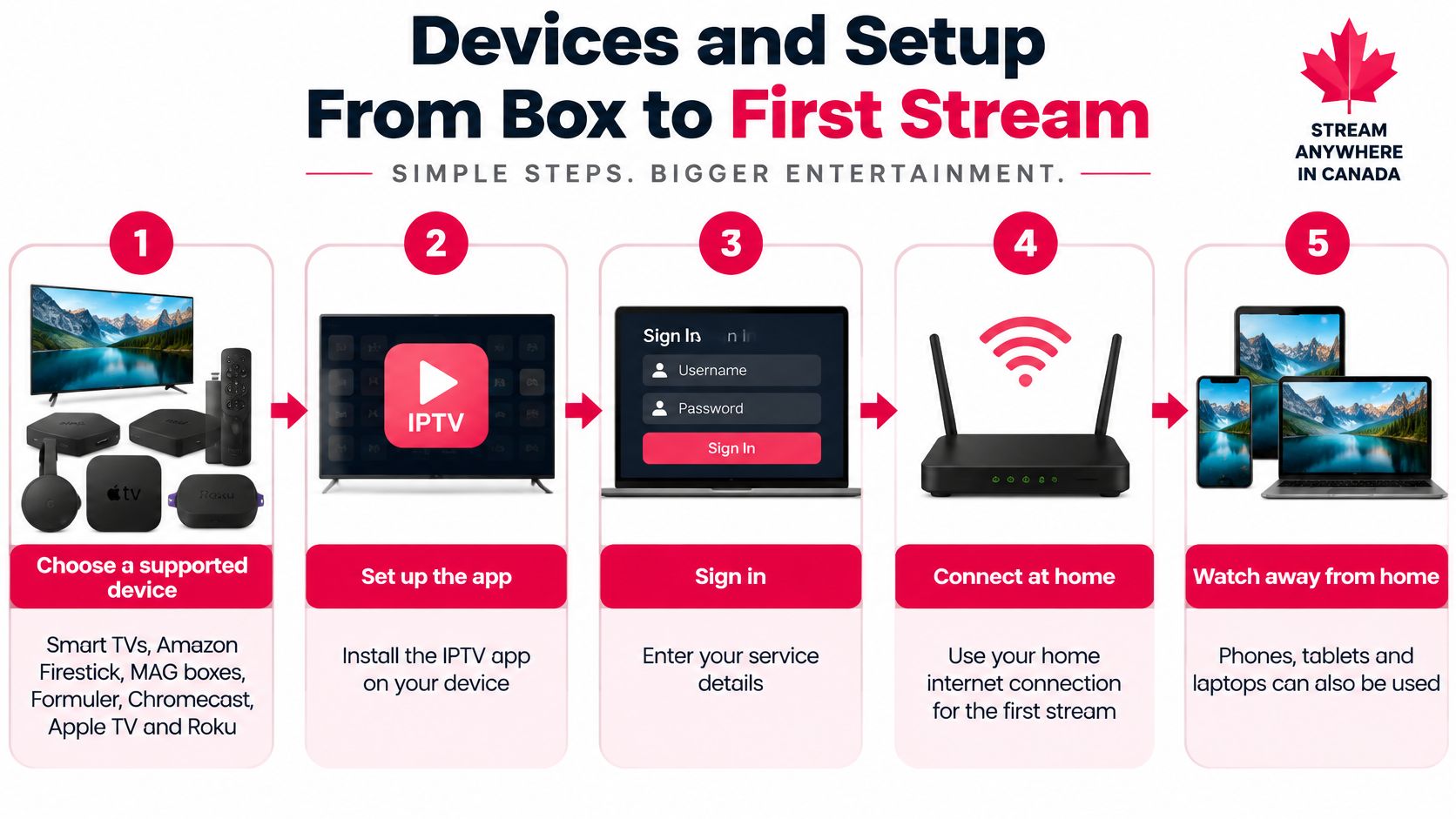
Device families to check include Smart TVs, Amazon Firestick, MAG boxes, Formuler, Chromecast, Apple TV and Roku, plus phones, tablets and laptops. Support for one does not establish support for the others.
Follow a controlled setup process
The setup is designed for beginners and requires no technical experience. It follows this sequence:
- Select the subscription and connection count. Confirm the exact device model is supported before choosing a plan. Distinguish installed devices from devices allowed to play at the same time.
- Receive your login credentials. Check the delivery instructions and your email folders. Keep account details private rather than sharing screenshots in public support groups.
- Install the IPTV player app. Follow official provider instructions and use the stated app source. Avoid similarly named downloads and unsolicited installation files.
- Enter the service details carefully. Copy credentials without extra spaces and preserve letter case. Repeated guesses can complicate a simple typing error.
- Start streaming and test playback. Open live television and on-demand content, then check channel switching before the trial expires.
Keep our IPTV installation guide open on a phone while configuring the television, so you do not have to leave the installation screen repeatedly.
Check household and travel use separately
When several screens share one subscription, count the screens people will use at the same time, not every screen they own. A television, tablet and phone may all be configured while the plan permits fewer concurrent sessions.
Away-from-home viewing needs separate confirmation. Mobile data costs, geographic restrictions and account rules can differ from your living-room setup, and rural connections may behave differently once the household leaves wired service.
Before configuring a less familiar MAG or Formuler box, locate its model-specific instructions and support route. A generic Android tutorial may not match the portal, remote layout or player settings on that device.
Fixing Buffering, Lockouts and Login Errors
Start by identifying the scope of the problem. A frozen picture on a single channel suggests a different fault from every app failing on the same television.
Work through connection problems in order
- Measure on the affected device. Run an evening speed test where playback fails, not only on a phone beside the router. Note whether other household activity was underway.
- Isolate Wi-Fi. Temporarily connect by Ethernet or improve the router's position. If wired playback works, focus on the local wireless connection.
- Reduce picture quality. Switch from 4K to HD. Improvement suggests a capacity or delivery issue, although it doesn't identify which network segment is responsible.
- Restart and check sessions. Restart the player and device, then close unused streams that may occupy permitted connections.
For 4K IPTV Canada comparisons, sustained playback matters more than a resolution badge. An 8K IPTV label won't resolve congestion, weak Wi-Fi or a device that can't decode the stream properly.
Handle login errors without repeated guessing
Compare the username, password and service details with the original message. Check subscription status and possible lockouts before repeatedly trying different entries.
On rural fixed-wireless or satellite connections, record whether live sports lag coincides with weather, congestion or other network use. Don't assume every delay comes from the television app.
Send support the device model, app name, affected channel or title, time of the problem and speed-test result. Describe whether wired playback or lower resolution changed the outcome, but never post your password publicly.
Choose Your Canadian IPTV Service With Confidence
A provider earns your payment only after it answers your questions on rights, billing and device support. The right IPTV Provider Canada choice starts with evidence your household can verify, and the earlier sections supply the raw material: a requirements list, a fair trial method and the billing terms worth reading first.
Sequence the decision so trials come before commitments
- Shortlist, then trial. Run each remaining candidate through the same evening viewing conditions on your own television before any money changes hands. Keep an unanswered question marked unresolved on your comparison sheet instead of assuming it works out.
- Take the shortest term first. A monthly plan costs more per month but keeps the exit open. Extend the subscription only after ordinary household use, including live sports and peak-hour viewing, demonstrates a good fit.
IPTV CANADA offers secure payment methods, flexible subscription options and a setup process that requires no technical experience. Those operational details still need to sit alongside your own checks of current terms, authorised content and real-world playback.
Choose the service that meets your requirements with the fewest unanswered questions.
IPTV CANADA offers flexible subscription options combining internet-delivered live television with on-demand entertainment. Visit IPTV CANADA to explore the current options or enquire about a trial, then use the checklist on your own television before committing, including confirmation of Canadian content rights and billing terms.

No Responses