

If an IPTV provider advertises thousands of channels and a sharp picture, what tells you whether the hockey game will play reliably in your living room? For IPTV Vancouver shoppers, the useful answers come from household bandwidth calculations, clear distribution rights and repeatable playback tests, not channel counts alone.
A sensible purchase starts with what you watch, which screens you own and how many people watch simultaneously. Treat every provider claim as something to verify before committing to a longer subscription.
Table of Contents
- Your IPTV Options in Vancouver Compared
- Checking Legitimacy and Trial Terms Before You Subscribe
- Internet Speed and Streams Your Household Needs
- What an IPTV Subscription Really Costs
- How to Set Up IPTV on Your Devices
- Fixing Buffering, Freezing and Dropped Channels
- Choose a Plan and Request Your Free Trial
Your IPTV Options in Vancouver Compared
IPTV gives Vancouver households access to live channels, sports and on-demand titles through internet-connected, supported screens. The practical comparison is whether that mix suits your viewing better than a fixed television package or separate streaming apps.
Viewing options for Vancouver households
| Option | What you get | Main trade-off | Best for |
|---|---|---|---|
| Cable or satellite bundle | Set-top box with a fixed channel line-up | Contracts and bundled pricing | Households wanting one fixed package |
| Standalone streaming apps | On-demand catalogues and some live channels per app | Separate subscriptions for the services you choose | Viewers following a few shows |
| IPTV provider offering a free trial | Live channels, sports and on-demand titles through a supported app | Channel access, screen limits and playback need checking | Families comparing a broad channel selection |
| Free or unofficial channel lists | Apparently free channels | Unofficial lists offer no established rights, support or service guarantee | Not recommended without established authorization |
IPTV means television delivered over your internet connection, so your broadband connection and supported devices form part of the viewing setup.
Start with your actual viewing habits. A household following a particular series might be better served by Crave or Netflix. For scheduled news, international programming and live sport, compare the specific channels available and whether you can watch them on the screens you own. A large movie catalogue adds little if those channels are missing.
Match the service to the household
For a closer look at the physical network carrying broadband traffic, visit Southern Tier Resources, a fiber-optic infrastructure engineering partner.
Buying rule: Choose around the programmes you watch, the screens you use and the people watching simultaneously.
Searches such as Best IPTV Canada and IPTV Provider Canada produce broad marketing promises. Turn those promises into a household comparison:
- Concurrent viewing: Count the people who watch different programmes simultaneously, then compare that requirement with the subscription's screen allowance.
- Essential programming: List the sports, local news services and international channels you would use. Check each against the offered line-up.
- Existing equipment: Identify your television or streaming device and check that the service supports it before choosing a subscription.
Keep free broadcaster-authorized streams separate from anonymous unofficial lists in your comparison. Authorization, available programming and support belong on the checklist even when access costs nothing.
Checking Legitimacy and Trial Terms Before You Subscribe
A free trial, M3U playlist, Xtream Codes login, 4K label or Canadian-dollar price doesn't prove distribution rights. Before testing picture quality, establish who is entitled to supply the programming.
Put these numbered questions to the seller before payment:
- Who holds the Canadian redistribution rights for the channels you care about?
- Which broadcaster or league authorizes the sports offering? Ask for written confirmation naming each advertised sports package and league.
- Who is the legal seller? Look for a business entity, real address and usable contact details.
- What happens if a channel disappears? Establish whether removal creates any refund entitlement.
- Are trial conditions written down? Confirm whether a payment card is needed and when access ends.
- Can you read cancellation and refund terms before paying? Save a copy alongside your receipt.
Use the trial window itself as a test. Schedule it around a live sports event and your busiest evening, and watch the channels you would pay for. A service that drops streams under load will show it then, while leaving is still free.
Technology and authorization are different questions
Canadian law distinguishes the streaming technology from the right to communicate programmes to the public. Unauthorized redistribution can infringe copyright even when it uses ordinary internet delivery, a distinction discussed in IPTV Gold's guide to IPTV legality in Canada.
That doesn't make every IPTV subscription illegal. It means buyers should verify authorization rather than treating an app-store listing or working login as evidence.
Canada's notice-and-notice system lets rights holders send infringement allegations to internet providers, which forward qualifying notices to subscribers. A household using an unauthorized service may receive a notice, but a notice isn't itself a court finding or proof that money is owed.
Separate household risks from redistribution liability
The seller carries the potential liability for unauthorized redistribution, while the viewer's exposure sits in a different category. Household risks include exposed credentials, billing disputes and sudden channel loss, none of which require a court case to cause trouble.
The Canadian IPTV legality guide breaks down how these rules apply to viewers and sellers. Whatever a provider claims, don't submit sensitive documents or reuse an important password merely to obtain a trial.
If a provider can't clearly answer the rights questions, don't subscribe.
Internet Speed and Streams Your Household Needs
Bitrate needed by stream type and simultaneous streams
| Stream type | Modelled bitrate (HEVC) | Two simultaneous streams | Four simultaneous streams |
|---|---|---|---|
| 720p HD | About 2 Mbps | About 4 Mbps | About 8 Mbps |
| 1080p Full HD | About 4 Mbps | About 8 Mbps | About 16 Mbps |
| 4K UHD | About 12 Mbps | About 24 Mbps | About 48 Mbps |
These estimates use the HEVC video model in a Canadian federal broadband analysis; the simultaneous-stream totals are multiplication of its modelled bitrates, before network overhead and other household traffic.
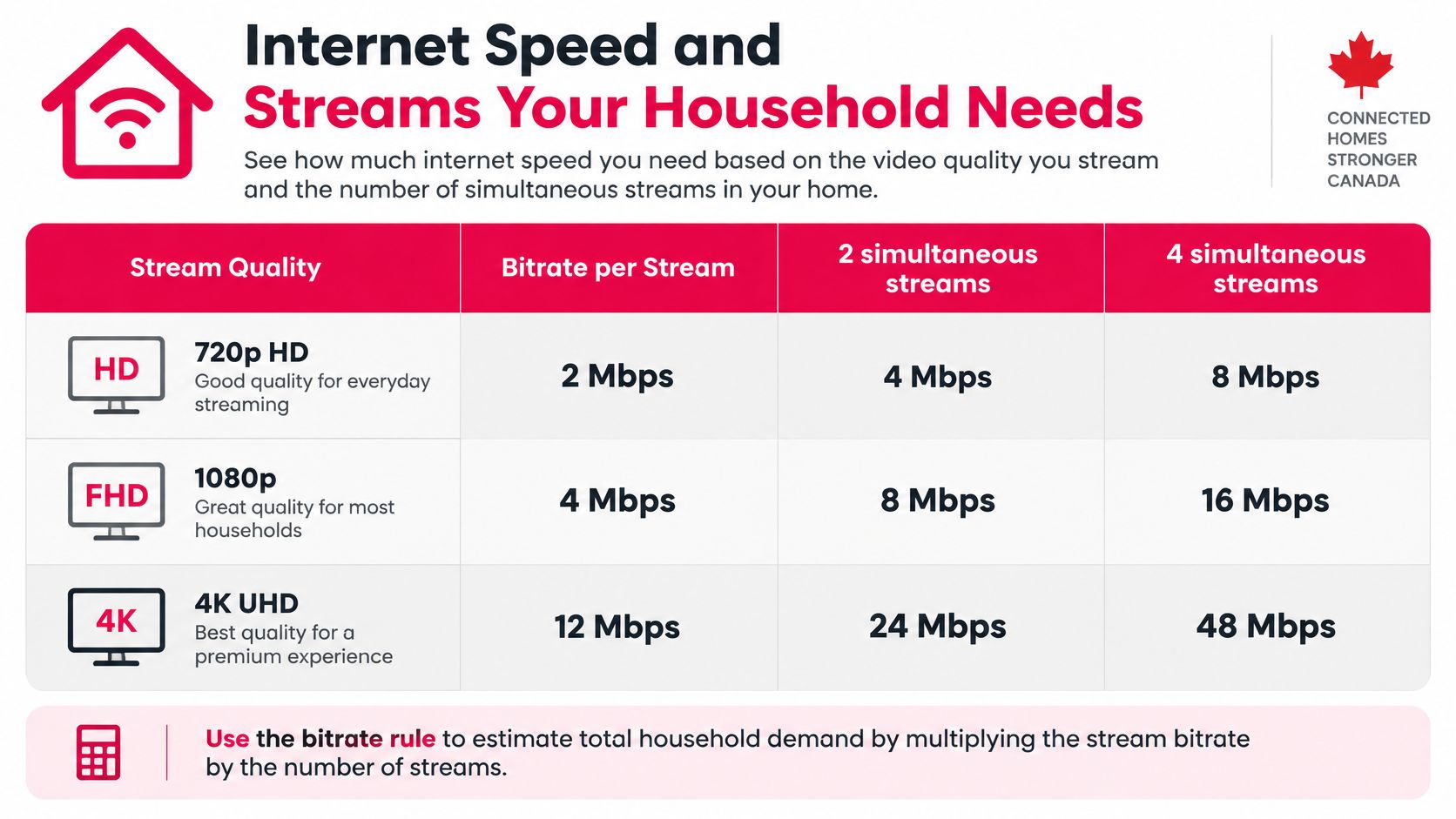
Calculate concurrent demand
Count active streams, not subscriptions or installed apps. In a hypothetical Kitsilano household, a couple watching a 4K sports game while their teenager watches 1080p would need about 16 Mbps of sustained video throughput, calculated by adding the corresponding modelled rates in the table.
That isn't an appropriate internet-plan target by itself. Video calls, cloud backups, Wi-Fi contention, protocol overhead and bitrate bursts need additional capacity.
A fast plan also doesn't guarantee a strong connection at the television. A streaming stick behind a large screen may have a weaker wireless connection than a laptop beside the router.
Leave room for real conditions
Test from the actual playback device during evening use, with normal household activity running. Ethernet is the cleanest baseline; a strong supported 5 GHz or 6 GHz wireless connection is the alternative when cabling isn't practical.
Purple Access's discussion of busy-hour KPIs for guest networks offers a useful measurement principle: assess performance during busy periods, not only when the network is quiet. Its guest-network context isn't an IPTV speed guarantee.
Use our IPTV internet-speed requirements guide when translating those checks into a home setup.
- Count peak streams: Include every screen likely to play simultaneously.
- Choose realistic resolutions: A smaller secondary screen may not need UHD.
- Add the bitrates: Calculate sustained video demand.
- Reserve headroom: Allow for wireless losses and non-video traffic.
For 4K IPTV Canada or 8K IPTV advertising, ask whether the actual programme is delivered at that resolution. App support alone doesn't establish source quality.
What an IPTV Subscription Really Costs
Affordability isn't just about the advertised subscription. In a CRTC public-opinion tracker, 47% of Canadians said television services had become less affordable during the preceding year, 46% said the same about streaming-video subscriptions, and 48% about home internet.
Compare the full household bill:
- Subscription: Record the price in CAD and whether taxes are included.
- Internet: Include your broadband bill and any upgrade required for concurrent viewing.
- Hardware: Add a streaming device only if existing equipment won't work.
- Extra screens: Check whether simultaneous connections cost extra.
- Trial exposure: Note cancellation deadlines and the consequences of missing a refund window.
Account for data and commitment
As a benchmark, not an IPTV measurement, the CRTC's streaming data-use measurements recorded averages of about 0.89 GB per hour for CBC TV, 1.22 for Global TV, 2.20 for CraveTV and 2.86 for Netflix, with Netflix's reported upper range reaching 7.92 GB per hour.
Multiply expected monthly viewing hours by the closest comparable hourly figure to estimate usage. Check your internet plan's cap and overage charges in CAD; resolution and the actual service can change consumption substantially.
Our explanation of monthly IPTV subscription costs in Canada helps organise the comparison. For each candidate, use current plan-page figures, add the full monthly household cost, then divide by regular viewers.
A longer commitment is only cheaper in practice if you'll keep using it. Compare both the complete household bill and the incremental cost of changing services, since an internet connection you already need isn't entirely a new television expense.
How to Set Up IPTV on Your Devices
Set up on the screen you will watch. Apps behave differently on a phone than on a television, so run the installation on the TV, box or stick that will carry everyday viewing and judge the result there.
Test the connection. Connect the playback device through Ethernet where possible, or confirm a strong supported 5 GHz or 6 GHz Wi-Fi link. Run an evening speed test on that device so you measure the speed it receives.
Choose your screen. Identify the Smart TV, Android TV box, Firestick, phone, tablet or computer you will use, and confirm the exact model and operating system are supported. App availability can differ between television platforms.
Select a plan and receive credentials. The ROVE IPTV setup process starts with selecting a subscription plan and receiving login credentials. Keep the activation message somewhere private and accessible.
Install the player. Download the specified IPTV player from the device's official app store. The player is only the software layer, so treat channel authorization as a separate check.
Enter the details exactly. Copy the server address, username and password into their matching fields, checking for trailing spaces and mistaken characters. Never post screenshots containing credentials in public support groups.
Start streaming and verify playback. Let the channel list load, then play a live channel and an on-demand title on the TV you will use. Leave playback running for ten minutes and watch for freezes, audio drift or unexpected quality changes.
The visual guide summarises the connection, installation and playback stages.
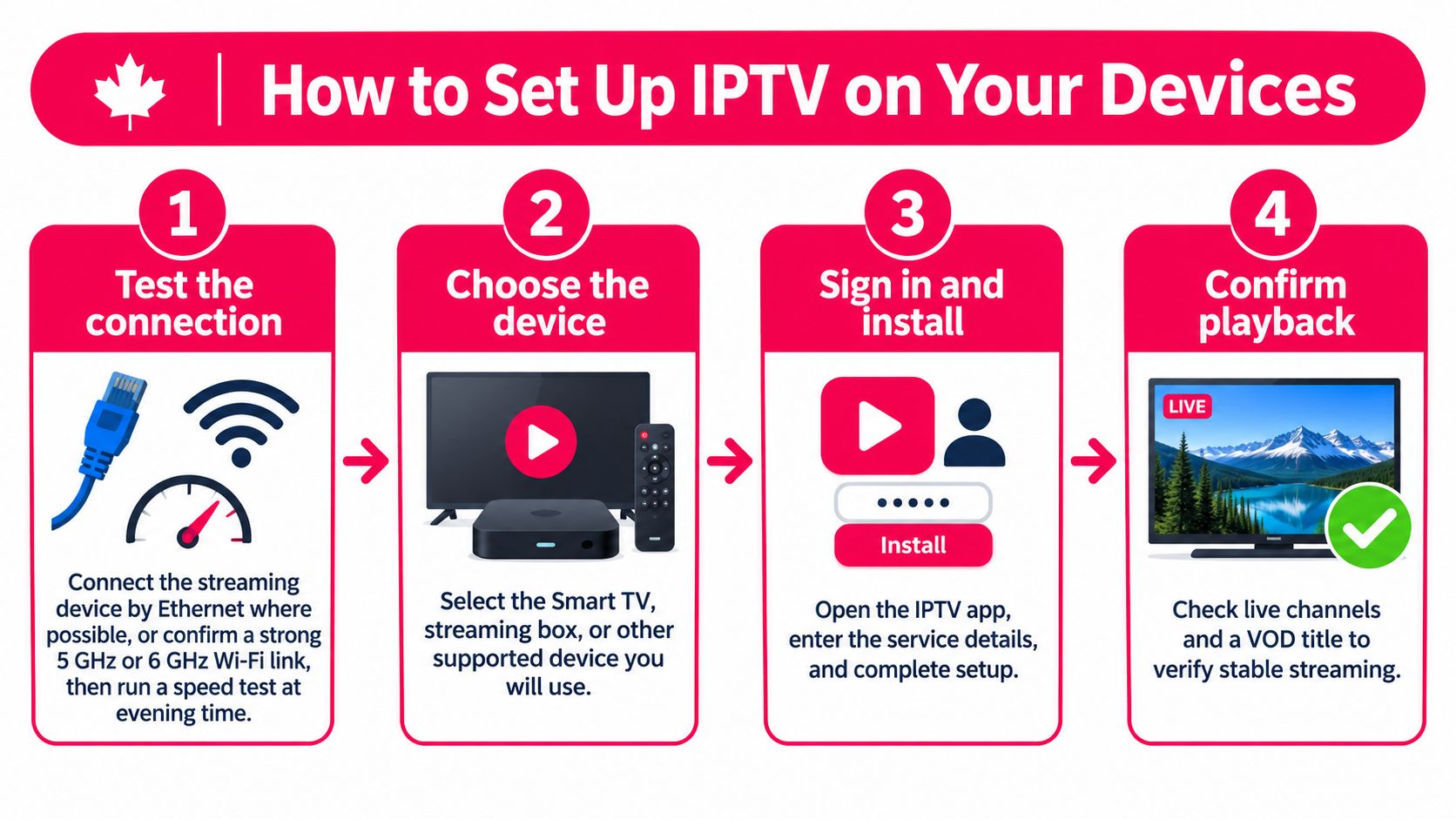
Check failed logins before reinstalling
If authentication fails, recheck every field and confirm the account is active. Reinstalling an app cannot correct a mistyped password or an inactive subscription.
Our step-by-step IPTV installation walkthrough covers each stage in more detail. Never give a seller remote control of your computer merely to resolve a basic login problem.
Judge the finished setup by what you can observe: channels load promptly, switching responds without a long pause, and playback holds through a full programme during evening use. Then try another device only if the subscription permits simultaneous connections.
Setup check: Count the job done when programmes play properly on your intended screens. An app that opens is only partway there.
For IPTV Multiple Devices comparisons, distinguish registered devices from permitted concurrent streams. A subscription can allow several signed-in devices while capping how many play at once, so check both limits before adding a second television.
Fixing Buffering, Freezing and Dropped Channels
Evening buffering doesn't automatically mean the provider's servers are overloaded. The home connection can struggle even when the incoming service is functioning, so isolate the fault before changing subscriptions.
Start by checking the connection at the television.
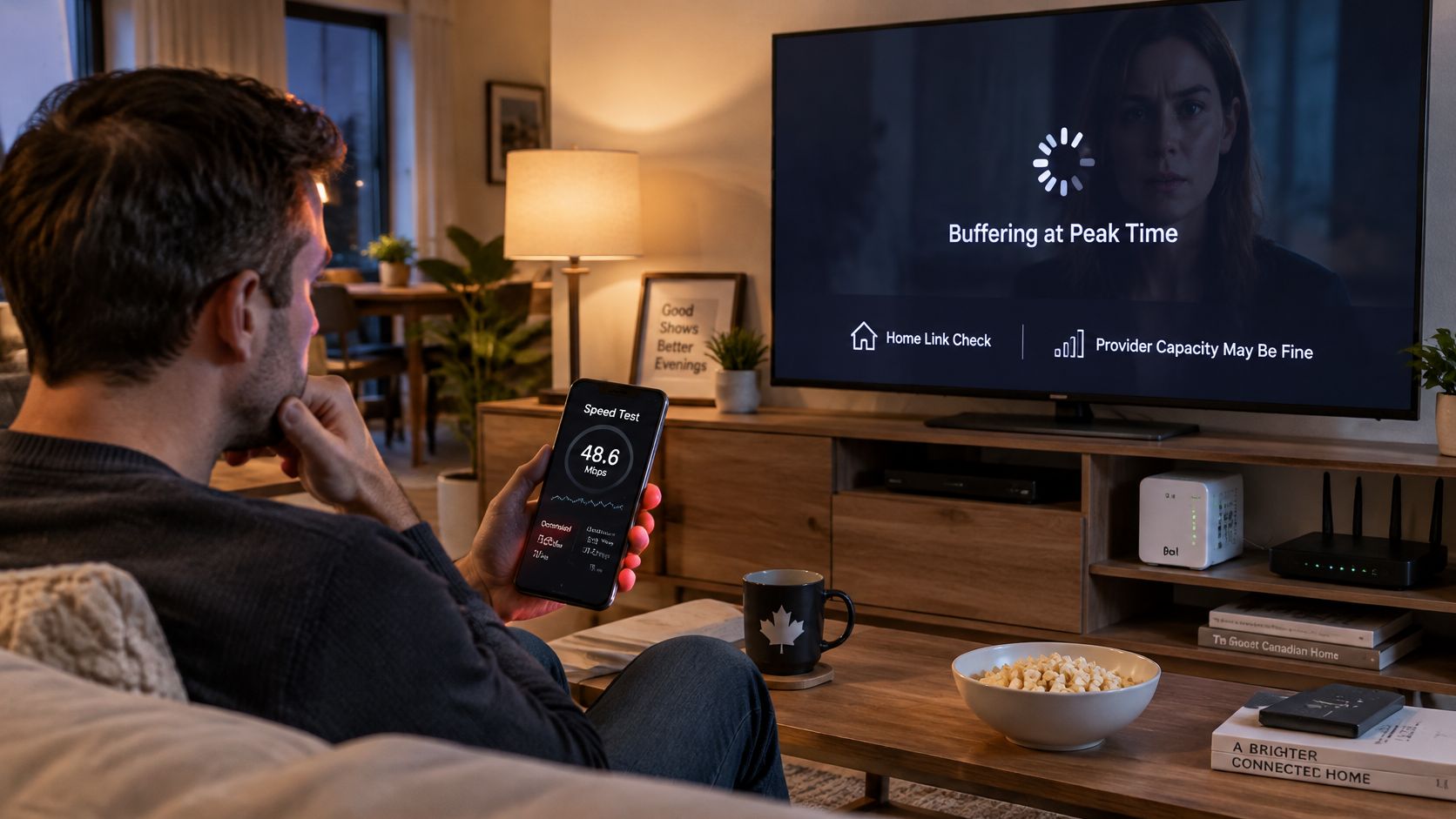
Streaming symptoms, causes and fixes
| Symptom | Likely cause | Fix |
|---|---|---|
| Buffering at evening peak | Congested home or provider link during bitrate peaks | Test over Ethernet at peak hours and pause cloud backups |
| Buffering only on Wi-Fi | Interference or weak signal | Move closer, use a supported 5 GHz or 6 GHz band, or switch to Ethernet |
| Freezing on one device only | Device limits, outdated app or low memory | Update the app, restart and compare another screen |
| Freezing when several people stream | Household bitrate exceeds available capacity | Reduce resolution or concurrent streams |
| One channel fails while others work | Channel-source issue or rights change | Report the channel and check its status later |
| Slow channel switching | App-cache or device-storage problems | Clear the cache and restart |
Diagnose in a repeatable order
Test over Ethernet first. Next, use your router's diagnostics or a network-testing app to measure latency and packet loss during evening congestion, pause backups and large downloads, then compare solo playback with simultaneous viewing.
Change one condition at a time. Record the channel, device, connection type and approximate failure time so support can investigate something more useful than “it keeps freezing.”
For an additional troubleshooting walkthrough, use the video below.
Restarts and cache clearing are quick first attempts. Repositioning network equipment, changing an internet package or resolving a missing channel through support takes more work; don't buy a faster plan until testing points to insufficient capacity.
Our IPTV buffering troubleshooting guide offers further checks. If local internet service goes down, internet-delivered television won't continue normally, so maintain a separate way to receive important alerts.
Claims about local servers and continuous monitoring aren't independent proof of uptime. Judge stability through repeated household tests, including the live events you intend to watch.
Choose a Plan and Request Your Free Trial
Start with the plan shape, then compare it with the way your household watches. Match peak simultaneous viewing to your bitrate calculation. If several people watch different channels at once, choose a subscription with enough supported connections and test that setup during evening congestion. If one television carries most viewing, a simpler plan may be enough. Use the earlier legitimacy and cost checklists for rights information, total cost, internet, equipment and data overage.
ROVE IPTV provides IPTV services in Canada, including Vancouver, Montreal, Quebec, Ottawa, Toronto, Edmonton and Calgary. The service offers flexible subscription options, secure payment methods and Canadian and international channels, sports, movies and on-demand entertainment. Payment security gives you a safer checkout process, so keep rights information and trial conditions in the written record before paying.
Evaluate the offer before committing
The offer includes Canadian and international channels, sports coverage, news and entertainment, with live television and an on-demand library. For a household shortlist, write down the channels you expect to watch, the devices you will use, and the stream quality you want to check. That turns a broad channel claim into a repeatable home test.
The advertised terms include a 24-hour HD trial without a credit card, no contracts or automatic payments, CAD pricing including applicable taxes and a seven-day money-back provision. Ask for the current written conditions before relying on any of them. The trial terms should state the start and end time, included channels, supported devices, connection limit, what happens after trial access ends and which conditions apply to the refund provision.
For plan comparison, use only the current plan details and the 12 Months IPTV Subscription Canada catalog item. Treat advertised resolutions as claims to test, not a guarantee for every programme.
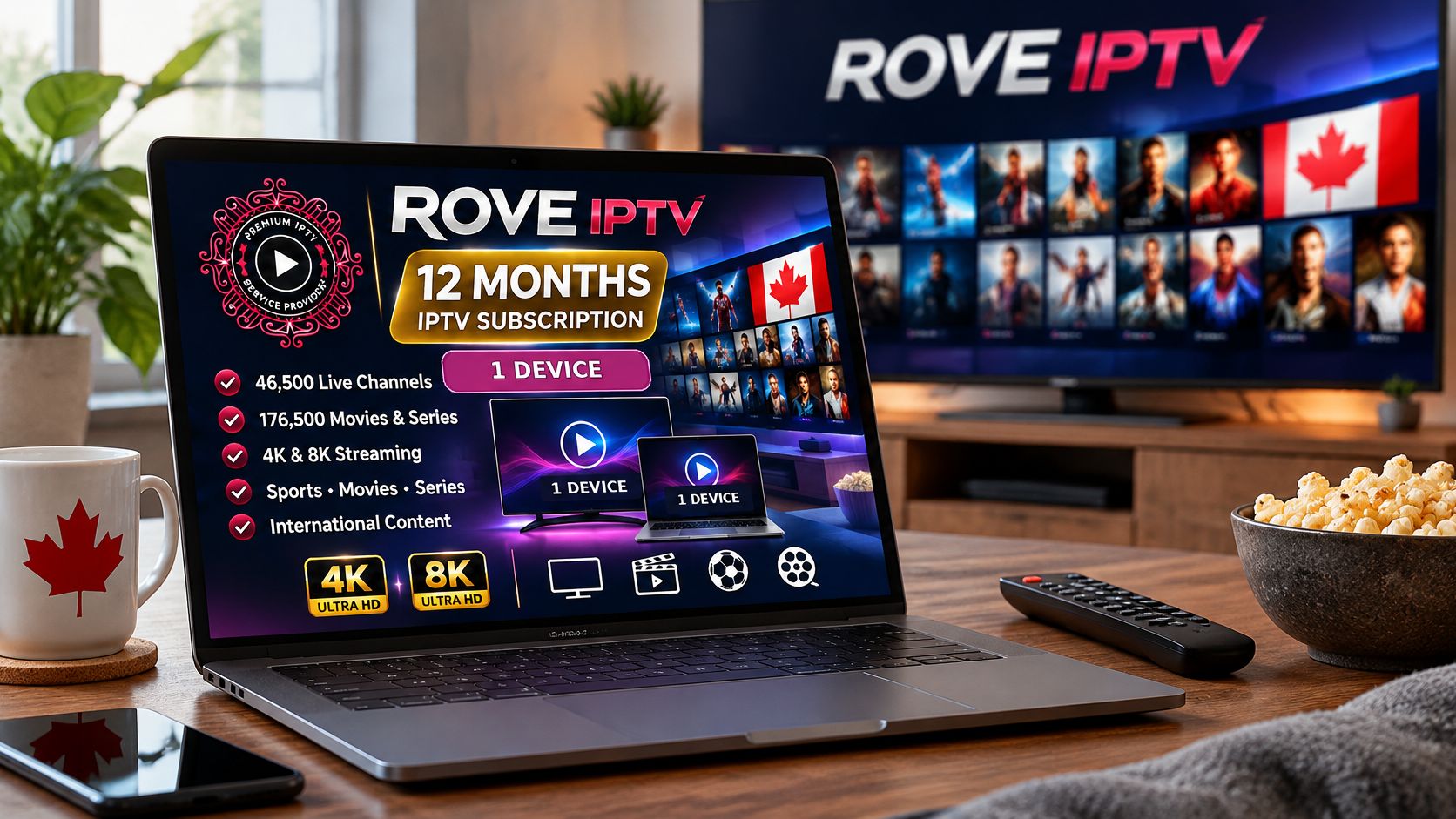
For an IPTV Free Trial Canada search, the useful next step is a controlled test. Request written terms, install the player on your intended devices, then check channel switching, playback and sports or movie content before the trial ends.
IPTV CANADA offers internet-delivered Canadian and international television, sports and on-demand programming for households comparing Vancouver viewing options. Visit IPTV CANADA to explore the current plans and request trial details, then verify authorization, device compatibility and evening playback before subscribing.

No Responses