

Your cable bill arrives, but your Montreal household keeps watching the same news programme, hockey broadcasts and streaming favourites. IPTV Montreal searches promise a simpler arrangement, yet channel counts and resolution labels don't tell you whether a service will work in your living room, or whether it's authorised to carry what you want.
The useful questions are practical: what reaches your screen, what your shared connection can handle, and what you should verify before paying.
Table of Contents
- What IPTV Means for Montreal Viewers
- How IPTV Reaches Your Screen Compared with Cable
- Choosing Devices That Work With Your TV
- How Much Internet Speed a Montreal Household Needs
- Checking Legality and Provider Before You Pay
- Compare Plans and Request a Trial in Montreal
- How to Set Up IPTV on Your Device
What IPTV Means for Montreal Viewers
IPTV is television delivered over an internet connection instead of a dedicated cable-TV or satellite connection. Think of traditional cable as a dedicated delivery pipe. IPTV works more like a library whose programmes arrive through the connection you already use for work, school and video calls.
A service may combine live Canadian and international channels, sports, news, movies and on-demand titles. You select a programme through an app on a compatible television, phone or streaming box, rather than assuming every screen needs a traditional television receiver.
According to Statistics Canada's internet-access indicator, high-speed internet was available to 97.1% of Canadian households in 2024. That's a national availability measure, not proof that any particular Montreal apartment has a suitable subscription or reliable Wi-Fi.
Practical rule: Internet availability makes streaming possible. It doesn't guarantee uninterrupted playback.
For a household replacing rarely watched cable channels, the starting point isn't the biggest catalogue. It's a short list of programmes, languages and screens that matter.
How IPTV Reaches Your Screen Compared with Cable
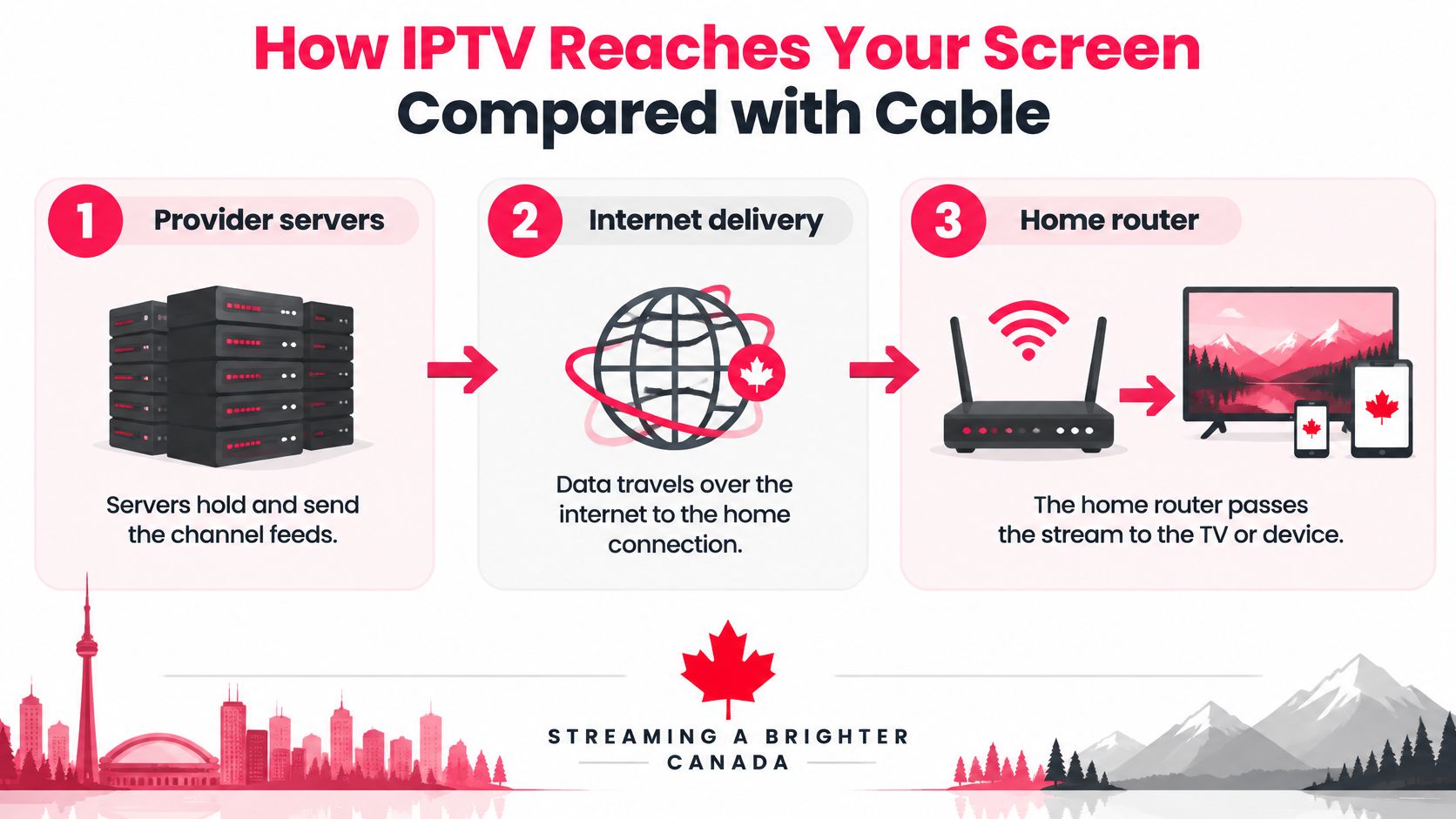
- Provider servers hold or relay the channel feeds.
- Data travels through the internet to your home connection.
- Your router passes the stream to the viewing device.
- An app or box decodes the video and displays it.
- Changing channels sends another request, so network delays can affect switching.
It's like ordering restaurant delivery: the kitchen prepares the order, the delivery network carries it, and you see only what reaches the table. A problem anywhere along that route can affect the result.
IPTV, cable and satellite at a glance
| Feature | IPTV | Cable | Satellite |
|---|---|---|---|
| Delivery path | Internet connection | Coaxial cable line | Satellite dish signal |
| Equipment at home | Compatible TV, phone or streaming box with an app | Cable set-top box | Dish and receiver |
| Installation | Usually viewer-led app setup | Technician visit often needed | Technician usually needed to aim the dish |
| Main risk | Home network speed and stability | Local line outages | Weather and dish obstruction |
| Channel source | Set by the provider and its licences | Set by the cable company | Set by the satellite provider |
This is an orientation, not a reliability ranking. Cable and satellite require healthy delivery infrastructure too, while IPTV adds your router, viewing device and provider's servers to the playback chain. The channel catalogue ultimately reflects distribution arrangements, not what the app itself can display.
Choosing Devices That Work With Your TV
The device is the stage; the service supplies the performance. Choose hardware for the room and the people using it, not just the logo on the box.
A shared living-room television is a useful starting point.
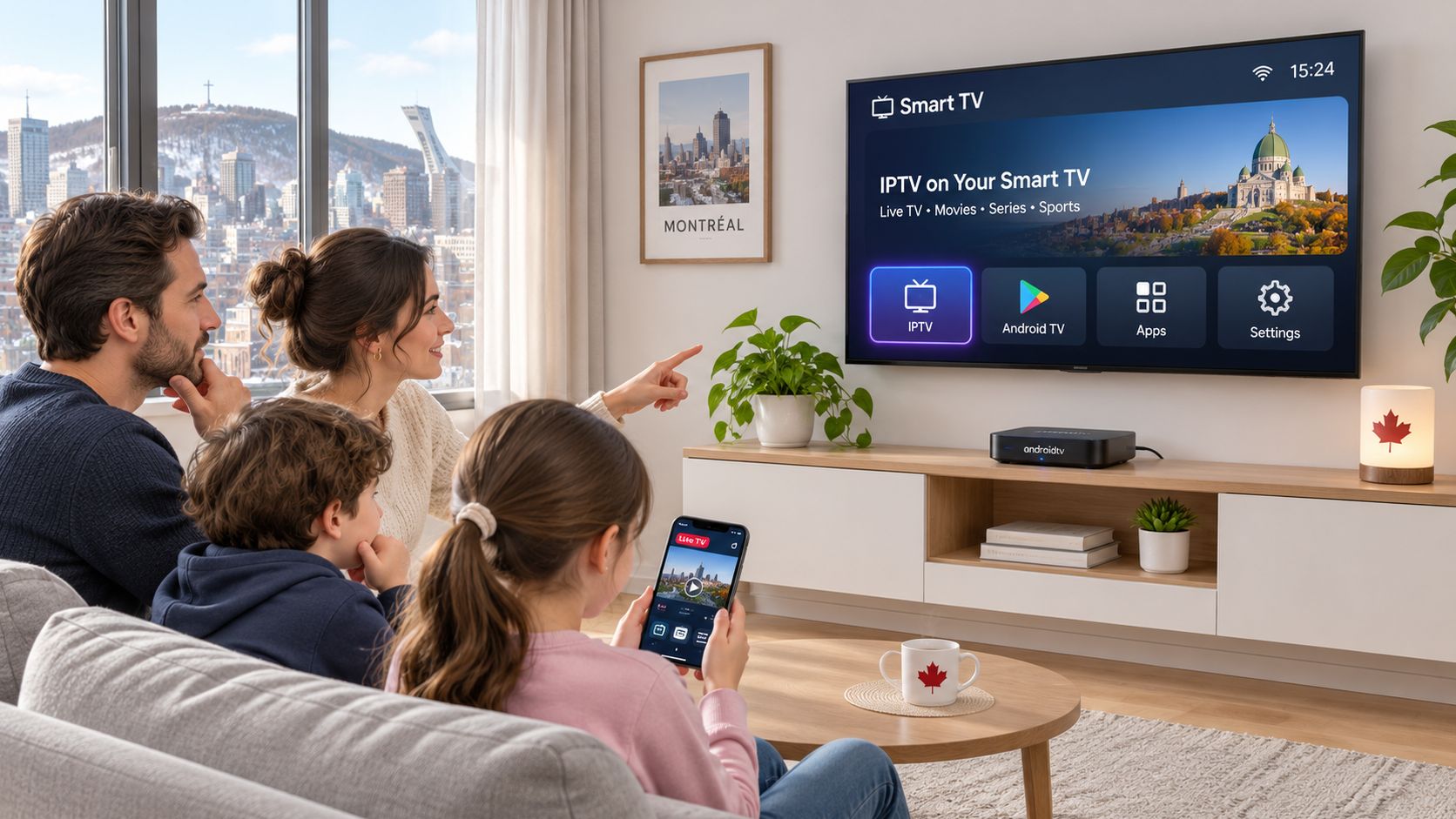
- Main television: Smart TVs, Android TV boxes, Firestick and Apple TV can suit everyday remote-controlled viewing when a supported player is available.
- Secondary rooms: Roku and Chromecast require particular care about supported apps or casting methods. Don't assume every IPTV player runs on them.
- Dedicated equipment: MAG and Formuler boxes may use portal or device-specific configuration rather than an ordinary app-store login.
- Personal viewing: Phones, tablets and laptops suit individual viewing and travel, subject to account and location restrictions.
Check the exact device model, supported setup method and Ethernet or Wi-Fi connection before buying. Our Canadian Smart TV setup guide explains the television-side considerations.
This video offers an additional visual reference.
For IPTV Multiple Devices arrangements, distinguish installed apps from simultaneous playback. The CRTC's broadband monitoring material identifies shared devices, congestion, server load, latency and device capabilities as factors affecting stream quality.
How Much Internet Speed a Montreal Household Needs
The CRTC's communications monitoring report identifies Canada's universal-service target as at least 50 Mbps download, 10 Mbps upload and unlimited data, and reports approximately 5 GB per hour of consumption for 4K video.
Estimated 4K data use by number of streams
The calculations below scale that approximate upper-bound consumption figure, rather than prescribing connection speeds.
| Viewing scenario | Simultaneous 4K streams | Data per hour | Data per eight hours |
|---|---|---|---|
| One 4K stream | 1 | Up to about 5 GB | Up to about 40 GB |
| Two 4K streams | 2 | Up to about 10 GB | Up to about 80 GB |
| Three 4K streams | 3 | Up to about 15 GB | Up to about 120 GB |
| Four 4K streams | 4 | Up to about 20 GB | Up to about 160 GB |
Mbps measures delivery speed; GB measures data consumed. Don't confuse a fast connection with a generous data allowance. Actual consumption also changes with encoding and picture settings.
- Check the plan: Confirm unlimited-data terms before adding regular high-resolution viewing.
- Test during busy evenings: Run a speed test on the intended device while household members use their normal apps.
- Improve the television connection: Try Ethernet, or a strong 5 GHz Wi-Fi connection, then play both live and on-demand content.
For equipment decisions, FruitPunch's evidence-based wireless router comparison guide provides a resource for comparing router options. Don't replace hardware until you've checked placement and wired playback.
Our IPTV internet-speed requirements guide offers further planning help. A 4K IPTV Canada label still isn't a household performance test.
Checking Legality and Provider Before You Pay
The transmission technology isn't the central licensing question. What matters is whether the particular distributor has permission to supply each channel or programme to you.
The CRTC's audiovisual broadcasting material provides context on television and streaming consumption. It shouldn't be mistaken for an endorsement of a particular seller.
Provider checks and red flags
| Check | What to verify | Red flag |
|---|---|---|
| Business identity | Named company, address and support contact | No company details or only a chat handle |
| Billing terms | Price in CAD, taxes, renewal and cancellation steps | Hidden recurring charges or unclear cancellation |
| Refund policy | Written refund window and conditions | Refund promised only verbally |
| Trial | Length and whether a card is needed | Pressure to pay before testing |
| Device count | Simultaneous connections allowed | Vague unlimited claims |
| Channel list | Named Canadian and international channels, sports and news | Large channel count with no list |
| Support | Hours, contact methods and access to a person | No way to reach a person |
For Montreal, record the specific French-language Quebec channels you need alongside English-language and international programming.
Four misconceptions to reject
- A huge catalogue proves authorisation: It doesn't. Request distribution or licensing details for the channels that matter.
- A resolution label guarantees quality: 4K describes picture resolution, not your network's stability. Treat 8K IPTV claims with the same scrutiny.
- A low price proves value: Compare renewal charges, included access and cancellation conditions.
- An anonymous seller protects you: Missing business details make accountability harder, not stronger.
A player app, streaming device or playlist file isn't evidence of content rights.
Read the privacy policy for collection, sharing and retention practices. Use the same checklist for every IPTV Provider Canada candidate; our guide to IPTV legality in Canada provides additional context. If authorisation remains unclear, consult CRTC material and independent advice rather than relying on marketing.
Compare Plans and Request a Trial in Montreal
A Montreal household may stream in French, English and other languages, so compare plans against the channels and viewing habits that matter to you. ROVE IPTV serves major cities across Canada, including Montreal, Quebec, Ottawa, Toronto, Edmonton, Calgary and Vancouver.
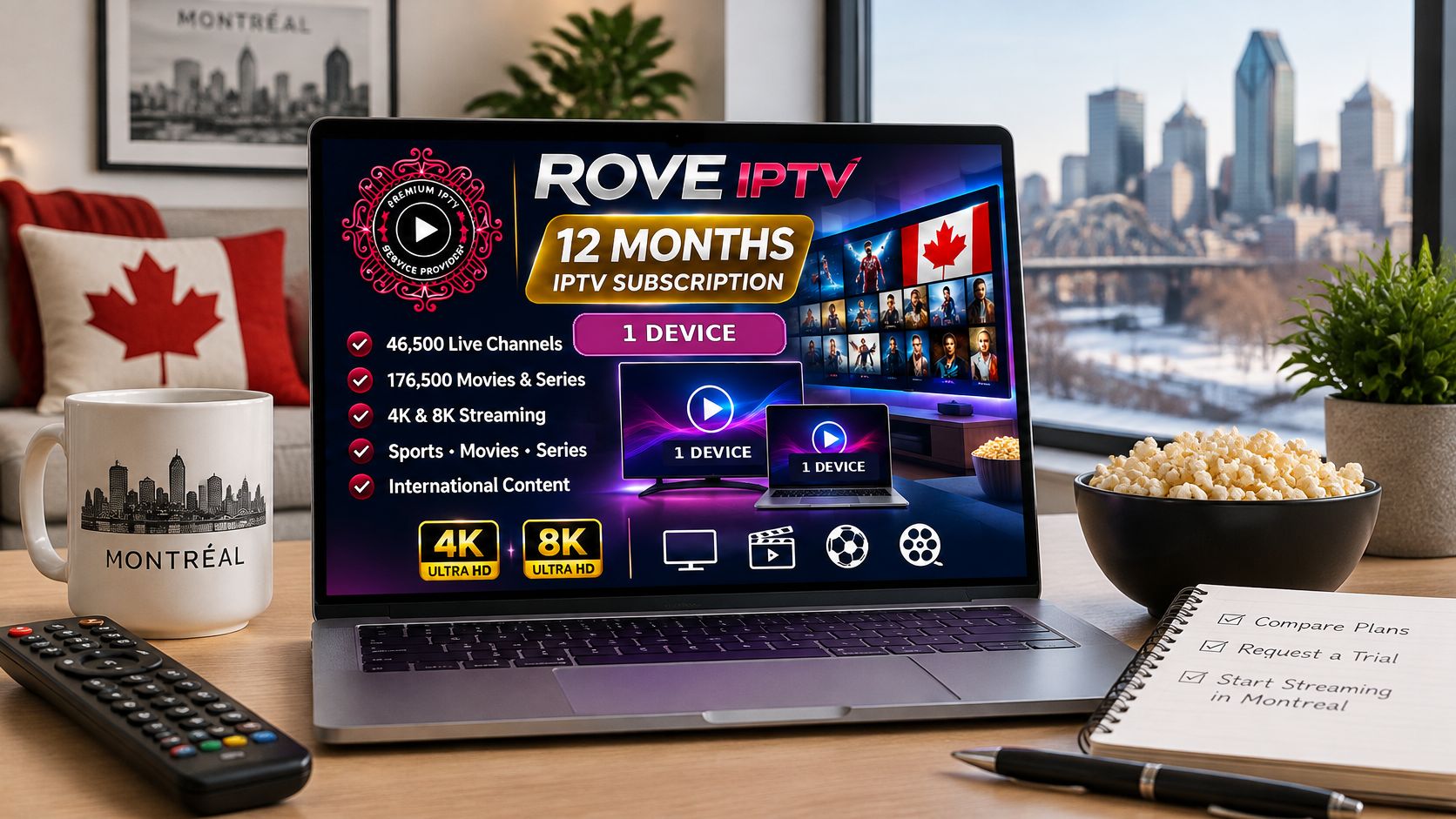
Image showing the 12 Months IPTV Subscription Canada plan.
Compare the commitment, not just the catalogue
ROVE IPTV offers flexible subscription options and secure payment methods. Its website lists a 24-hour HD trial without a credit card, a seven-day money-back provision, and options covering one to five devices. Check the terms for the specific plan you're considering.
A channel list is like a shop's inventory: the number of items matters less than whether it has what you want. ROVE IPTV offers Canadian and international channels, live sports, movies and an on-demand library. Compare plan details using this Canadian IPTV subscription-package comparison guide.
If you're considering an IPTV free trial, use it to assess playback during your usual viewing routine, including an evening live broadcast. Streaming quality can vary with your internet connection and household traffic, so a trial can show how the service works in your home. It does not establish whether a provider is authorised to distribute each channel.
Before paying, review the current price, taxes, refund conditions and channel authorisation for the specific plan.
How to Set Up IPTV on Your Device
Keep your device remote and provider credentials ready. The basic installation sequence is straightforward.
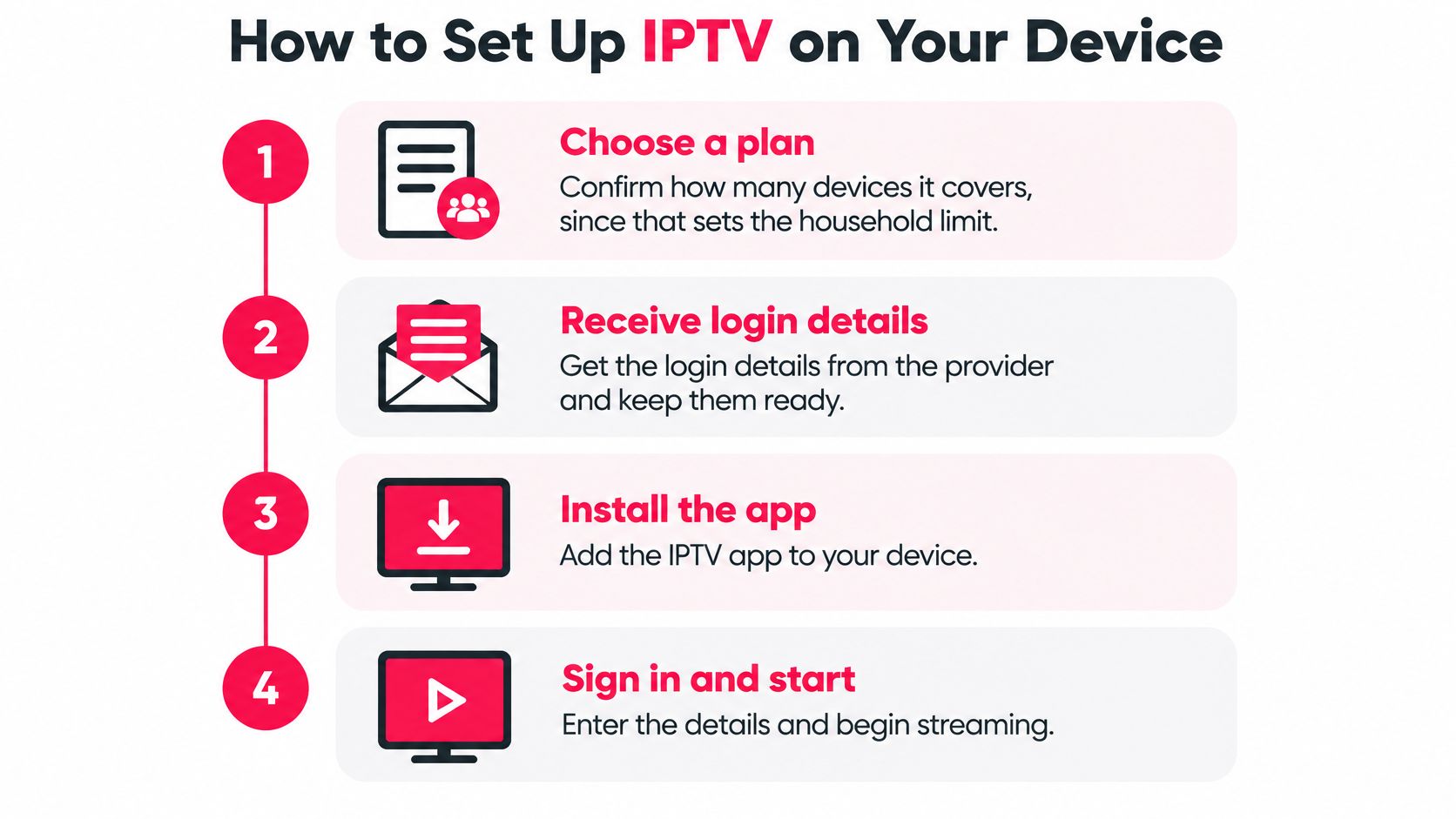
- Confirm your chosen plan's connection allowance. This determines how many household members can watch simultaneously.
- Receive your login credentials and store them securely. Don't post screenshots containing passwords or playlist addresses.
- Install a compatible IPTV player from its official store. Confirm the developer and device support rather than downloading an unrelated app with a similar name.
- Enter the server address, username and password exactly as supplied. Capitalisation, stray spaces or an incorrect character can prevent authentication.
- Allow the channel list to load, then open a live channel. Test on the main television's normal connection so you assess the setup you'll use.
- Play an on-demand title and test another device if your allowance permits. Stop the first stream when testing a single-connection account.
- If playback fails, check credentials and restart the app and router. Try moving closer to the router or using Ethernet; these are quick local checks, while expired accounts or unavailable feeds need provider support.
Our IPTV installation guide provides further setup instructions. When requesting help, include the device model, app name, affected channel and exact error message, but never share your password publicly.
IPTV CANADA offers internet-delivered live television and on-demand viewing for Montreal households, with flexible connection options and setup resources. Visit IPTV CANADA to request a trial and compare current plans, then confirm the channels, distribution rights and written terms that matter to your household before subscribing.

No Responses