

You're paying for cable, the kids want different shows, and someone wants the living-room TV for hockey. An IPTV Ottawa search promises more choice, but the useful question isn't how many channels you can buy. It's whether the programmes you need play reliably, include the accessibility features your household uses, and come with clear distribution rights and outage support.
Table of Contents
- What IPTV Means for Ottawa Viewers
- Internet Speed Each Ottawa Household Needs
- Devices and Simultaneous Streams at Home
- Set Up IPTV and Fix the Connection First
- Checking Captions, Described Video and French Access
- Verifying Licensing, Local News and Outage Support
- Test a Trial Before You Subscribe
What IPTV Means for Ottawa Viewers
IPTV is television delivered over the internet to a Smart TV, streaming box or app instead of through a conventional cable or satellite connection. Managed IPTV and internet-delivered streaming, often called OTT, use different delivery arrangements, but buyers still need to check content, playback and terms.
For an Ottawa family, internet television doesn't have to replace everything. Keeping a familiar news service while adding on-demand entertainment can make more sense than cancelling cable immediately.
The CRTC's audience report puts average weekly online audiovisual viewing in Ontario and Quebec's Francophone markets at 11.6 to 13.0 hours during the 2024 broadcast year, compared with 16.1 to 19.4 hours for traditional television. The CRTC cautions that comparisons should be per user; Ontario provides the strongest official regional benchmark for Ottawa, not a city-specific measurement.
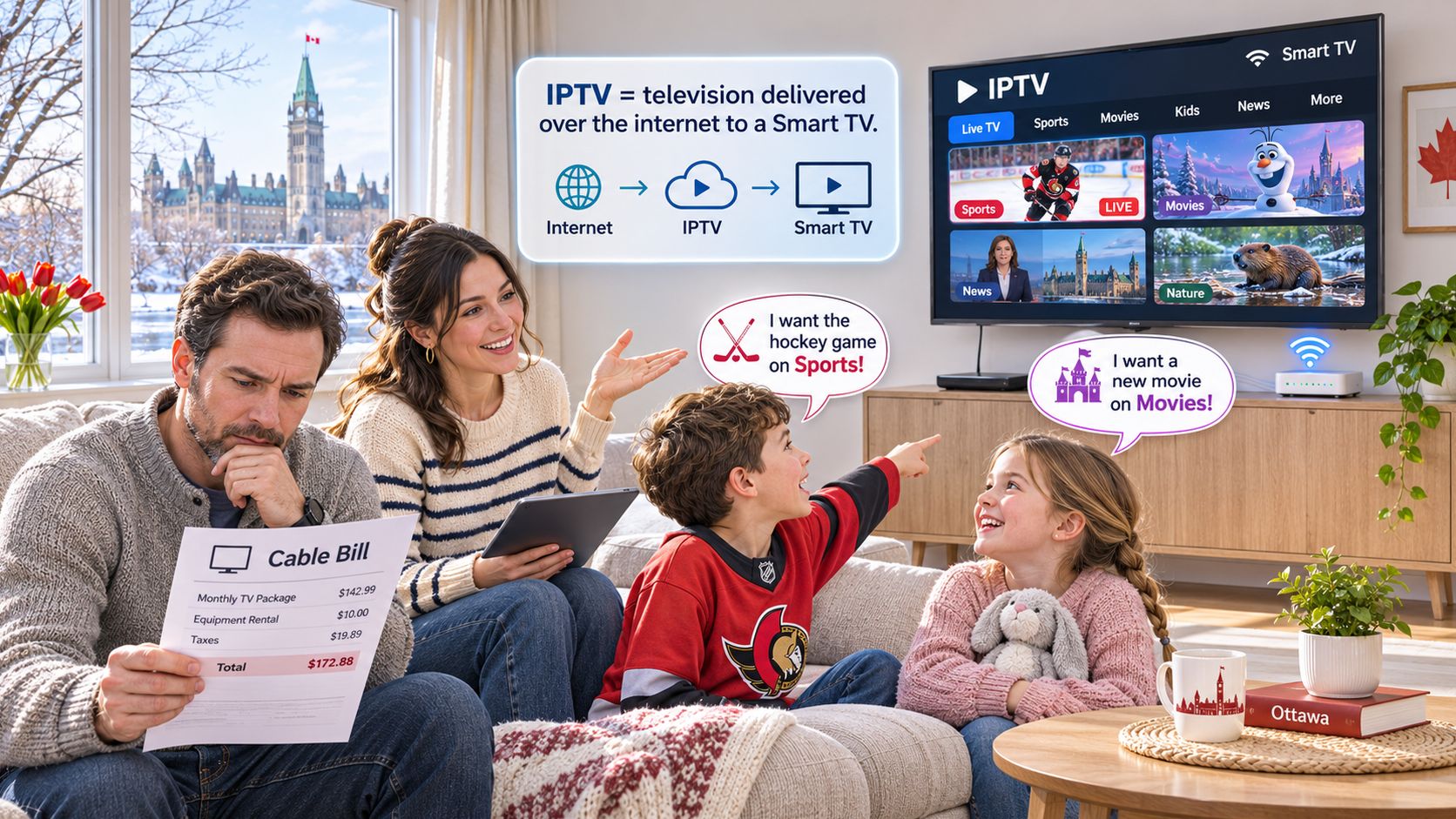
Judge a subscription on useful content, performance on your network and authorisation. A sensible purchase starts with bandwidth and devices, then checks setup, accessibility, rights and recourse before money changes hands.
Internet Speed Each Ottawa Household Needs
Buy for the screens running simultaneously, not the speed printed on your internet bill.
Target internet speed by concurrent streams
These planning targets add breathing room to the service reference requirements in the CRTC's technical comparison, which lists approximately 5 Mbps for HD/FHD and 25 Mbps for 4K for several major services.
| Viewing setup | Streams running at once | Target stable throughput | Notes |
|---|---|---|---|
| One HD stream | 1 HD | About 10 Mbps | CRTC reference about 5 Mbps plus reserve for Wi-Fi overhead |
| One Full HD stream | 1 Full HD | About 10 Mbps | Same reserve as HD, with higher picture quality |
| One 4K stream | 1 4K | 25 to 30 Mbps | CRTC reference about 25 Mbps for 4K Ultra HD |
| Three HD streams | 3 HD | At least 30 Mbps | Family viewing on separate screens |
| One 4K plus two HD streams | 1 4K and 2 HD | About 45 to 50 Mbps | Mixed household viewing during evening hours |
The reserve accommodates Wi-Fi contention, updates, gaming and delivery overhead. The family HD example needs the combined capacity of its streams; the mixed-resolution example needs additional room for the higher-quality picture. These are planning allowances, not performance guarantees.
Statistics Canada defines high-speed access as at least 50 Mbps download and 10 Mbps upload, with 97.1% of Canadian households having access in 2024. Availability doesn't prove what your television receives.
Caps matter too. CRTC consumption measurements recorded 0.24 to 1.30 GB/hour for CBC TV, 1.95 to 2.46 GB/hour for CraveTV, and upper measurements approaching 8 GB/hour for YouTube and Netflix. Fixed-wireless and capped-plan customers should monitor usage rather than assume every evening costs the same amount of data.
Practical rule: Count active screens, choose the matching target, then test usable throughput during your busiest viewing period.
Use the IPTV internet-speed requirements guide to organise that check. A 4K IPTV Canada label describes a capability, not the picture your connection will sustain.
Devices and Simultaneous Streams at Home
Say a parent watches hockey on a Smart TV, a teenager plays a movie on a tablet, and a child uses a bedroom Firestick. That is three concurrent streams on one internet connection, and the plan's device limit decides whether all three play at once. Count screens before choosing: a two-screen household fits a plan such as the 3 Months IPTV Subscription Canada – 2 Devices, while a busier home needs a larger device allowance.
Sports complicate the count. CRTC reporting states that 38% of survey respondents watched a sports television channel in 2024, while 8% consumed a sports-focused subscription video-on-demand service. Canadian connected-TV research cited in that reporting also describes live-sports viewers relying on several apps at once. Use the trial to confirm the specific event you follow; a broad sports category does not guarantee it.

Device compatibility checklist for a trial
| Device | Check during trial |
|---|---|
| Smart TV | Install the app or enter the setup details, then play a live channel |
| Android TV box | Install the player app and confirm playback on a live channel and an on-demand title |
| Amazon Firestick | Confirm the app installs and captions toggle on and off |
| Roku | Confirm the app installs and captions toggle |
| Apple TV | Confirm the app installs and described video is labelled |
| Chromecast | Confirm casting from a phone or computer plays smoothly |
| MAG or Formuler box | Confirm the installation guide applies to the exact box |
| Phone, tablet or computer | Confirm playback over Wi-Fi during the evening peak |
Compatibility comes down to the exact model, operating system and app version. Two devices under the same brand name can behave differently during the same trial.
For planning IPTV across multiple devices in Canada, write down the hardware and the active-screen requirement before choosing connections. Put the main television on Ethernet where possible, position the access point sensibly, and pause unnecessary downloads during busy viewing. Run the checklist inside the trial window so device support, captions and described video are confirmed before you subscribe.
Set Up IPTV and Fix the Connection First
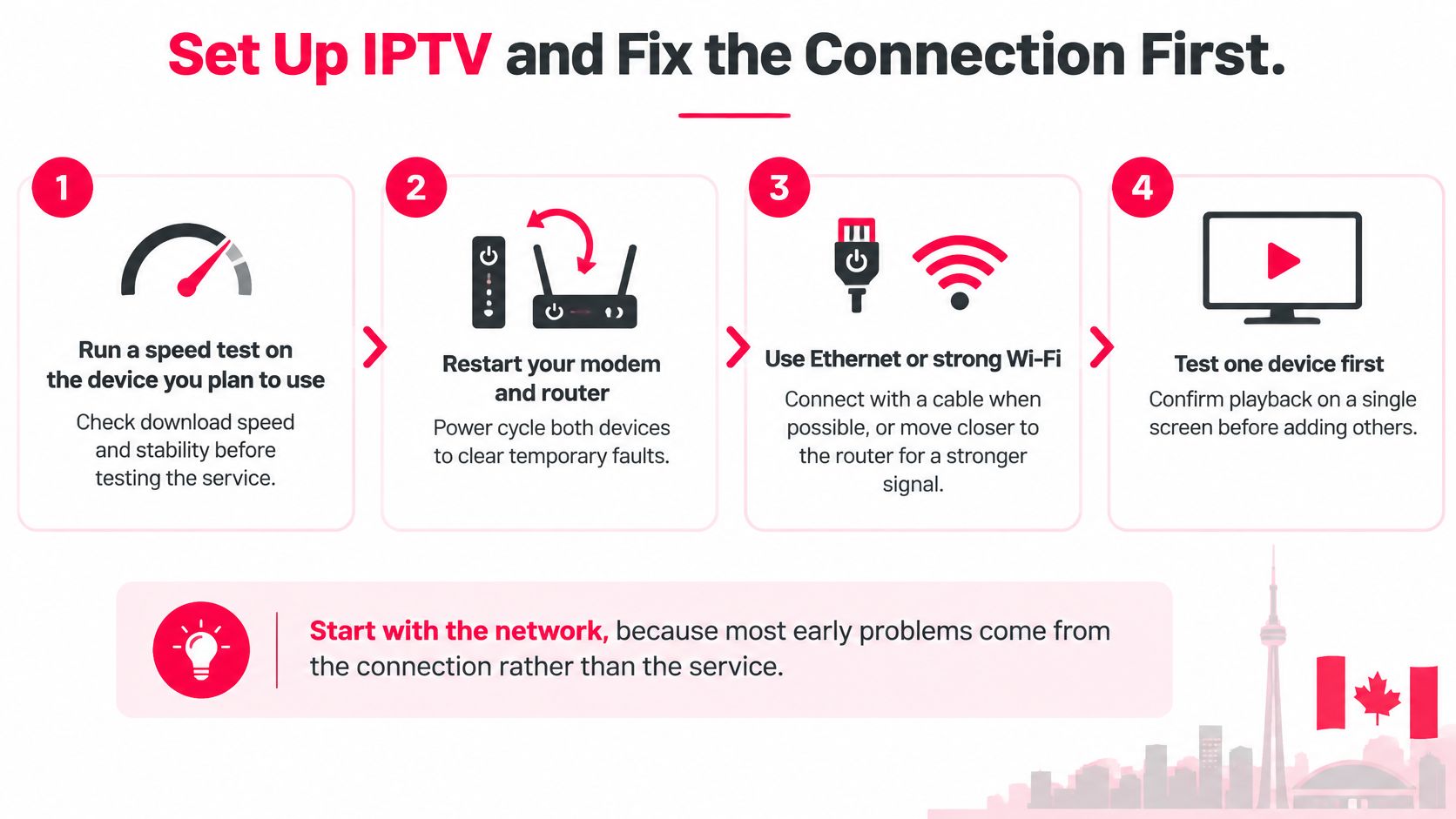
Start with the network so you don't mistake a weak wireless signal for a faulty subscription. Establish a working baseline before changing player settings or buying replacement hardware.
- Test at the screen. Run a speed test on the intended device over Wi-Fi during evening viewing. A router's wired result doesn't show what reaches the television.
- Compare against your viewing load. Match the result to the relevant table row, leaving room for other household traffic.
- Change the connection and retest. Move closer to the access point, select the 5 GHz band, or use Ethernet. Restart the modem and router if performance is unexpectedly poor.
- Install and isolate. Follow the provider's device-specific installation guide. Confirm playback on a single screen before adding the rest, and record any failed setup step.
Outside Ottawa's urban core, test rather than assume. Ookla's first-half 2024 Canadian comparison reported median downloads of 251.62 Mbps in urban areas versus 90.76 Mbps in rural areas, with 83.8% of urban respondents and 60.0% of rural respondents meeting the 50/10 Mbps target.
Those are national comparisons, not predictions for your address. Rural households should test during peak hours and connect directly where practical.
Checking Captions, Described Video and French Access
Sharp pictures don't prove accessible viewing. Captions include dialogue and important sounds for people who are deaf or hard of hearing. Subtitles usually translate dialogue, while described video narrates visual action for people who are blind or have low vision.
The CRTC's 2026 accessibility policy sets captioning deadlines for online streaming services and describes requirements for described video on new scripted, prerecorded original programmes. Policy obligations don't replace checking the actual app and programme.
For bilingual families, seniors and viewers with disabilities, run this checklist on every intended screen:
- Caption controls: Switch captions on and off, restart playback, and check whether the preference persists.
- Described video: Find a labelled title and confirm that narration plays.
- French access: Check French-language captions on French programming.
- Live coverage: Check caption readability and timing during sports.
- Library discovery: Try searching or filtering for accessible titles.
Use the Canadian channel-list guide to prepare a viewing shortlist, not as evidence that every feed includes accessibility features.
A caption button is only a control. The test is whether useful captions appear on the programme your household watches.
Record failures by device and title so support can investigate a specific problem.
Verifying Licensing, Local News and Outage Support
IPTV is a delivery technology, not proof of permission to distribute content. Local servers, a polished app and an 8K IPTV label don't establish channel or film rights.
The CRTC's discoverability framework addresses audiences' ability to find Canadian, Indigenous, English-language, French-language and regionally diverse content. For Ottawa buyers, that means looking beyond international channel totals: can you find Ottawa and Ontario news, French programming and public-interest coverage?
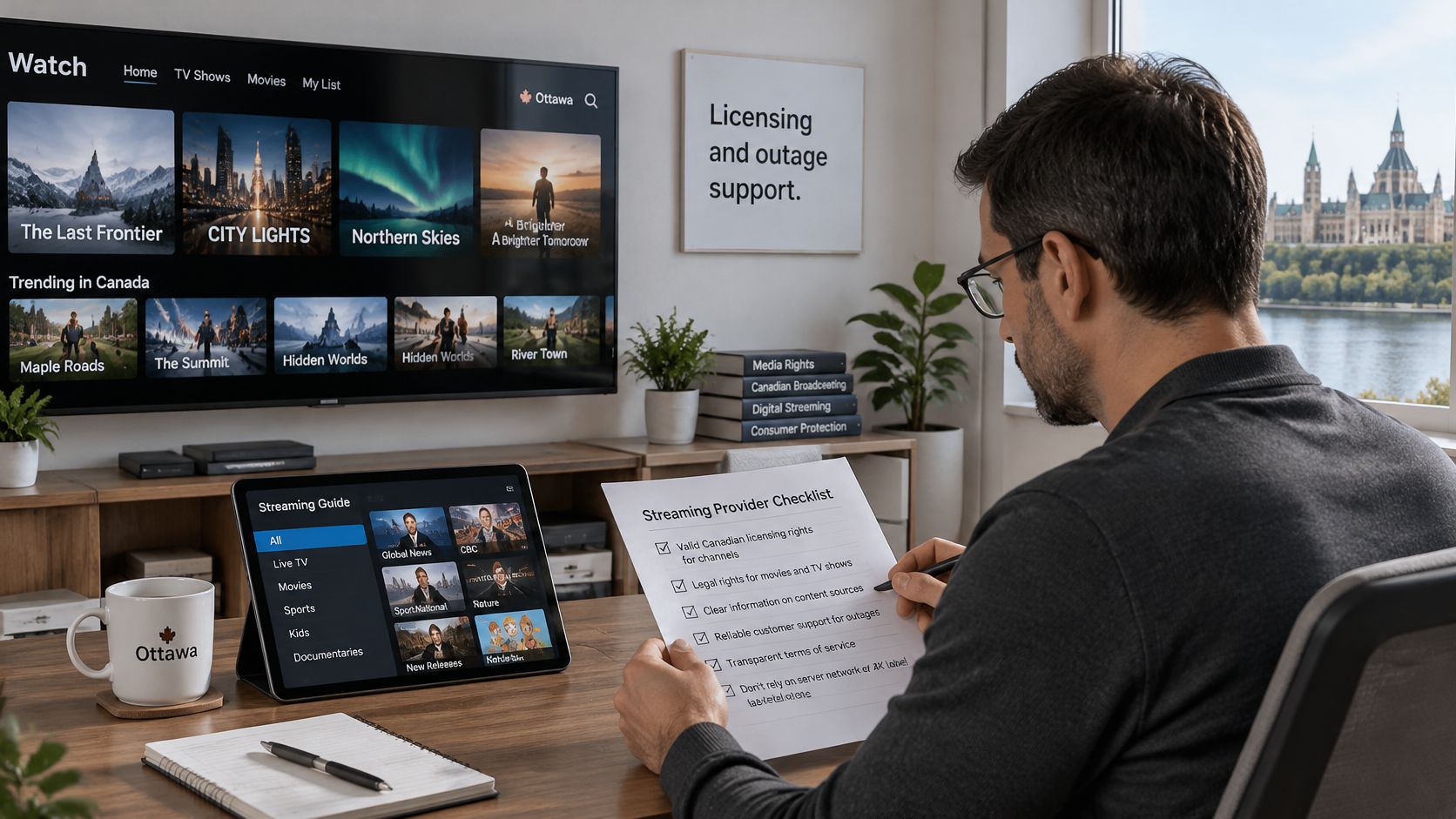
Use these questions when assessing an IPTV Provider Canada search result:
- Distribution rights: Who holds authorisation for each channel group, and what explanation can the seller provide?
- Regional coverage: Which Canadian and Ontario news channels are included?
- Refund procedure: What period applies, and how do you submit a request?
- Outage handling: Is there an authorised substitute feed, credit process or escalation route?
- Support commitment: What response time will the provider put in writing?
Consider a stream failing during a Senators game, election coverage or emergency bulletin. You need a usable reporting process, not just a chat icon.
The guide to IPTV legality in Canada can help frame your checks. Treat free or unusually cheap alternatives cautiously, and don't purchase content whose distribution rights remain unresolved.
Test a Trial Before You Subscribe
Pre-subscription checks and what to record
Use this record sheet on your household's real equipment. The viewing windows below are suggested test conditions, not service guarantees.
| Check | How to test in the trial | What to record |
|---|---|---|
| Speed at peak hours | Stream on each device between 7 and 10 p.m. | Stalls per hour on each screen |
| Ottawa and Ontario news | Watch a local or Ontario news bulletin | Channel present or missing |
| French-language channels | Play two French channels for five minutes each | Picture quality and French captions |
| Live sports | Stream one live game or highlight show | Freezes or delay compared with the broadcast |
| On-demand library | Search by country, genre and release year | Number of relevant results |
| Captions and described video | Toggle both on each device | Whether they work and settings persist |
| Support | Send one question and time the reply | Reply time in hours and answer clarity |
The right choice is the one that passes your trial checks, not the one with the largest catalogue. Compare current prices in CAD with your existing television bill, including services you will still keep.
Service coverage includes Ottawa alongside Montreal, Quebec, Toronto, Edmonton, Calgary and Vancouver, with secure payment methods and plans presented without contracts or automatic payments. Subscription options include a monthly plan for a short evaluation and the 3 Months IPTV Subscription for 2 Devices for shared viewing. Match the number of connections to actual simultaneous use, since extra streams raise bandwidth demand on busy evenings.
The advertised 24-hour HD trial requires no credit card, and the site advertises a seven-day money-back provision. Confirm current eligibility, exclusions and request procedures through the IPTV Free Trial Canada page before relying on either. A trial that passes your checks supports a purchase decision; confirming distribution rights and outage handling remains a separate step.
IPTV CANADA offers internet-delivered live television, sports, movies and international entertainment with flexible viewing options. For your Ottawa household, visit IPTV CANADA to confirm current terms and request a trial, then choose a plan only after checking device performance, accessibility and content authorisation.

No Responses